
Horde Survival
Every enemy in a two thousand strong horde decides through one graph file, a second graph instance picks the pressure phase, and ECS keeps spawning, movement, and damage.
On this page
Thousands of zombies want your keeper, and every one of them decides through the same graph file. One more instance of a different graph, running on its own entity, decides how hard the game is leaning on you this second.
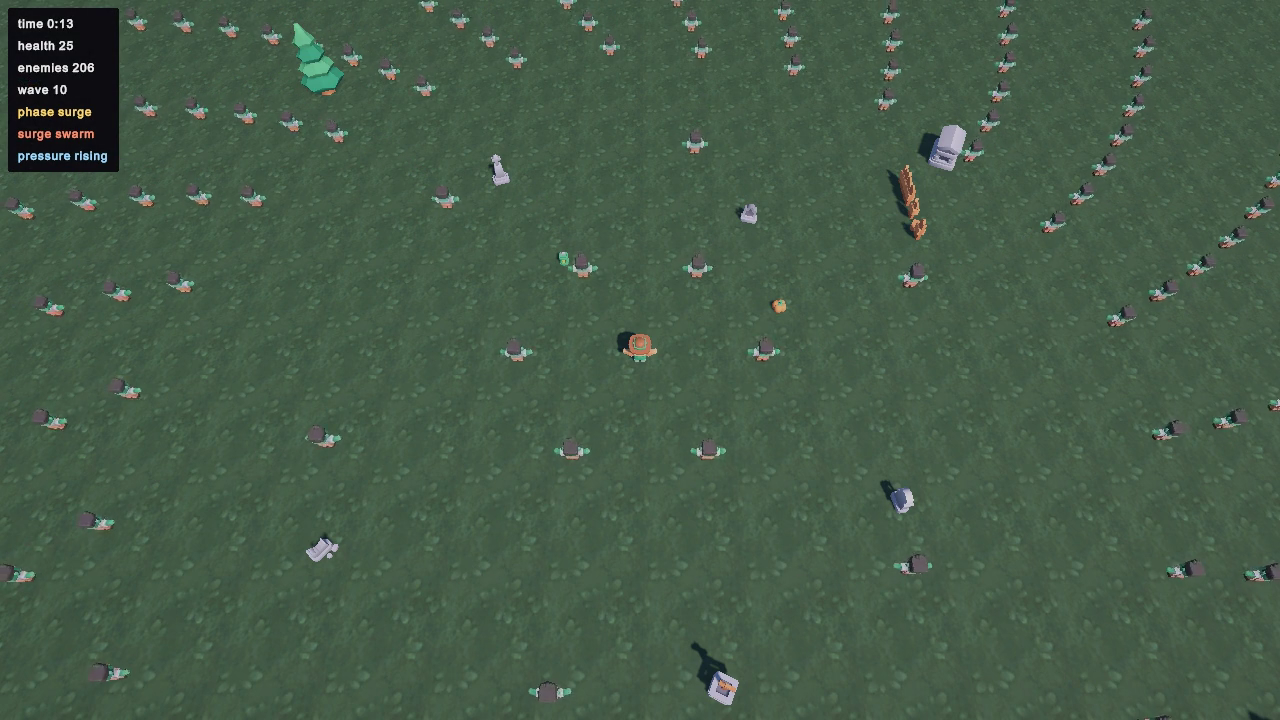
Play it in one minute
Under a minute
- Scene
Assets/_Project/Scenes/HordeSurvival.unity- Select
- Bootstrap in the Hierarchy
- Controls
- Keyboard: move with WASD or the arrow keys, restart with R once the run has ended. Gamepad: move with the left stick; restart is keyboard only. Attacks are automatic.
- Goal
- Stay alive while the director cycles its pressure phases, and read the phase on the HUD before the horde reaches you.
Paths here belong to the standalone project and start at Assets/_Project. A packaged sample import puts the same folders under Assets/BitQuirky/BehaviorTreesAndStateMachines/Samples/.
The first thirty seconds
Section titled “The first thirty seconds”-
Open
Assets/_Project/Scenes/HordeSurvival.unity. The folder also holdsHordeBenchmark.unity, which drives itself for measurement: ignore this one while you are playing. -
Select Bootstrap in the Hierarchy. Its Graph Enemy Brain Composer holds the two graph files the run uses:
EnemyBrain.bqbehaviorfor every enemy,HordeDirector.bqbehaviorfor the run. -
Press Play and move. The HUD reads
phase build upwithsurge pendingunder it, and counts downsurge in 6, which is the director graph’s ownbuild_up_durationvalue. -
At zero, with no more than 1,800 enemies alive, the phase flips and the pending line names the profile the graph drew:
surge swarm,surge rushorsurge brute. Swarm sends 24 enemies every 0.9 seconds, rush sends 10 fast ones every 0.7 seconds, brute sends 4 slow ones with triple health that hit twice as hard. -
Nine seconds later, or as soon as 2,200 enemies are alive,
phase relaxstops new batches and the profile line readssurge none. The enemies already out keep coming for you. -
When your health reaches zero the run ends and a panel reads
you survivedand your time,0:48on the run this chapter was written from. Press R to run again. Nothing resets while the run is alive.
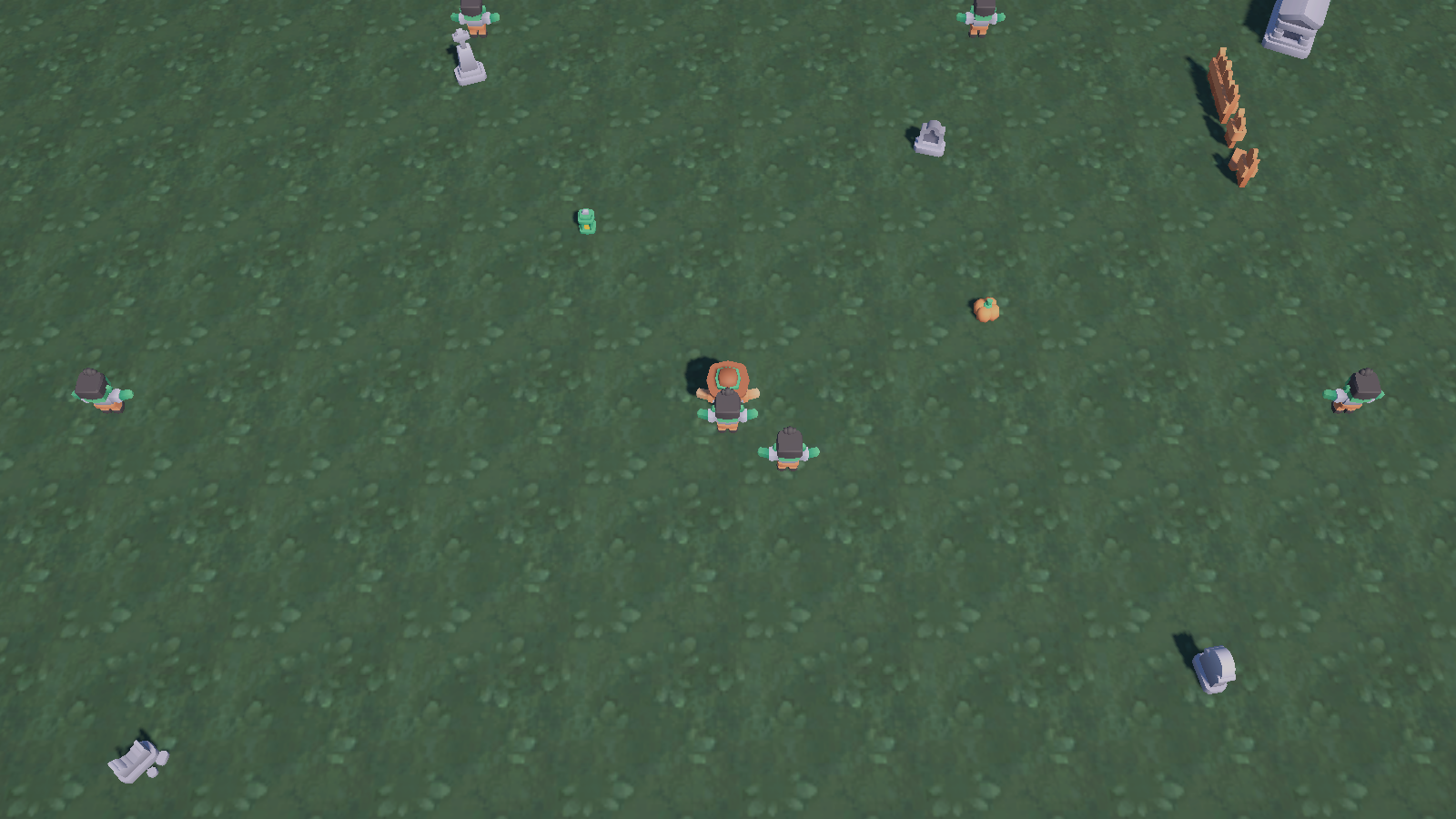
What this game teaches
Section titled “What this game teaches”Entity agents at scale: every living enemy runs the same baked EnemyBrain.bqbehavior and advances inside a Burst job over ECS buffers, one schedule per update for the whole horde. Entity runtime covers registration and ticking; Burst and jobs covers what compiles.
Entity member bindings: the brain’s conditions read Health.Current and ContactAttack.CooldownRemaining off the enemy’s own components and the enabled state of the SurvivorTarget singleton, with no lookup by name at runtime. See entity bindings.
A static member with arguments: the node named Distance Squared invokes math.distancesq with the enemy’s LocalTransform.Position and the survivor’s position, and surfaces the answer as distance_sq for the condition below it. See arguments and results.
A weighted director: HordeDirector.bqbehavior is a state machine of three phases whose Surge state hosts a Random Selector where the swarm branch carries a weight of 5 against 3 for rush and 2 for brute. See roll the dice and a tree inside a state.
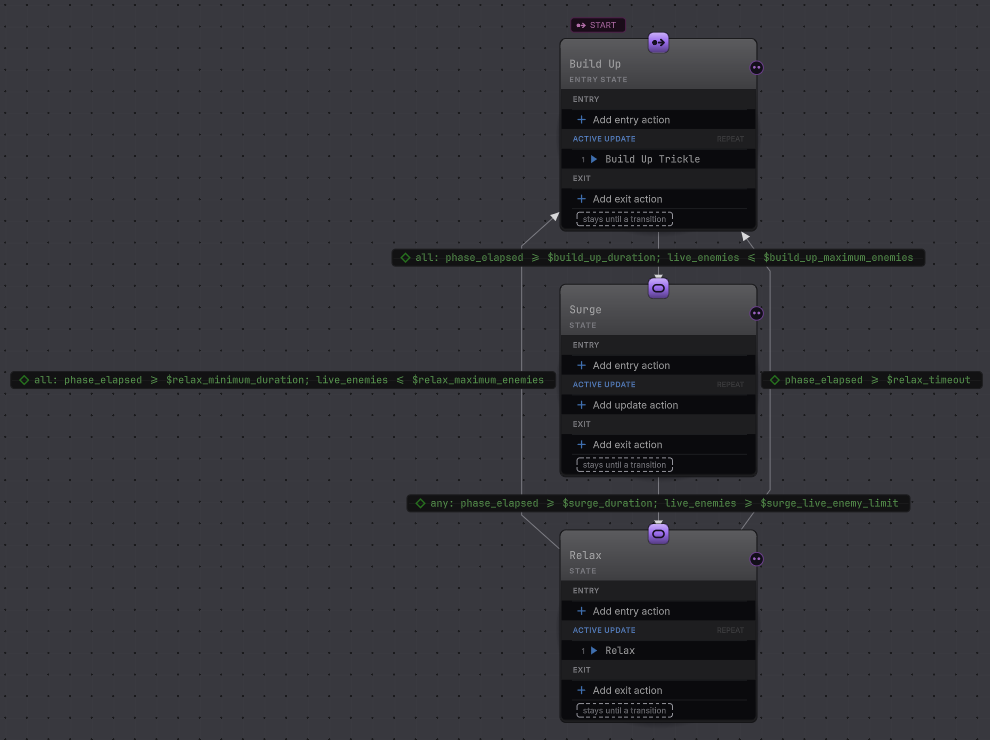
Graph values as the designer’s dials: seven declared values hold every phase boundary, so pacing is an edit in a window. See variables and types.
Entity Live: pause, pick one enemy out of the crowd, and read the branch it took. See entity debugging.
What stays in C#: the graphs never create an enemy, never move one, and never take a point of health off anybody. Horde’s ECS systems own all of that, which is why the decision layer can be deleted without taking the game with it.
Graph versus game code
Section titled “Graph versus game code”| The graphs decide | Horde’s ECS owns |
|---|---|
EnemyBrain.bqbehavior, one instance per living enemy, registered by GraphEnemyBrainComposer on Bootstrap |
WaveSpawnSystem creates enemies on the spawn ring and holds the population under the 2,400 ceiling |
HordeDirector.bqbehavior, one instance on the single director entity, registered by GraphDirectorComposer |
DirectorSpawnCadenceSystem turns the published decision into batch requests at the profile’s interval |
Attack permission: Grant Attack sets AttackIntent.Ready when a target sits inside the contact radius with the cooldown clear |
ContactDamageSystem applies the damage and ContactAttackCooldownSystem ages the cooldown |
Movement intent: the brain writes MovementIntent.Mode with a target position |
FlowFieldMovementService is the only thing in the project that moves an enemy |
Phase choice: the director’s actions fire build_up, swarm, rush, brute or relax |
The adapter’s command handler maps each action to one HordeDirectorDecision, and HudPresenter shows the result |
Everything with Graph in its name lives in Assets/_Project/Runtime/GraphAdapter/. That folder is the only place in the project that references the product packages; the gameplay assembly references neither, and a package isolation test fails the build if either dependency leaks in. The two composers are the pieces worth copying: one registers a graph against an EntityQuery of agents, the other registers a graph against a single entity with an input binder and a command handler.
These are not the game. HardCodedEnemyBrainComposer under Runtime/Ports/ is the C# reference brain the graph brain was measured against, and neither shipped scene composes it. HordeBenchmark.unity with its own subscene drives the survivor along a fixed path, disables her death, and records frame times. Editing either one changes nothing you can play.
Follow one decision
Section titled “Follow one decision”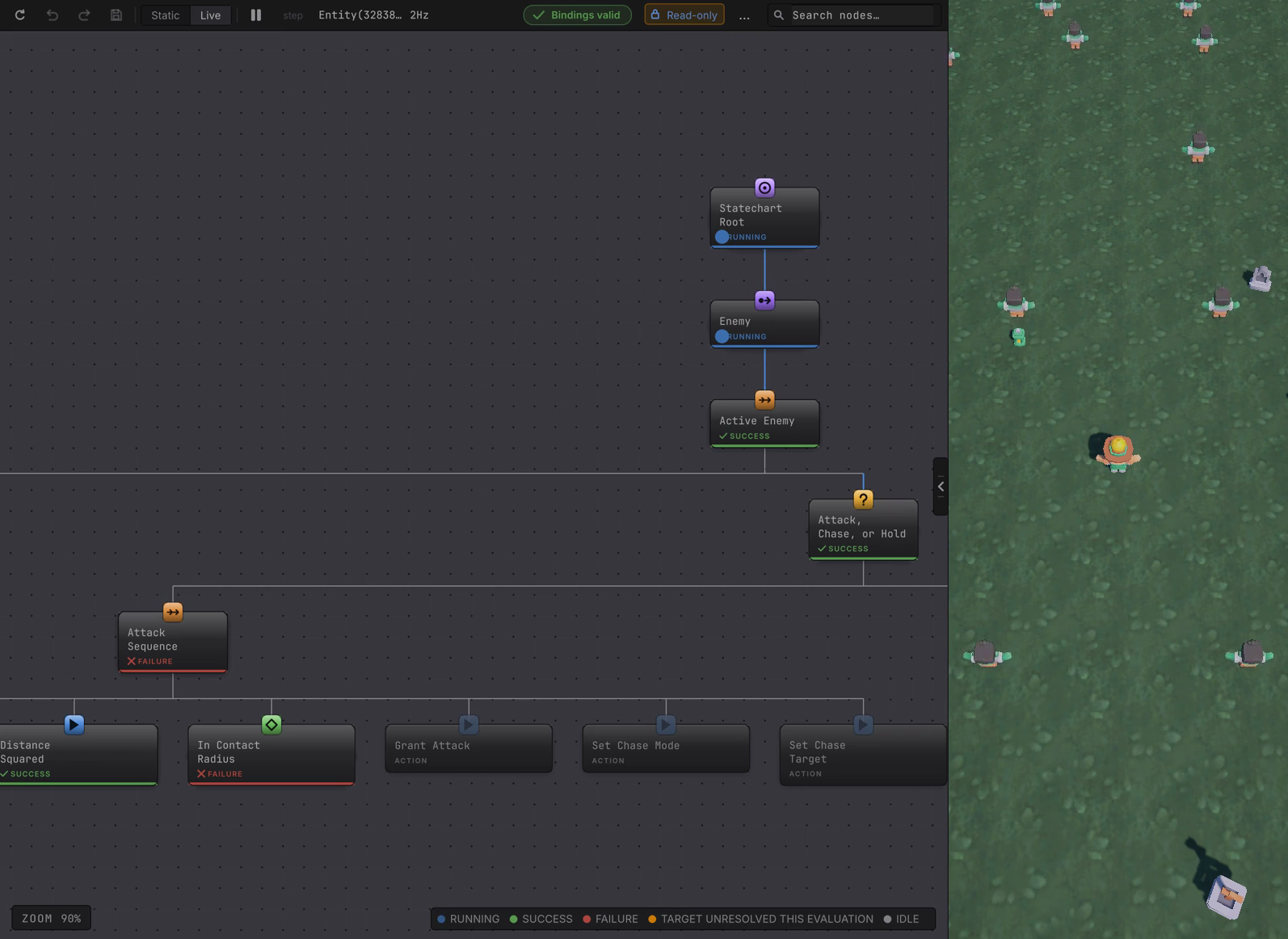
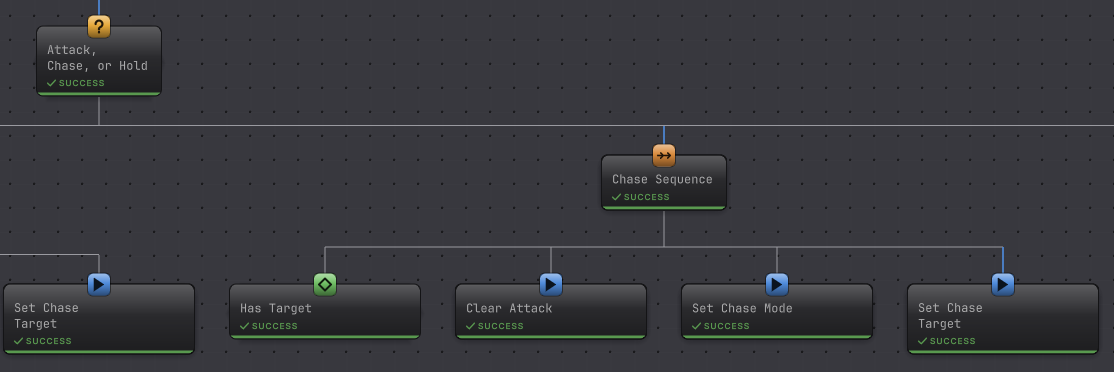
EnemyBrain.bqbehavior is a one-state machine whose state runs a small tree. Not Dying reads the enabled state of that enemy’s DeadFade component and requires it to be false. Below it a Selector named Attack, Chase, or Hold tries three branches in that order, which is the whole priority story: the enemy would rather hit you than walk toward you, and would rather walk toward you than stand still.
Take the attack branch, from game data to a visible hit.
-
SurvivorTargetSystempublishes theSurvivorTargetsingleton with the survivor’s position and enables it while she lives. That is the only shared fact the brain needs. -
Has Target requires that singleton enabled, Enemy Alive requires
Health.Currentabove zero, and Cooldown Ready requiresContactAttack.CooldownRemainingat or below zero. -
Distance Squared invokes
math.distancesqwith twofloat3arguments, the enemy’s own position and the target position, and writes the result todistance_sq. -
In Contact Radius compares that enemy’s
ContactAttack.RadiusSqagainstdistance_sq. Far away it fails, the branch fails with it, and the Selector falls through to chase. -
Inside contact range, Grant Attack writes
AttackIntent.Ready, and the branch also sets chase mode with the target position so the enemy keeps closing. -
ContactDamageSystemreads that permission, takes health off the survivor, and the HUD’shealthnumber drops. The graph granted permission; the system did the hitting.
To watch it happen on one entity, pause Unity mid-run, type t:Enemy in the Hierarchy search field, expand the live world, and select one enemy row. The graph opens in Live with a Read-only badge, drawn in the same status colors a GameObject agent uses. One frame of this brain carries several readings at once: the conditions the attack branch already answered and the running chase branch are all on screen, because a card keeps its last result until it runs again. Clicking the rendered zombie in the Scene view selects nothing, because these enemies have no GameObject to click.
Change something and watch
Section titled “Change something and watch”Use this in your own game
Section titled “Use this in your own game”Copy the intent shape first. Two components, one for movement intent and one for attack permission, are the entire contract between the graph and the systems that already move and damage things in your game. A graph that writes only those two is one you can delete without breaking the simulation.
Rebind the conditions. Every member condition in EnemyBrain.bqbehavior points at a Horde component type; point it at yours through the Member picker and the tree shape survives untouched. Targets covers the target modes the entity host offers, including the singleton and static cases this brain uses.
New C# is needed for three jobs: an input binder that writes your facts into the blackboard ahead of the tick, a command handler for each named action the graph fires, and a composition step that registers the graph against the query of agents that should run it. Horde’s two composers are the worked example, and the director’s one adds the validation that its seven phase values stay inside the game’s own ceiling.
Two practical limits before you scale up. Entity member bindings need Burst AOT in a player, with no managed fallback, and entity Live is an observer with no per-entity pause. Adding a graph branch that writes an intent nobody consumes gives you a graph that succeeds and a game that does not change.
When it goes wrong
| Symptom | Check | Fix |
|---|---|---|
| Clicking an enemy opens nothing. | Confirm what you clicked in the Scene view. | Search t:Enemy and select the entity row instead. |
| No live world is listed. | Confirm Play mode is running. | Press Play and let a wave spawn first. |
| Editor reads "selected entity no longer exists". | Assume that enemy died, as most do. | Select a living row. A reused index is a new version. |
| Every enemy holds still. | Read whether the survivor target is enabled. | Restore the target. Hold is right with nothing to chase. |
| Attack succeeds, health never drops. | Follow the attack permission to its reader. | Inspect the contact damage system. The graph only grants. |
| Chase is set, the enemy stays put. | Read that entity movement data. | Inspect the flow field service, which owns movement. |
| Phase changes, no batch spawns. | Read the profile interval and the ceiling. | Inspect the spawn cadence system. Relax blocks batches. |
| Composition rejects a new surge limit. | Compare it with the build up maximum. | Keep it above that value and at or below 2,400. |
| A saved graph edit looks ignored. | Confirm the run restarted after the save. | Start a fresh run. Live entities keep their graph. |
What next
Section titled “What next”- Racing Line: the last chapter, where a graph steers rich existing vehicle code.
- Performance: the recorded frame time and allocation figures from
HordeBenchmark, with the machine and the date attached. Running the benchmark yourself is optional. - Director with weighted choices: the phase and weight pattern on its own.
- Attack with cooldown: the enemy branch as a reusable shape.
- Entity debugging: everything the Live view offers on an entity, and what it withholds.
- Choose another sample.
Credits and reuse
Section titled “Credits and reuse”The keeper, the horde, and the ground are by Kenney, who gives away thousands of game assets for free:
- Graveyard Kit: the keeper, the zombies, and the graveyard dressing around the arena.
- Retro Textures Fantasy: the ground texture.
We took ours from Kenney Game Assets All-in-1, the paid bundle of everything Kenney has released; the links above go to the same packs on kenney.nl, where each one is a free download.
Both are CC0, which asks nothing of you and allows commercial use; we always credit Kenney when we use their assets, and support them by buying the packs. We hope you will too! The imported subsets sit under Assets/ThirdParty/Kenney/ beside their License.txt files. Keep each license file with any art you copy out, so the next person knows where it came from. The ECS gameplay code, the Bit Quirky packages, and the Kenney art are separate works with separate terms.