
Weigh it up
A Utility Selector scores every branch from live values and runs whichever one currently scores highest, so the choice itself lives in the graph instead of a hand-written if-chain.
On this page
Some choices do not have a clear winner by priority. A Selector always tries the same branch first; a Utility Selector scores every branch from whatever the game is doing right now and runs whichever one currently scores highest.
The problem
Section titled “The problem”Picking a priority order works when one branch is always the right first try. It stops working the moment “right” depends on several numbers at once, like an enemy that should favor closing distance while healthy, falling back while hurt, and flanking when allies are nearby: none of those is always first, and a Selector or a hand-written weighted sum both end up as an if-chain somebody has to retune in code every time a designer wants a different feel.
A Utility Selector puts that scoring on the graph. Each direct child is a branch with one to eight considerations, each consideration reads a declared numeric value either directly or through a curve, and the branches combine into one score the selector compares every evaluation. The branch with the highest score runs; no code file changes when a designer retunes a curve or adds a consideration.
When to reach for it
Section titled “When to reach for it”- A decision with several competing numeric pulls, where the best branch genuinely changes continuously as those numbers change, rather than switching only at a few fixed thresholds.
- Tuning a feel by reshaping a curve instead of editing an equation: a designer drags a key, the branch favors that input sooner or later, no recompile.
- A branch that should hold once it starts (finish first) next to one that should hand off the moment a rival pulls ahead (interrupt), authored per branch rather than as one rule for the whole selector.
Keep ordered priority on a Selector when one branch should simply always be tried before another. Keep a flat chance on a Random Selector when no branch should be favored by the game state at all. Reach for a Utility Selector only when the winner is supposed to move as the numbers move.
See it
Section titled “See it”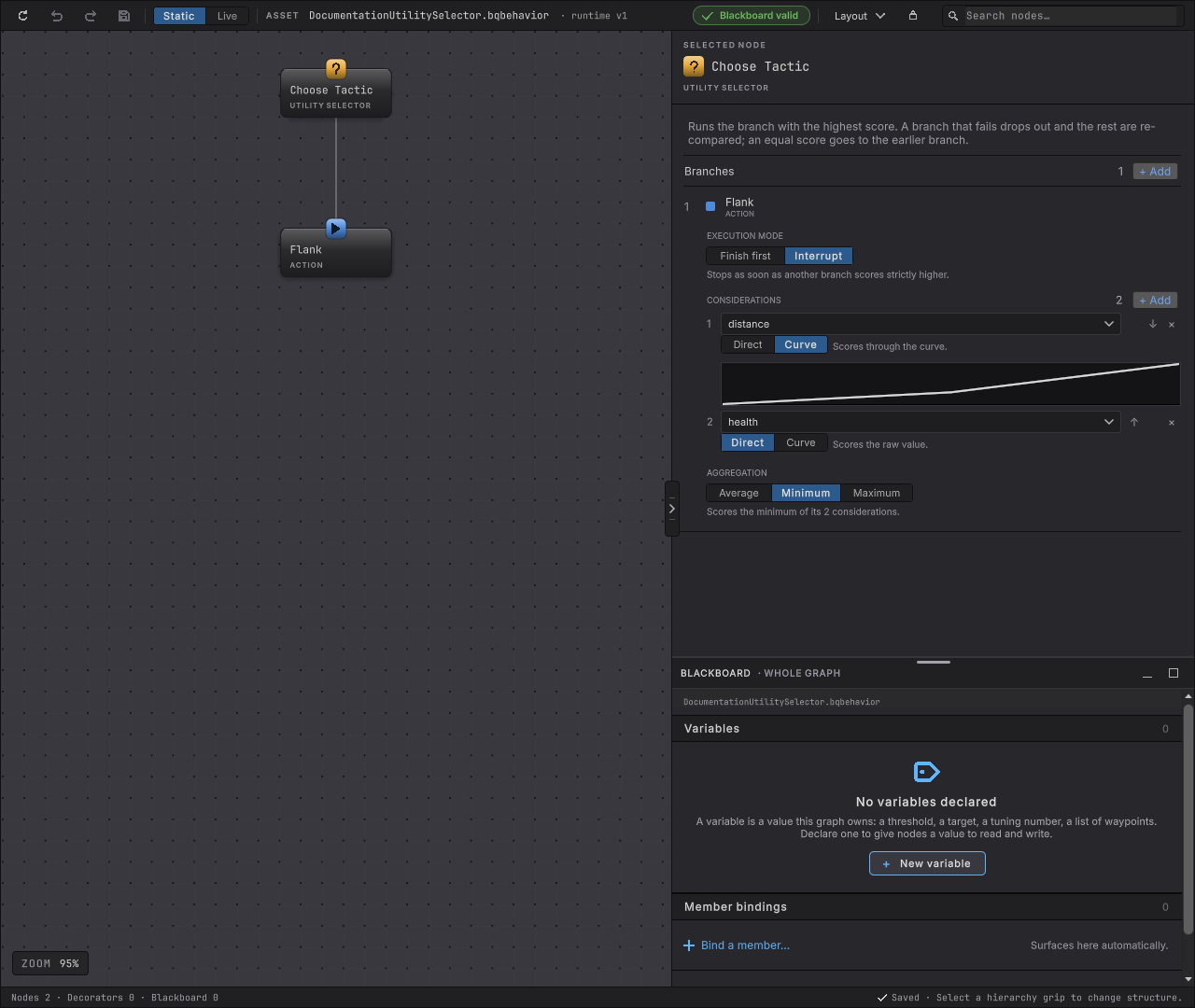
-
Open
Assets/_Project/Behavior/DocumentationUtilitySelector.bqbehaviorin the Horde Survival project and select Choose Tactic. The rail reads UTILITY SELECTOR and a Branches list with + Add.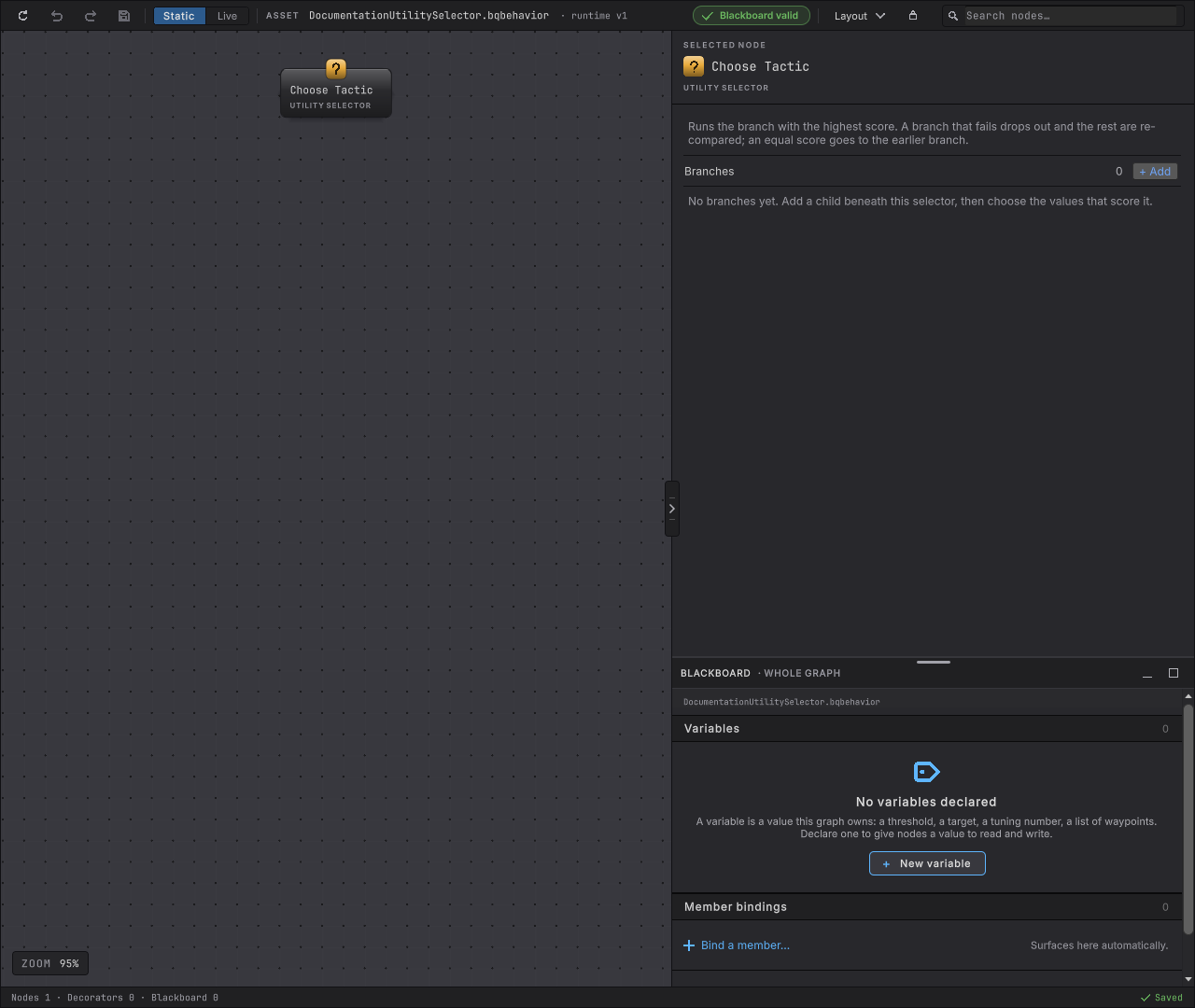
Figure 2. Choose Tactic selected with zero branches, Branches 0 -
Add a child beneath the selector on the canvas, the same way you add a child under any composite. Its row appears under Branches, with an EXECUTION MODE control above a CONSIDERATIONS list.
-
Use + Add under CONSIDERATIONS and choose a declared numeric value from the dropdown. With one consideration and no curve attached, the row reads Direct and the branch scores that value exactly as read.
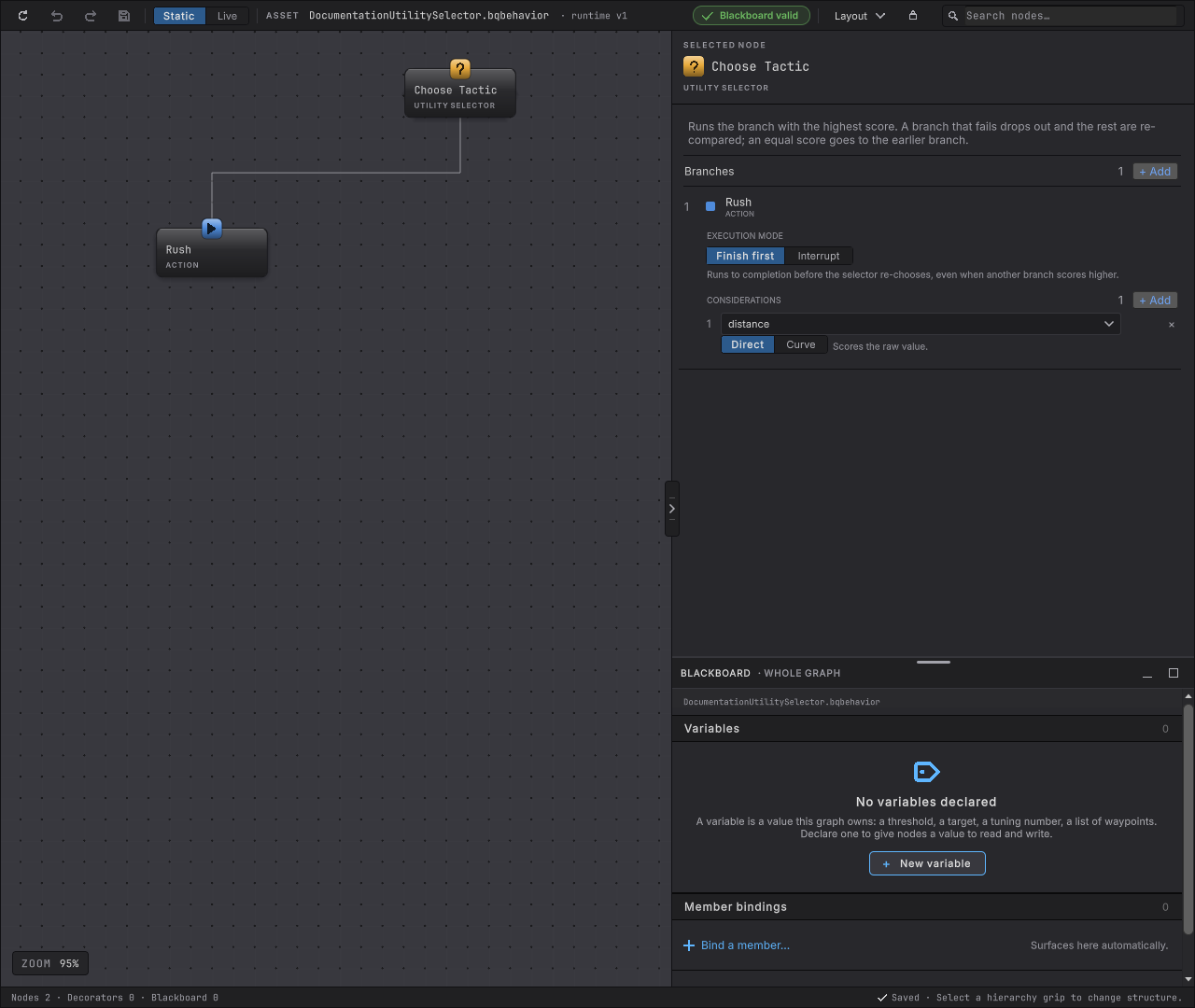
Figure 3. Rush branch with one direct-value consideration, distance, direct selected -
Switch a row from Direct to Curve. A curve editor opens under the row, starting at two keys running straight from
(0, 0)to(1, 1). That line reproduces the direct score for every live value between 0 and 1, but it is still a curve: a value above 1 or below 0 clamps flat at the nearest key instead of scoring past it. A distance of2scores2directly, but only1through this untouched curve, so attaching it can already change the result before you reshape anything.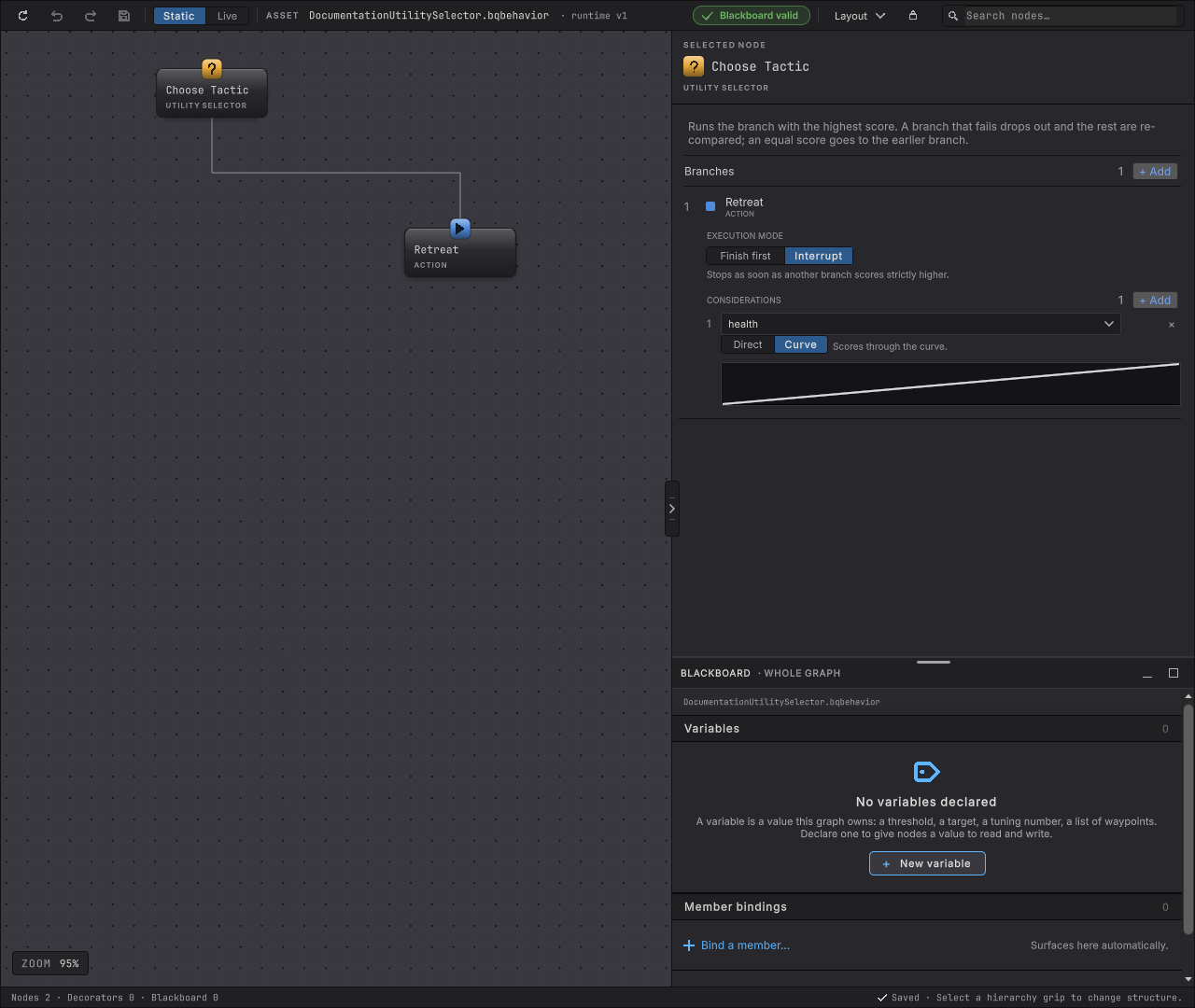
Figure 4. Retreat branch, immediately after attaching a curve: two keys running straight from (0, 0) to (1, 1) Drag a key, or add one in the middle and move it, and the line bows instead of running straight. A consideration scored through a bowed curve like this one rewards the high end of its live value’s range faster than a straight line would, without touching the branch’s other considerations or its aggregation.
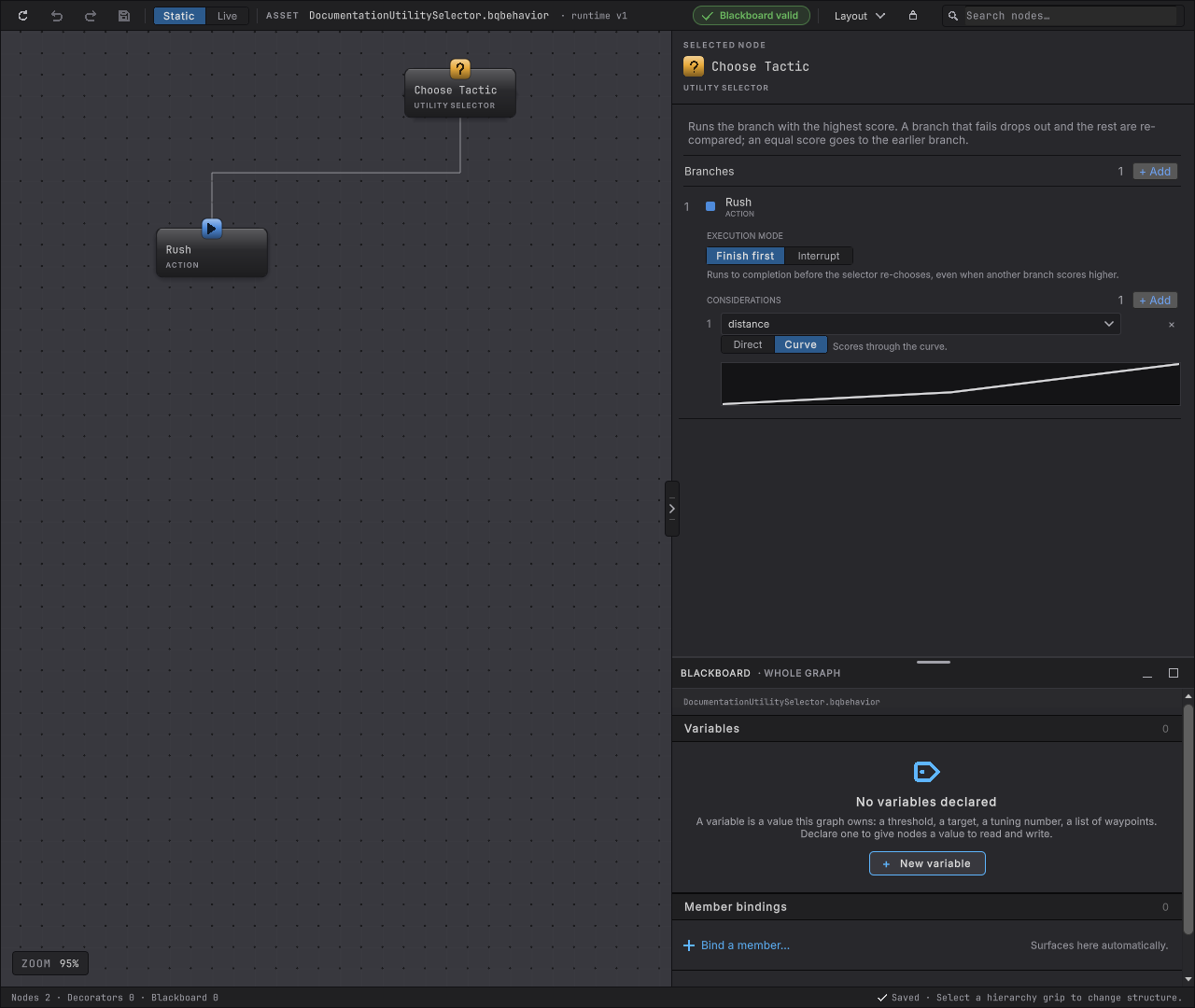
Figure 5. Rush branch with distance scored through a bowed curve instead of directly -
+ Add a second consideration on the same branch. Past one consideration an AGGREGATION control appears, offering Average, Minimum, and Maximum; with exactly one consideration the branch ignores aggregation entirely, since the average, minimum, and maximum of one number are the same number.
Figure 6. Flank branch with two considerations and aggregation set to minimum -
Read EXECUTION MODE above the considerations: Finish first or Interrupt, one choice per branch.
How it decides
Section titled “How it decides”Result
- Success
- The running branch returned Success.
- Failure
- Every enabled branch has been tried and failed; the selector has no candidate left to fall back to.
- Running
- The highest-scoring remaining branch is still working.
- Every enabled branch’s score is computed independently of its siblings, every evaluation, from its considerations’ current live values.
- A branch’s score is the aggregate of its considerations: one consideration’s value directly, or the Average, Minimum, or Maximum of two or more. A consideration reads its declared value directly, or samples a curve at that value by piecewise-linear interpolation between the authored keys, clamped flat outside the authored range.
- The branch with the strictly highest score runs. An exact tie keeps whichever of the tied branches was authored earlier; the later one never takes over on a tie alone.
- A branch that fails is removed from this pass’s candidate set and the selector re-scores and re-picks from what remains, the same next-highest-candidate fallback a Selector uses, so one failed tactic does not stall the agent. That holds on the very evaluation a branch is chosen, too: a first child that refuses at once, such as a Condition whose comparison is false, drops the branch exactly like a Failure, and the selector moves on to the next-highest score instead of choosing the same branch again.
- A branch score that comes out
NaNor infinite faults the agent instead of choosing. Nothing is clamped or substituted, the Utility Selector records the fault, and the agent stops like any other fault, while every other agent ticking beside it carries on. - Finish first (the default) keeps the running branch no matter what a rival scores, until it finishes on its own. Interrupt compares the running branch’s score against its rivals every evaluation and hands off the moment one scores strictly higher, cancelling the running branch’s pending external work with the package’s existing Lower Priority cancellation reason.
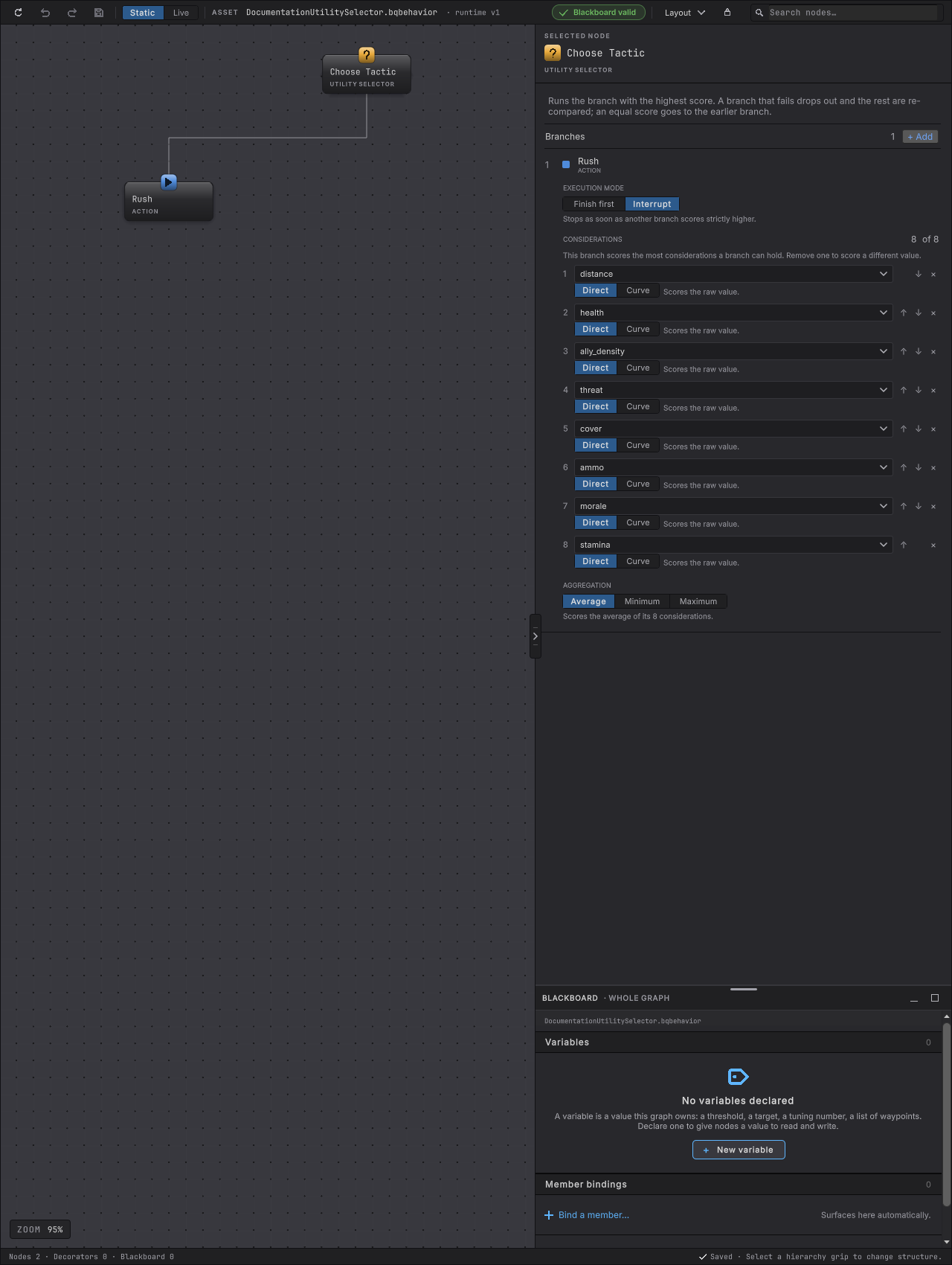
- A branch holds 1 to 8 considerations. More than one requires an authored aggregation; exactly one does not, since aggregation would not change its result.
When it goes wrong
Section titled “When it goes wrong”The editor catches every one of these before a bake, with a diagnostic on the exact row.
When it goes wrong
| Symptom | Check | Fix |
|---|---|---|
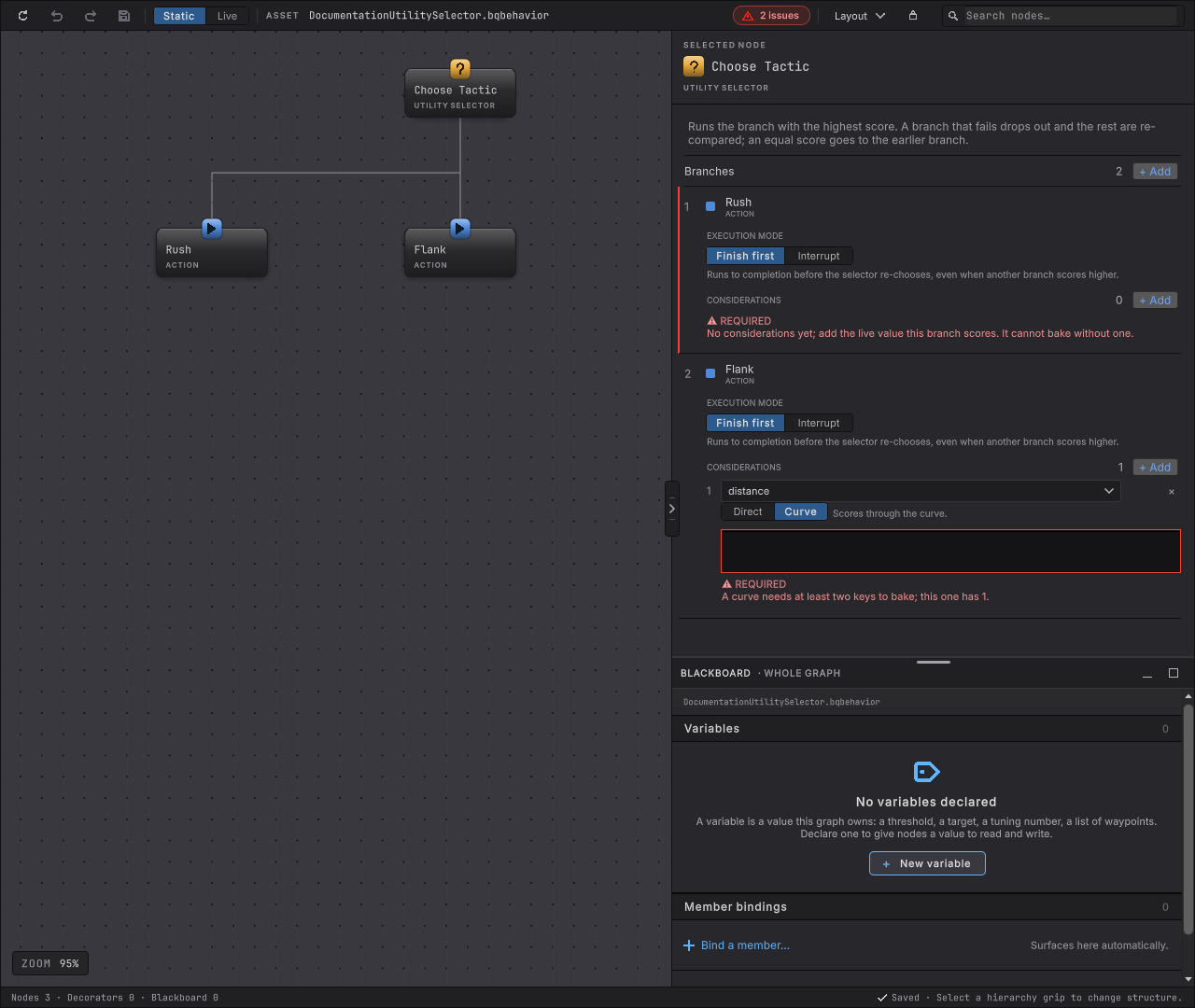
| A branch reads REQUIRED and "No considerations yet". | Every branch needs at least one consideration before it can bake, and the graph already declares a numeric value to pick. | Add a consideration and choose a declared value for it. |
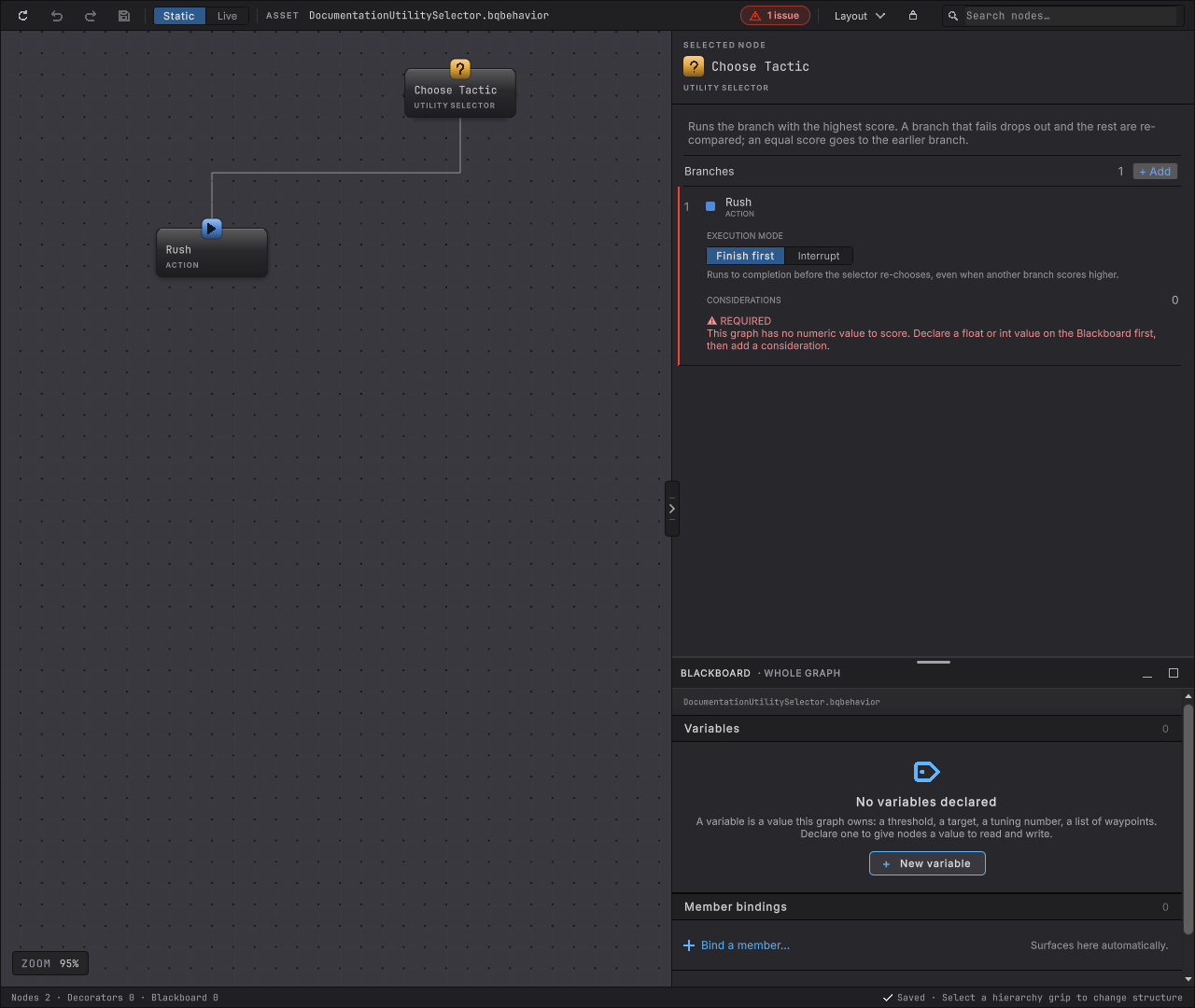
| A branch reads "This graph has no numeric value to score". | No declared value on this graph is a float or int at all, so there is nothing for Add to offer. | Declare a float or int value on the Blackboard first, then add the consideration. |
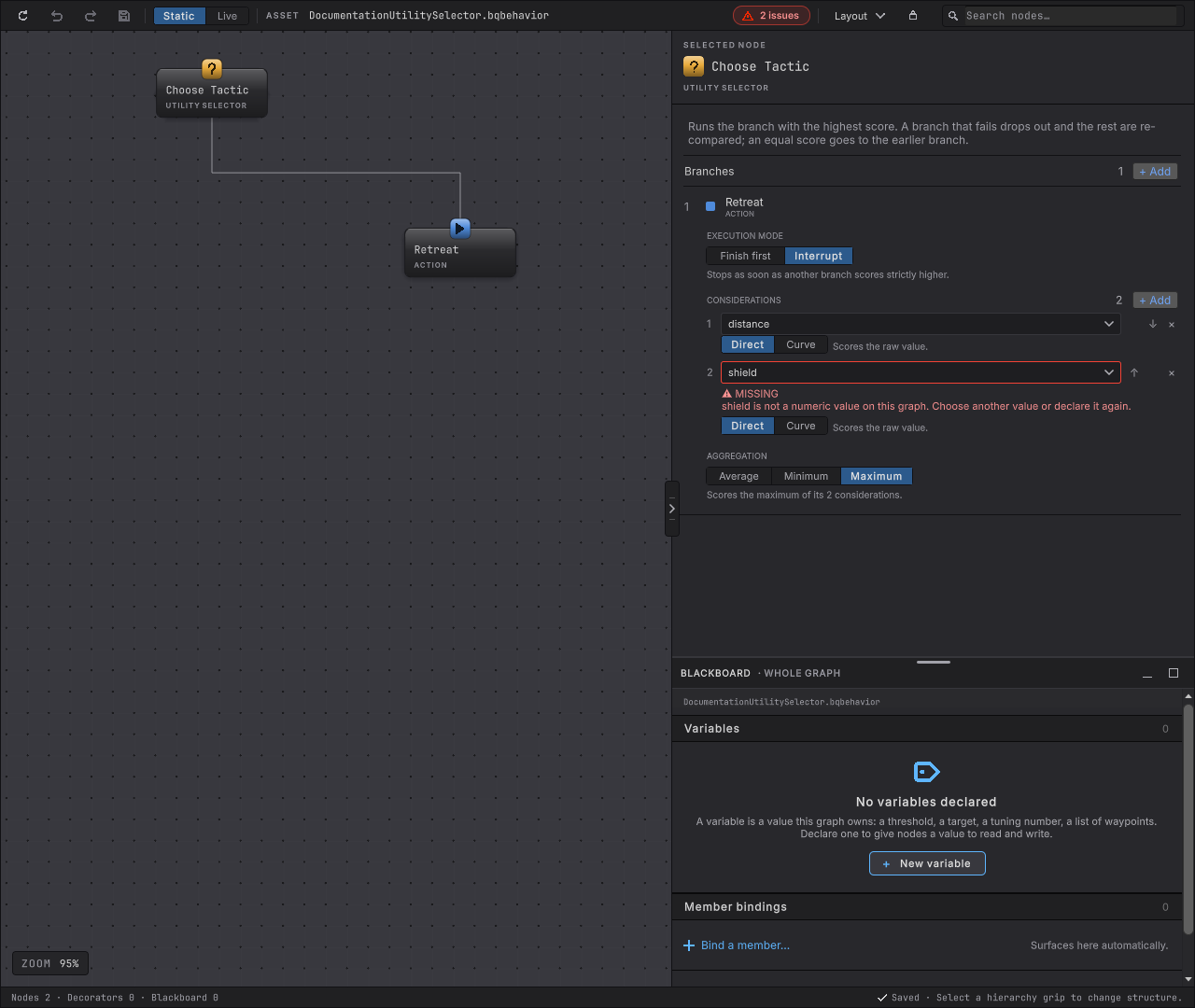
| A node-level banner reads "node references unknown field". | A consideration names a value outside the selector’s own declared read set, usually after a rename or a removed declaration. | Pick a currently declared value from the dropdown, or declare the missing one again. |
| A curve shows REQUIRED, "needs at least two keys". | A curve with one key has no line to sample. | Add a second key, or switch the row back to direct. |
| + Add is disabled under CONSIDERATIONS. | A branch holds at most eight considerations. | Remove one before adding a different value. |
| The wrong branch keeps winning. | Re-read the branch’s authored considerations, each one’s curve shape or direct value, and its aggregation, in that combining order, then check EXECUTION MODE and the branches’ authored order: an exact tie keeps whichever branch was authored earlier. | Reshape a curve, change the aggregation, add a consideration that should matter more, or reorder the branches so the one that should win a tie is authored first. |
| The agent faults at the Utility Selector. | Read the values its considerations score. One of them, or the score they combine into, is NaN or infinite. | Fix the code that writes that value, usually a division by zero, so every scored value stays a real number. |
| A branch never hands off even though a rival clearly scores higher. | Read EXECUTION MODE on the running branch. | Switch it to interrupt if it should give way mid-run; leave it on finish first if it should not. |
| An interrupt branch keeps running, and its rivals’ scores in Utility scores stop changing while it runs. | Find what writes each scored value. A node placed before the Utility Selector, such as a Member Method in the same Sequence, runs only when that Sequence starts over, which never happens while a branch is still running. | Bind each scored value as a live value on the Blackboard, so it is read from the game before every tick wherever the tree is running. |
- Utility Selector reference: every field on the card.
- Choose: ordered priority instead of a score.
- Roll the dice: a flat weighted draw instead of a score that tracks the game.
- Brutes choose a tactic: the same node scoring rush, flank, and retreat from live health, distance, and ally crowding in a running game.
- Entity debugging: a live agent’s chosen branch and every branch’s current score in the Utility scores rail, plus a structured trace entry on every tactic change.
- Performance: the measured frame time and allocation figures with the Brute population’s extra scored branch running.
enemy.tactics: a horde-scale sampling command reporting each tactic’s live running count and score range across every Brute, documented indocs/commands.md.