
Variables and types
Declare a graph variable, pick the exact type your game already uses, and decide what it starts as.
On this page
A variable is a name, a type, a shape, and a starting value. Pick the type your game already uses and the graph stops being a translation layer.
The problem
Section titled “The problem”The Platformer patrol needs three things: where to walk, how it walks, and a tag for the route it is on. Flatten that into anonymous floats and you get speed, pause, face, point0_x, point0_y, and a component that spends its first line reassembling them.
EnemyPatrol.bqbehavior declares the shapes instead. route is a List of Vector2. profile is the project struct PatrolProfile, authored inline with PauseSeconds, FaceDirection, and MoveSpeed. route_tag is a string holding curious. The enemy component receives the types it declared, with no unpacking step.
When to reach for each shape
Section titled “When to reach for each shape”- Single for one value: a speed, a mode enum, a last known position.
- List or Array when the graph owns several: patrol points, candidate cover spots. A list adds and removes rows; an array has an authored length.
- Dictionary for named lookups, such as
stringtofloattuning values. Keys are unique and authored order is kept.
Shapes nest on the GameObject path, so List<List<int>> and Dictionary<string, List<Vector3>> are both authorable. On the entity path they are not; see entity variables.
See it
Section titled “See it”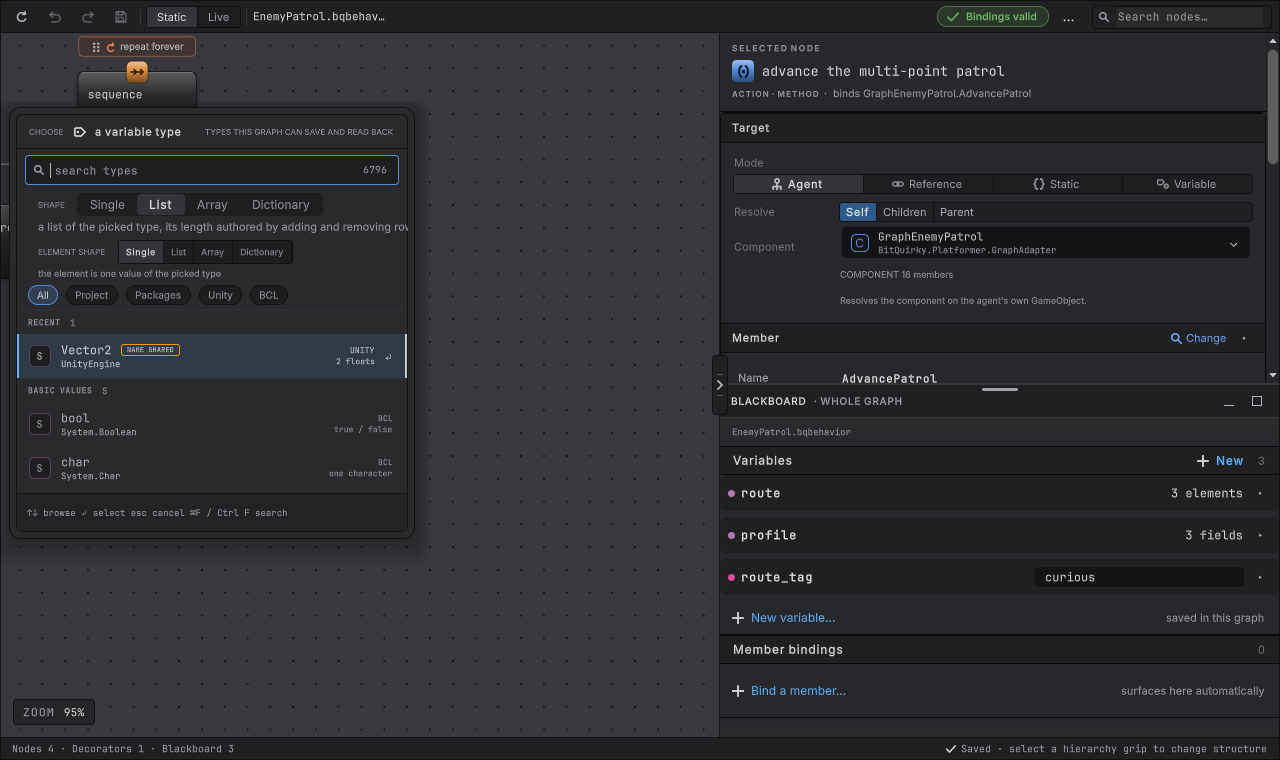
-
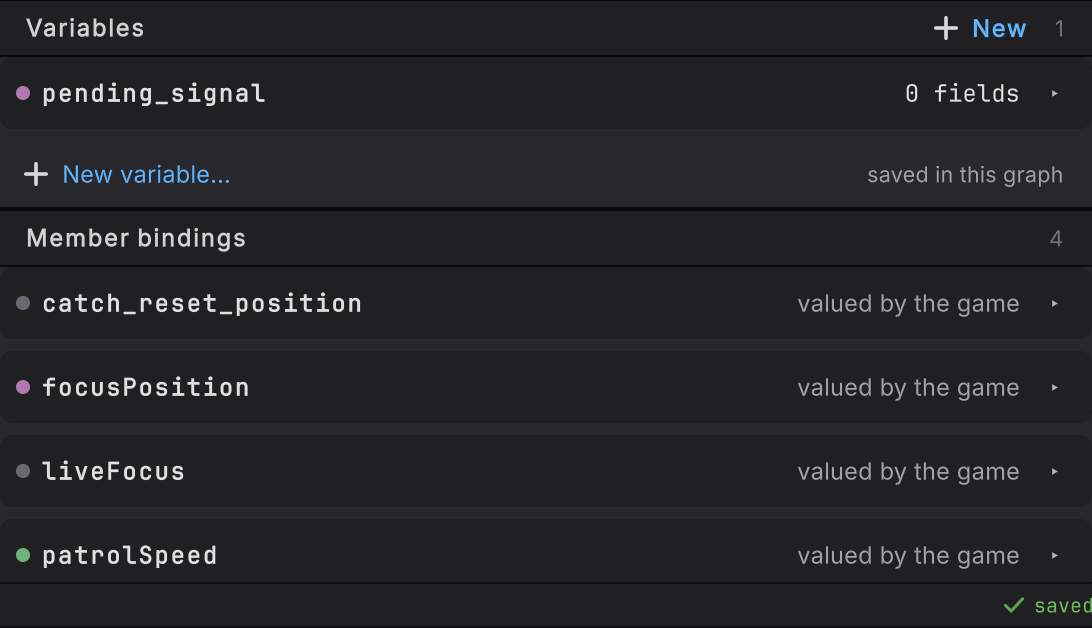
Open a graph in Static and open the BLACKBOARD · WHOLE GRAPH panel in the right rail.
-
Under Variables, choose New variable.
-
Type the name first, in the C# identifier style the rest of the graph uses:
patrol_speed,current_target,route_tag. -
Choose Choose a type… under the accepted name, or press Enter to move straight to type selection.
-
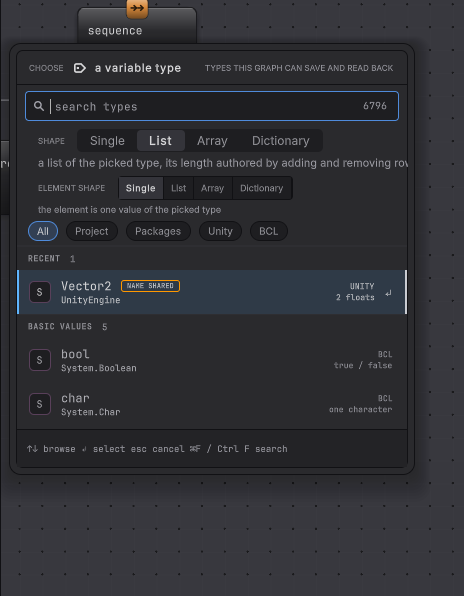
Pick the shape: Single, List, Array, or Dictionary. A dictionary asks for its key type first and its value type second.
-
Pick the exact type. Search accepts a short name or a qualified one, and two types with the same short name stay two separate identities because the graph records namespace and assembly.
-
Edit the starting value. Numbers,
bool,char, and enums use their ordinary controls; flags enums accept several members including the empty set; a project struct expands into its serialized fields; a project class is None until you create an inline instance.
How it decides
Section titled “How it decides”Names
- A name is unique across every other name the graph holds, which includes surfaced binding values and external service names.
- Renaming a declaration rewrites the references to that exact declaration in the same edit.
- Removing one leaves every old reference visible and unresolved, so the repair stays yours to make.
Types
- A built-in scalar is saved by its C# keyword. Everything else keeps its exact type and assembly identity.
- A project class needs
[Serializable], and a project struct needs either[Serializable]or a carried unmanaged layout. Types that miss that stay listed under Not available with the reason. - Delegates, pointers, by-reference types, open generic definitions such as
List<>, and editor-only types have no saved form.Unity.Entities.Entityis listed but unpickable, because an entity handle has no meaning until a World hands one out. - Collection types are declared through the Shape control instead of appearing as type rows.
Starting values
| Declared type | Starts as |
|---|---|
Number, bool, char |
Its zero value |
| Enum | The zero-valued member, or underlying zero when no member names it |
| Unity value struct | Every component at zero |
| Project struct | Every serialized field at its own default |
string, project class, asset, interface, component slot |
None |
| List, array, dictionary | An empty collection or None, as authored |
None and empty are different states. none means there is no instance. [] means a collection exists with zero elements. [none] means a collection exists holding one null element. That distinction survives save, reopen, bake, reset, and the per-instance clone at initialization.
Object references
- A project asset is stored by stable asset identity, so a
ScriptableObjector prefab reference reopens correctly. - A component slot is authored as None and filled at runtime by the running GameObject graph, through a member read or write. Dropping a scene object into a saved graph value is refused instead of quietly storing a reference that cannot survive.
EnemyPatrolParams.bqbehaviorshows the pattern: fourTransformdeclarations, every one authorednone, all populated by the running instance.
Dictionary keys use the declared key type’s equality. Strings compare ordinally and case-sensitively with no trimming, numbers by exact value, enums by underlying value, flags as a set. Empty text is a legal key and None is never one. A duplicate is refused without touching the existing entry, and when the editor cannot compute a free starter key the new entry holds <unset> until you supply one.
When it goes wrong
Section titled “When it goes wrong”When it goes wrong
| Symptom | Check | Fix |
|---|---|---|
| Your struct is listed under Not available. | Read the reason on the row. | Add [Serializable], or declare a type whose stored shape the path can carry. |
| A List<Vector2> will not bind to a member that takes Vector2[]. | Collection types need exact identity in both places. | Declare the shape the member actually takes, or add an overload that takes the list. |
| The component slot you authored is still None in Play Mode. | Nothing has written it yet. | Let a member read or a member write put the concrete component into the slot, then read it from there. |
| A dictionary refuses Add entry. | Look for an <unset> key, or a key space that has run out, such as a bool with both values used. | Complete the pending key, or remove an entry before adding another. |
| Two variables with the same short type name behave differently. | Open each row and read the qualified type. | They are two identities. Pick the one your member declares. |
- Entity variables: the narrower set the unmanaged path carries.
- Live editing: watch these values while the game runs.
- Conversion: which variable types reach which member types, exactly.
- Platformer: the patrol whose route, profile, and route_tag this page reads.