
Targets and resolve
Tell a binding which object holds the member, from the agent's own components to a shared game asset to an object a variable is carrying, with one worked example per mode.
On this page
Before a binding can call anything it has to know which object holds the member. The Target card is where you say so once, and after that the runtime stops looking.
The problem
Section titled “The problem”One Dungeon Heist guard talks to three different kinds of object. Its movement and sight services sit on the guard itself. Guards and GameMaster are single shared objects the whole level uses. The thing it is currently chasing is whatever its focus variable happens to hold this frame.
A single “find the component” rule cannot serve all three. A scene-wide search would find the wrong guard’s service, and a hard reference would stop the graph from being reusable. So the mode is an authoring choice, and each mode has exactly one resolution rule.
The four modes
Section titled “The four modes”Mode is the first row of every Target card. Pick one and the rest of the card changes to ask for exactly what that mode needs.
| Mode | Reach for it when | You fill in | In the samples |
|---|---|---|---|
| Agent | The component travels with the actor | Resolve (Self, Children, or Parent), a Child path for Children, then Component | Guard2.bqbehavior binds GuardBehaviorMovementService and GuardBehaviorActor on the guard itself |
| Reference | One object serves everybody: a ScriptableObject holding shared game state or tuning, or a shared scene object |
Target Type, then whoever fills the Object slot: the host in code, the graph, or a scene owner | CpuRace.bqbehavior binds the Pacing, Drivers, and GameMaster assets through slots its driver fills at runtime |
| Static | The declaration has no instance | Type | Horde’s EnemyBrain.bqbehavior calls Unity.Mathematics.math.distancesq |
| Variable | The object changes while the game runs | Variable, then Target Type | Guard2.bqbehavior reads Position off the focus target its liveFocus variable holds |
Every example on this page comes from a sample game or from DocumentationTargetModes.bqbehavior in the Platformer project, a five-node graph with one member node per mode, ready to open and click through.
See it
Section titled “See it”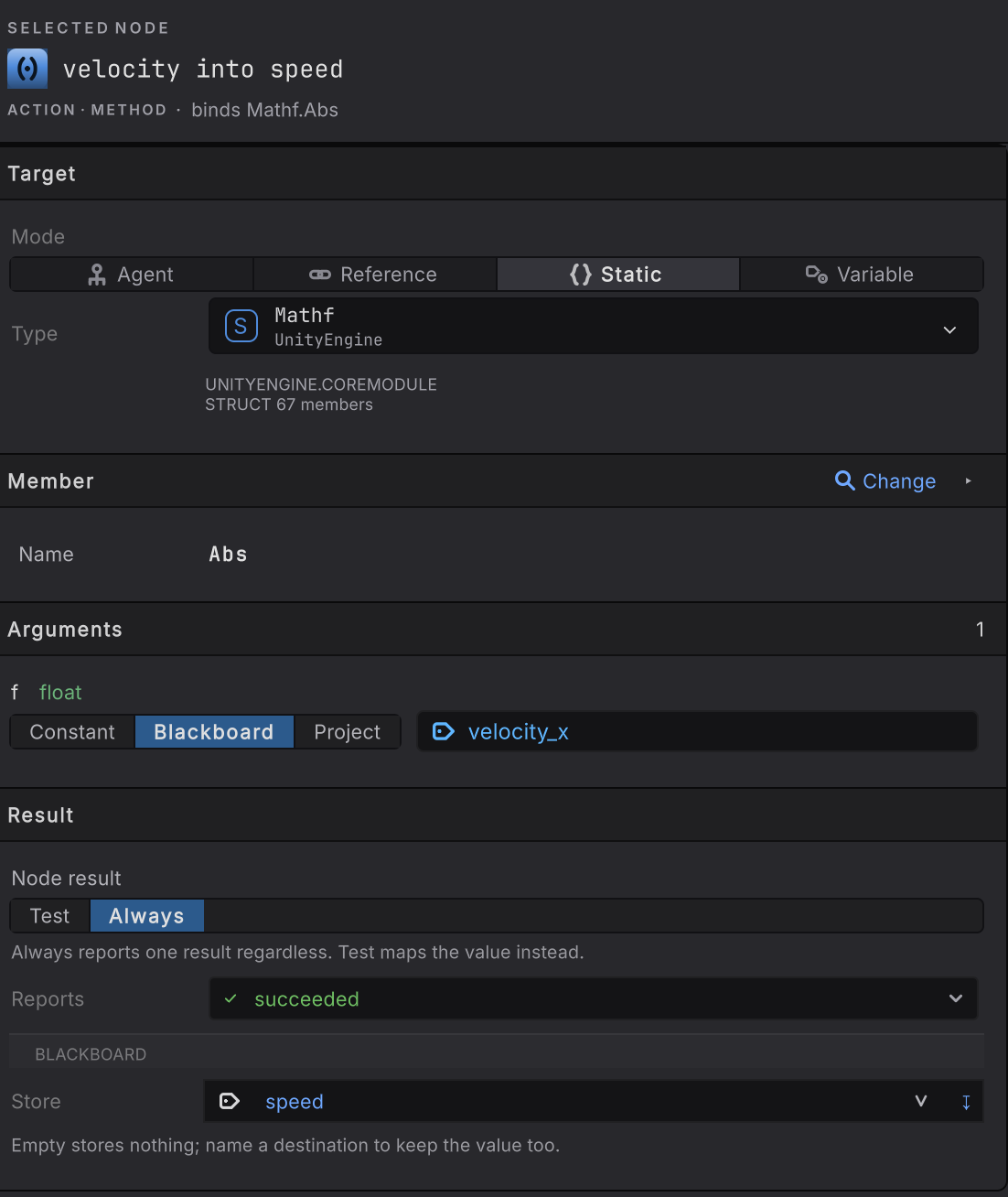
Mathf.Abs.-
Select a member node and read the top card, Target.
-
Choose Mode. On a GameObject graph the choices are Agent, Reference, Static, and Variable. On an entity graph the same row offers Self, Handle, Singleton, and Static; see entity bindings.
-
Fill the rows that mode asks for. The four sections below walk through each one with a real node.
-
Open Member > Change and pick the declaration. Until Target resolves to a type, there is nothing to list.
-
Finish the cards below it. Arguments come from constants, blackboard values, or sibling bindings; a result can decide the node outcome, land in a variable, or both. Arguments and results has every option.
Agent: a component that travels with the actor
Section titled “Agent: a component that travels with the actor”The default. The member lives on the GameObject the agent runs on, on that object’s parent, or on one named child. Nothing walks the scene.
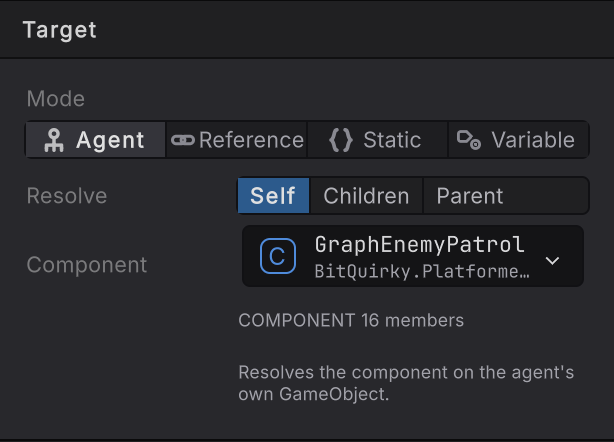
EnemyPatrol.bqbehavior, node advance. Self resolves GraphEnemyPatrol on the enemy that runs the graph.- Set Mode to Agent and Resolve to Self.
- Under Component, pick the component type. The picker’s Project scope lists your own components first.
- Open Member > Change and choose the member.
Children
Section titled “Children”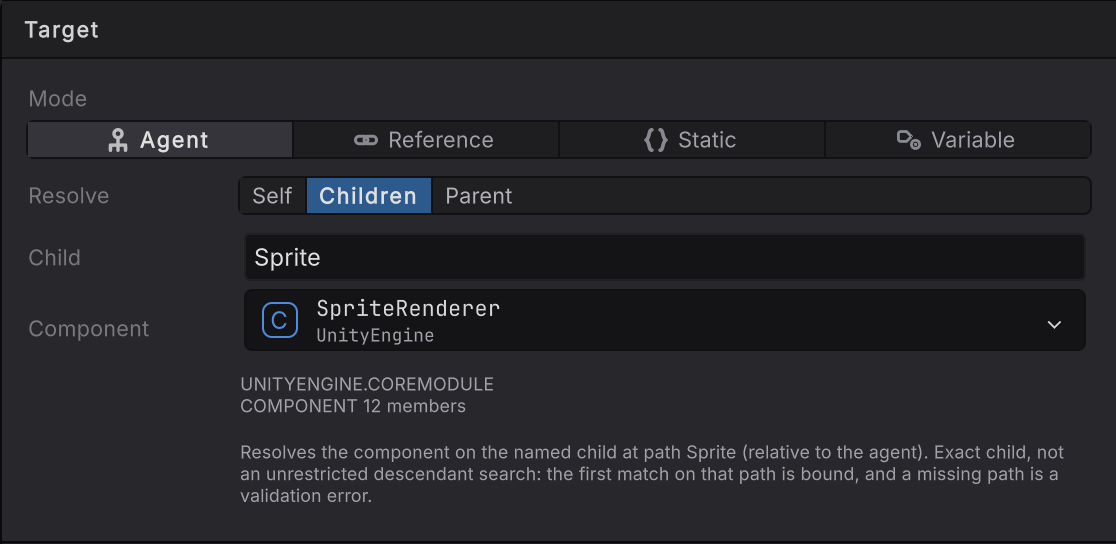
DocumentationTargetModes.bqbehavior, node which way it faces: SpriteRenderer.flipX read off the child named Sprite.- Set Resolve to Children. A Child row appears.
- Type the path exactly as it reads under the agent in the Hierarchy:
Sprite, orBody/Spritefor a grandchild. - Pick the Component on that child, then the member.
The path is a lookup, never a descendant search: the first object matching that exact path is bound, and a path that finds nothing is reported as a missing host, named after the agent, with nothing else tried. When a scene object owns the graph, the rail checks against that object while you author: the Child row turns invalid as soon as the path finds nothing, and the Component row reads not on the selected agent when the component is absent there.
Parent
Section titled “Parent”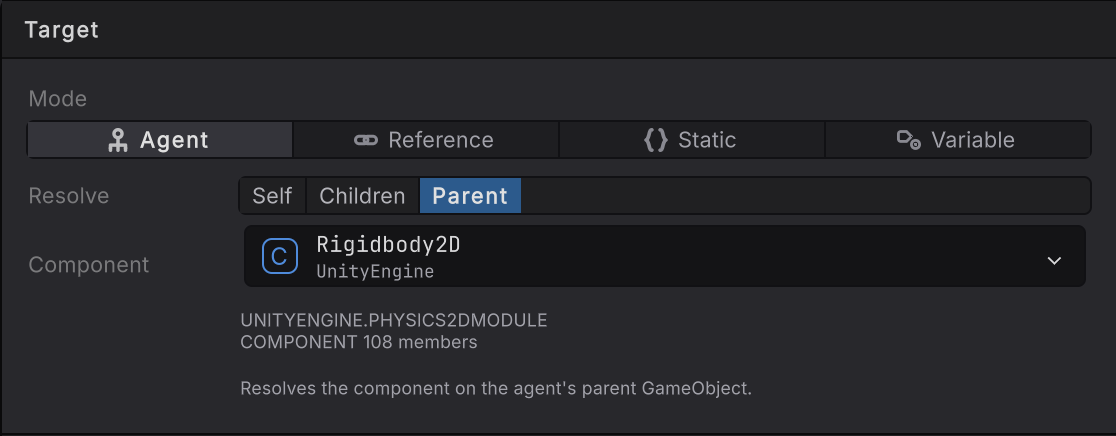
sideways velocity: Rigidbody2D.linearVelocityX read from the parent, the usual shape when the brain sits on a child of the physics body.- Set Resolve to Parent.
- Pick the Component that lives on
transform.parent, then the member.
Racing Line does the same for the car: the CPU driver’s agent is a child of the vehicle and reaches the Rigidbody above it through Parent.
How Agent decides. On the host it resolved, the component whose runtime type equals your chosen type wins. When nothing matches exactly, a single assignable component is accepted. A missing host, no matching component, or two equally good candidates each report themselves (host missing, not present, ambiguous). None of them falls back to another object.
Reference: one shared object, named by a slot
Section titled “Reference: one shared object, named by a slot”A Reference target is a named slot: the slot key, the expected type, and whatever object fills it. The graph carries the slot; three different parties can fill it.
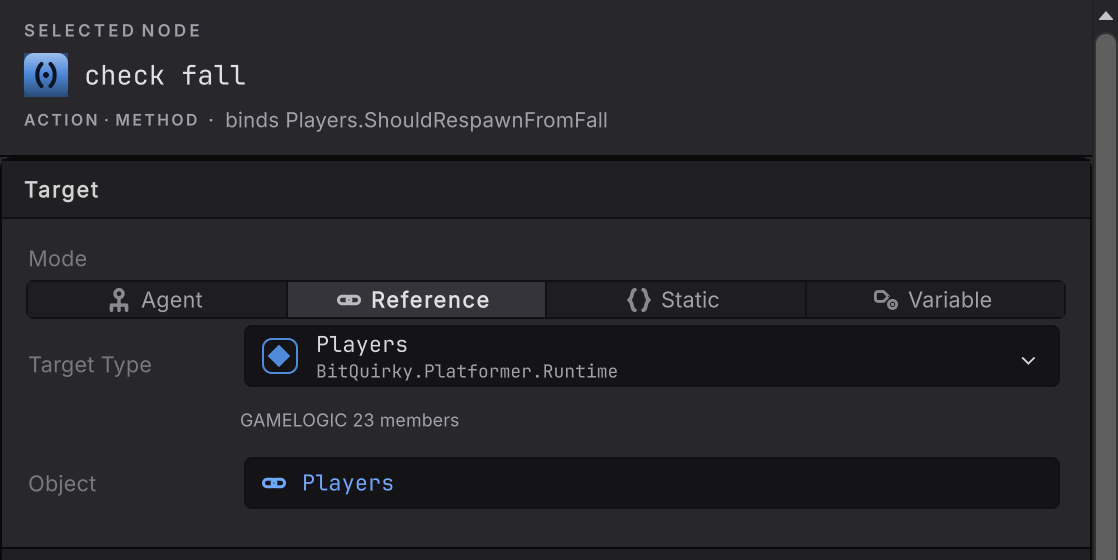
DocumentationMemberNodes.bqbehavior, node check fall: the Players asset assigned in Object, so the graph carries the reference itself.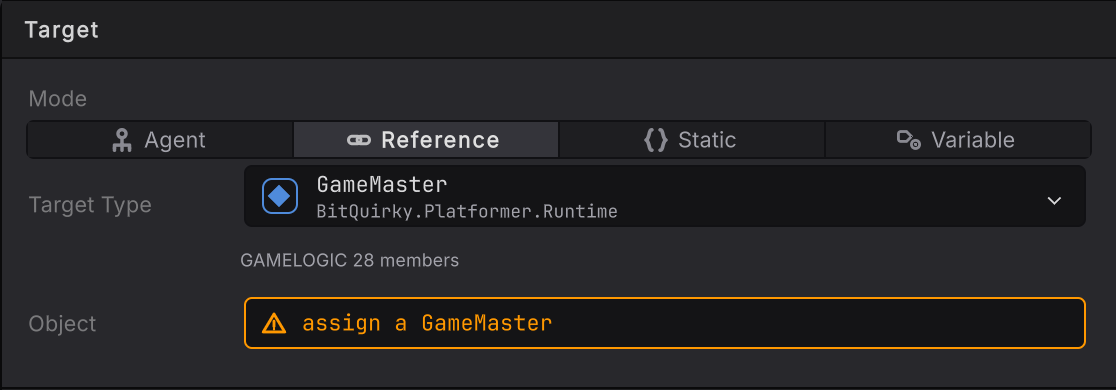
is the goal open: the same card with the slot left empty. This is the expected state for a slot your code fills at runtime, and Bindings valid still reports the graph sound.- Set Mode to Reference.
- Under Target Type, pick the class. The Project scope groups your types under Components, Interfaces & abstract bases, GameLogic assets, and Project ScriptableObjects.
- Open Member > Change and bind any instance member on the class: a method, a property or field, a condition.
- Decide who fills the slot:
- The host, at runtime. Leave Object empty. The component that composes the agent builds a
BehaviorMemberReferenceper slot key and assigns the array toBehaviorAgent.MemberReferencesbefore initializing the agent. The graph asset carries no reference at all, so the same graph binds to whichever instance the host chooses. Racing Line’sCpuBehaviorGraphDriver.Configurefillspacing,drivers,driving, andgameMasterthis way; Dungeon Heist’sGuardBehaviorActordoes the same for its three slots. - The graph, at design time. Drop a project asset into Object. The reference is stored with the graph itself, in the
.bqbehaviorimporter’s slot, so every agent that runs the graph gets the same asset. - A scene owner, at design time. Drop a scene object into Object. It is stored on that agent, the same
BehaviorAgent.MemberReferencesa host fills in code. When several scene agents run one graph, an Owner row appears above Object so you can see whose reference you are editing.
- The host, at runtime. Leave Object empty. The component that composes the agent builds a
A slot filled on both the graph and the agent is refused when the agent initializes. Assigning a scene object to a slot the graph held clears the graph’s stored asset, and a scene object can never be stored on the graph.
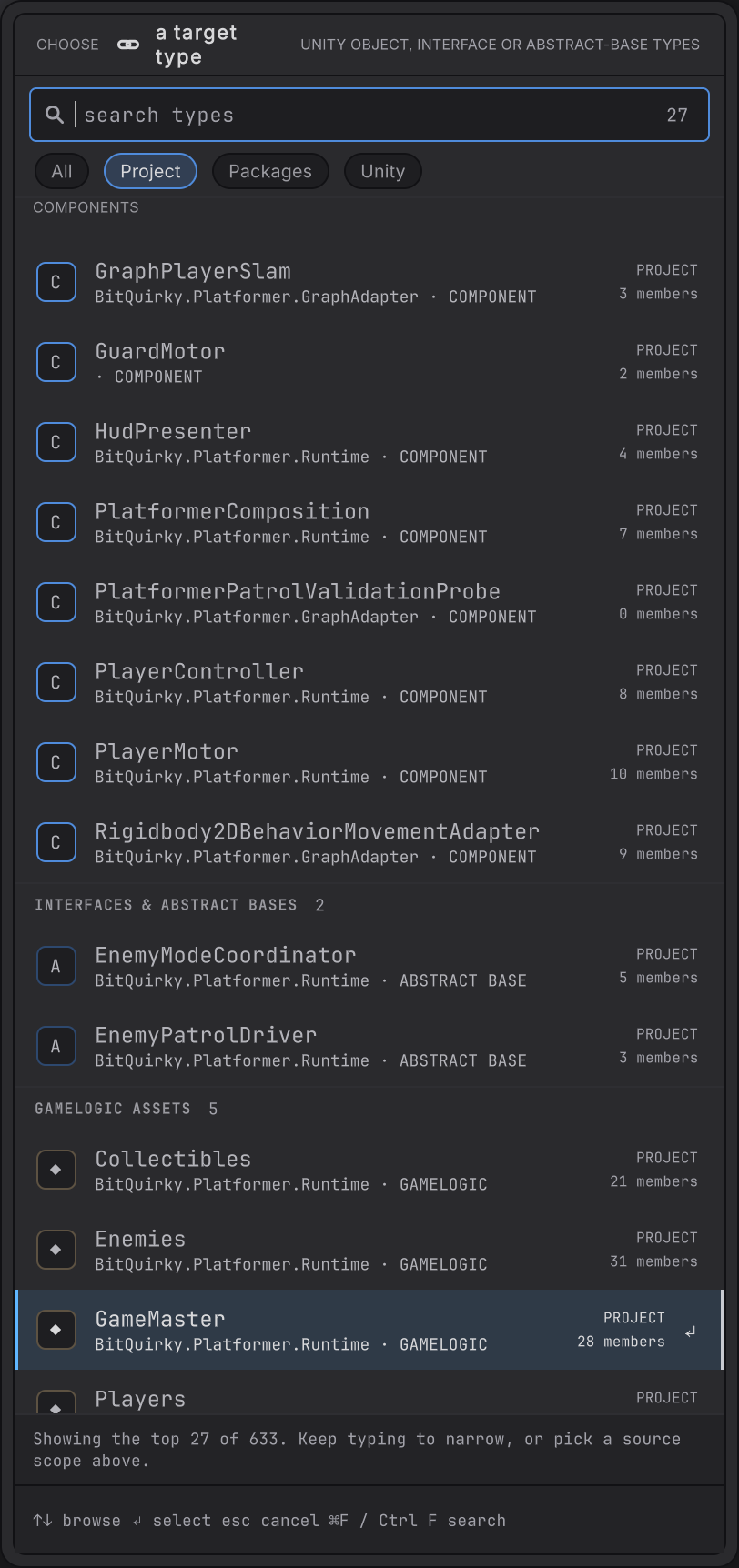
GameMaster, Players, and Collectibles, sit under GameLogic assets.Binding a ScriptableObject
Section titled “Binding a ScriptableObject”A ScriptableObject is the usual Reference target: a shared authority that owns game state, tuning data, a config. For an asset your game already initializes and holds, such as the sample games’ Pacing or Guards, leave Object empty and let the host pass its instance, so the graph binds to the one instance the rest of the game uses. Drop the asset into Object when the graph itself should own the reference.
Choose a different mode when the asset is not the point:
- The members you want are
staticon the class: use Static. An asset instance is always Reference. - The asset should differ per agent, or change while the game runs: declare a blackboard variable of the class, let the host or another node write the asset into it, and target that Variable.
Addressables. A slot the graph or an owner fills is an ordinary serialized Unity object reference on the imported graph asset or on the agent’s prefab, and Addressables treats it like any other asset dependency. The usual rule applies: the reference resolves to the shared instance when the holder is itself in Addressables space, in a group that depends on the asset’s group; a holder outside Addressables space, such as a scene in the build list, gets its own copy of the asset and binds to a second instance that never sees the state the rest of the game writes. A project that loads its graphs through AssetReferenceT<BehaviorSourceAsset> and its agents from Addressable prefabs can therefore store those shared assets on the graph directly. A graph that lives in a build-list scene should leave the slot to the host, which hands over the instance it already loaded.
Static: a declaration with no instance
Section titled “Static: a declaration with no instance”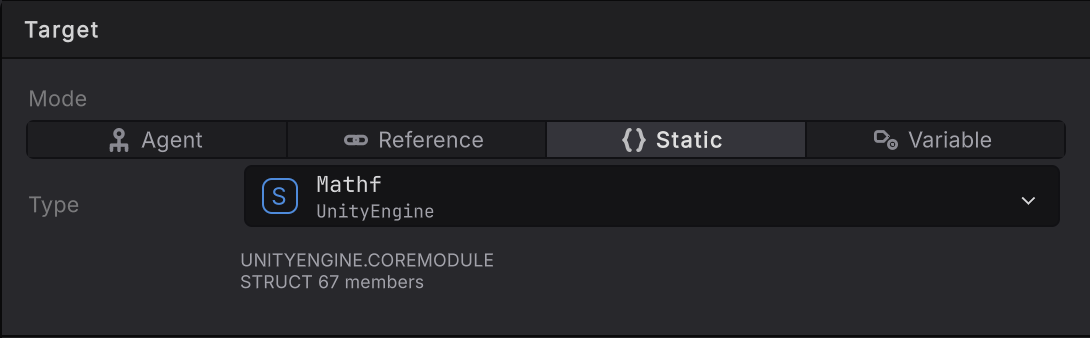
velocity into speed: Type is the declaring type, and that is the whole card.- Set Mode to Static.
- Under Type, pick the declaring type. Any type with static members qualifies:
Mathf,Unity.Mathematics.math, or a static helper class of your own. - Open Member > Change. Instance members stay listed with the reason
instance member: choose an instance target, so you can see the declaration you were thinking of and why it needs a different mode. - Feed the arguments from the blackboard and store the result, as the See it rail above does with
velocity_xin andspeedout.
One CLR declaration with no instance, and therefore one value for the whole game. Static state is shared state: use an instance target when you want per-agent answers. Horde’s EnemyBrain.bqbehavior uses Static for math.distancesq, which is pure arithmetic and reads identically on both runtime paths.
Variable: whatever object the blackboard holds right now
Section titled “Variable: whatever object the blackboard holds right now”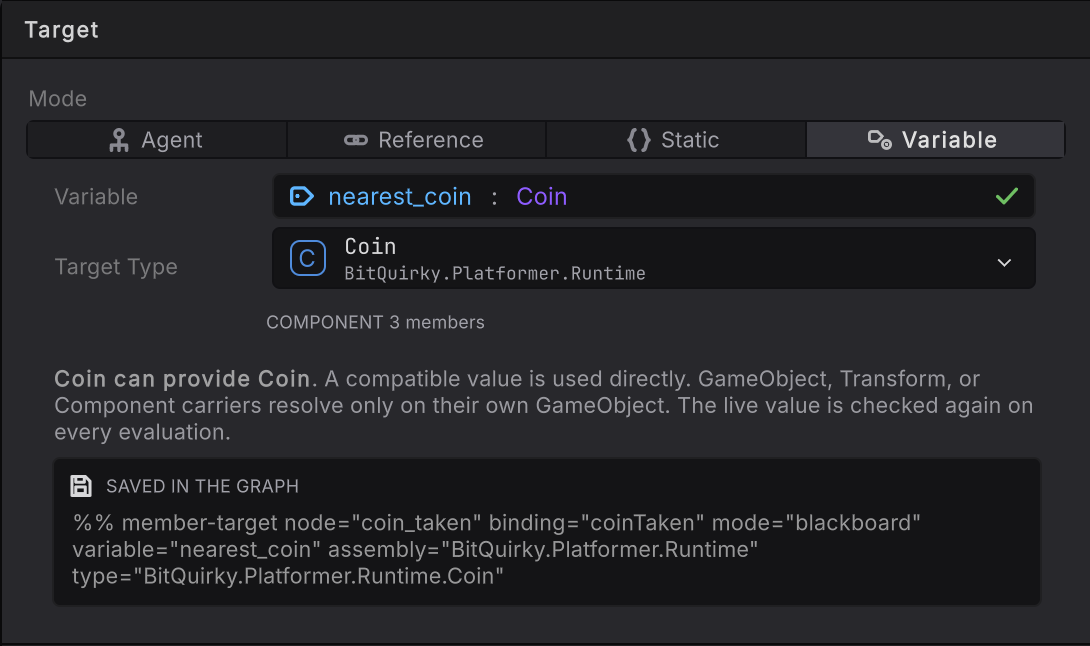
nearest coin taken: Coin.IsCollected read off whichever Coin the nearest_coin variable carries this evaluation.- Declare a blackboard variable of the object’s type, if you have not already. The Blackboard panel’s New variable takes a name and then a type; the variable picker’s Choose type and declare target… does the same from inside the Target card.
- Set Mode to Variable. The variable picker opens at once, headed by the values that can provide an object.
- Choose the variable. Target Type fills from its declared type and the member picker opens straight after, listing that type’s members.
- Choose the member.
- Make sure something writes the variable before this node runs: the host through the blackboard, or another member node.
Guard2.bqbehaviorsurfacesGuardBehaviorActor.LiveFocusintoliveFocuswith one property read, then readsPositionthrough it with a Variable target.
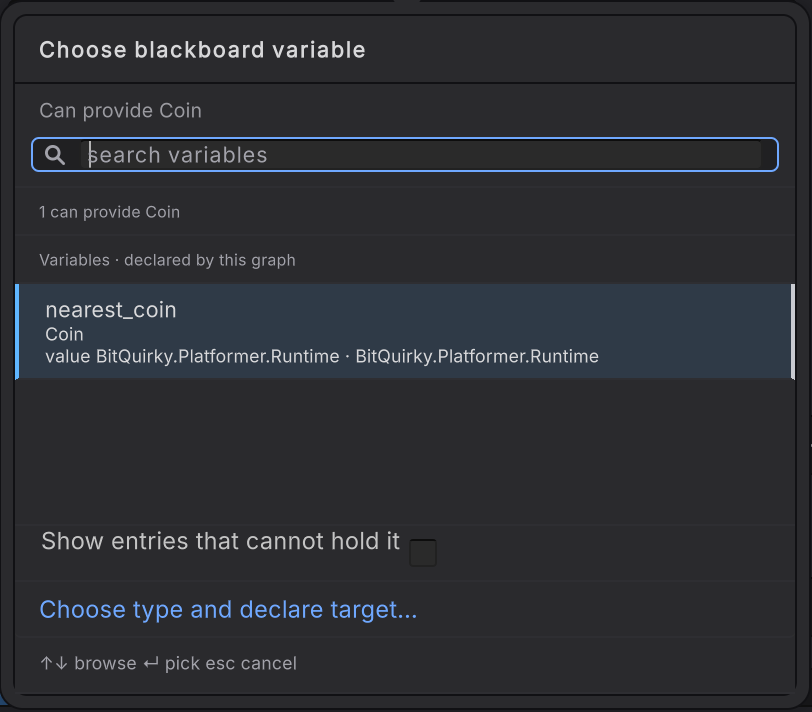
How Variable decides. The variable is read before each evaluation that needs it, so a new object takes effect on the next evaluation. A compatible value is used directly; a GameObject, Transform, or Component carrier resolves the component on its own GameObject only. An empty, destroyed, wrong-type, or component-less value fails that one evaluation without substituting anything. Changing the object while the old one owns a coroutine or an event subscription releases that work from the old object first: the old activation finishes as a failure, and a later activation can start against the replacement.
The entity path
Section titled “The entity path”Set the graph’s Runtime path to Entity and the same Mode row offers Self, Handle, Singleton, and Static. Self is the entity the graph instance runs on, Handle is exactly one hop to another entity, Singleton is the one entity in the world carrying a component, and Static is the same declaring-type mode as above. Entity bindings shows each card from Horde Survival’s EnemyBrain.bqbehavior.
The component acquisition shortcut
Section titled “The component acquisition shortcut”A graph sometimes needs a component it never declared: the Rigidbody on the actor, the Renderer on a child. Rather than wrap GetComponent in your own method, pick the acquisition row and then the component you want. That authors one closed GetComponent<T>() method binding with Agent mode, Self resolve, the agent’s own Transform as the carrier, a reference test against null, and a stored result surfaced under the acquired component’s lower-camel name.
Editing the target afterwards re-closes the same acquisition against the new carrier instead of clearing your member choice. Any Component subtype can carry one, because it resolves the acquired component on its own GameObject; an interface cannot. The Static segment stays visible on an acquisition’s card but is never offered, because a component is read off an instance.
When it goes wrong
Section titled “When it goes wrong”When it goes wrong
| Symptom | Check | Fix |
|---|---|---|
| Validation reports an ambiguous target. | Two components on the host satisfy the chosen type. | Choose the exact concrete type, or move one of them off that object. |
| The binding works on one actor and faults on another. | The second actor is missing the component, or its child path differs. | Add the component, or bind through Reference if the object is genuinely shared. |
| The Object row reads "assign a …" in amber. | The Reference slot is empty in the graph and on every owner. | Expected when the host fills the slot in code. Otherwise drop the asset or scene object into Object. |
| Every agent reads the same number. | The mode is Static. | Static is one declaration for the whole game. Use Agent, Reference, or Variable for per-agent values. |
| A Variable target fails on the first tick. | The variable is None until something writes it. | Write the object first, with a member read or a write, then bind against it. |
| A child path stopped resolving after a scene edit. | The child was renamed or reparented. | Update the Child path, or move the component onto the agent and use Self. |
| The member list is empty. | Target is unresolved, so there is no type to list members from. | Finish the Target card first. |
- Method: the first binding most graphs need.
- Arguments and results: every way to feed a call and use what comes back.
- Entity bindings: Self, Handle, Singleton, and Static on the entity path.
- Member reference: the full field list for every mode.