
What you get
The editor, the two graph types, bindings to your own components, blackboard values, Live debugging, two runtimes, and four sample games.
On this page
Eight things arrive with the package. Each one is here because of a problem it solves in a real game, and each one has a guide underneath it.
The editor
Section titled “The editor”A graph window with a node palette, a right rail inspector, reparenting by drag, canvas search, plus a validation strip that points at the node it is complaining about. Click add root behavior on an empty canvas, or a node card’s insertion handle, and the picker opens right there.
The whole decision is one picture, so the person asking for a behavior change can see the behavior.
Behavior trees
Section titled “Behavior trees”A Selector picks the first branch that works, so priorities live in the node order. A Sequence runs steps that depend on each other and stops at the first failure. Those two carry most graphs. Around them sit Repeat and Time Limit for anything with a clock in it, Random Selector for a weighted roll, Conditional or Inverter for a gate, Move To for a destination, and Subgraph for a branch you want in two places. Parallel is in the palette as well, with the shape it has today written down under where the edges are.
An enemy that tries the expensive option first and falls back on its own, with the fallback visible in the same window.
State machines
Section titled “State machines”States with an enter, active, then exit lifecycle. Transitions with All or Any condition groups, Any State rules, Push and Return, referenced machines, plus a behavior tree hosted inside a state.
Round flow, door states, or enemy modes stop being a pile of booleans that three systems write to.
Bindings to your own code
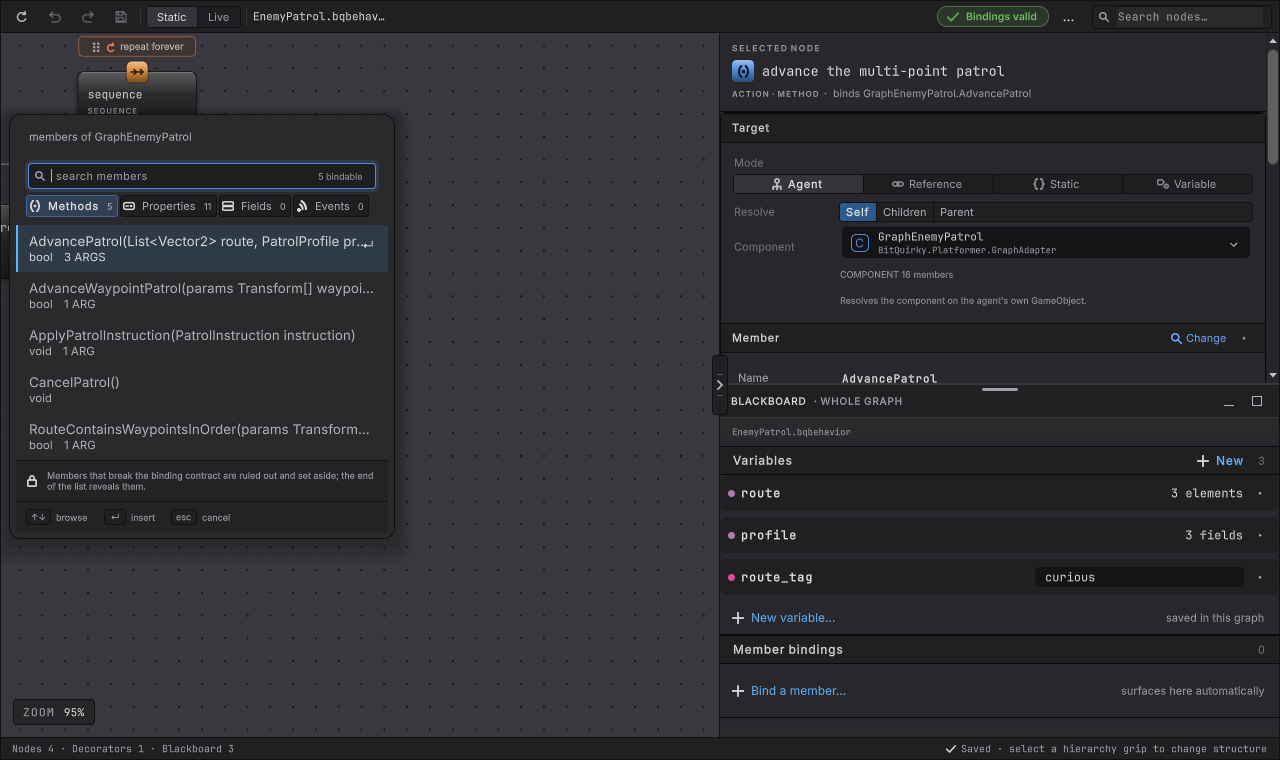
Section titled “Bindings to your own code”Nodes call six kinds of member on your components: a method, a property, a field, a message, a condition, or an event. Arguments come from the blackboard or from constants, results map to node outcomes, and the picker selects one exact signature including overloads, optional parameters, params, ref and out. Calls at runtime go through generated code, so there is no per tick reflection and IL2CPP is fine.
Your combat component keeps the combat rules. The graph decides when to ask for an attack.
Blackboard variables
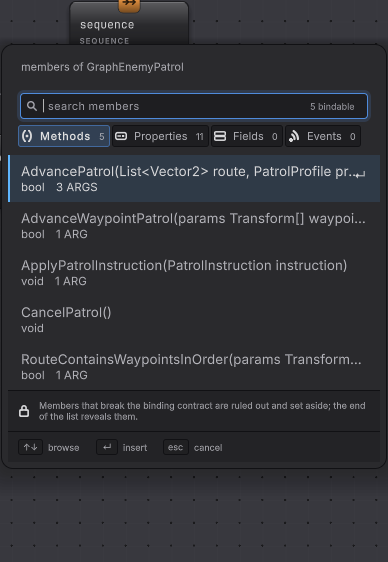
Section titled “Blackboard variables”Typed variables per graph: numbers, strings, enums, Unity value types, references, lists, and your own structs. Defaults are authored on the graph, and each running instance carries its own copy. On a GameObject agent you can read and edit the eligible values while the game plays; entity Live observes only.
One patrol graph drives a slow enemy and a fast one, with the difference in a value instead of a duplicated script.
Live debugging
Section titled “Live debugging”Attach the editor to a running agent and the nodes color by status while the game plays. Read the values a decision used, pause a single GameObject agent and step it, then set a breakpoint on a node you suspect.
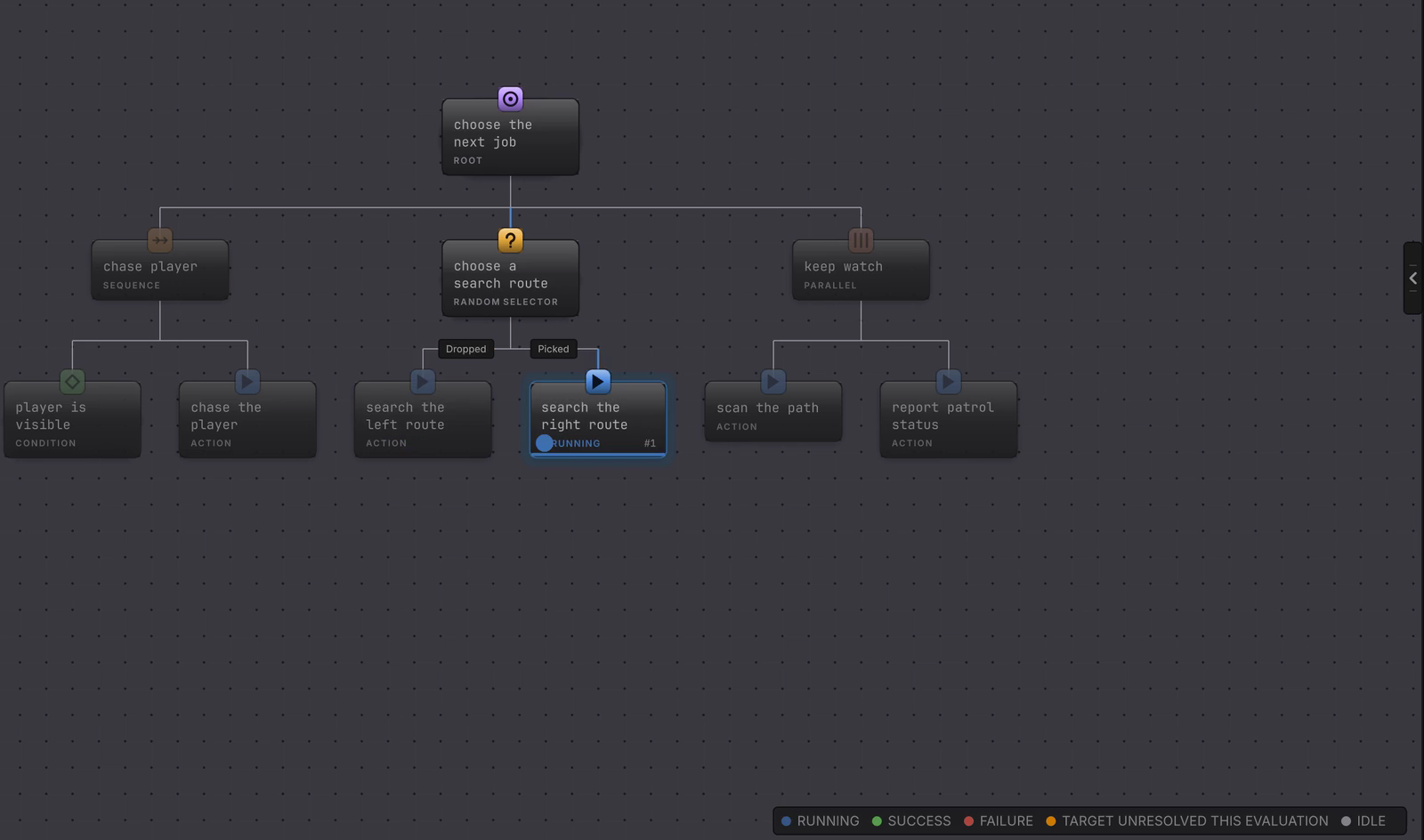
The answer to “why did it do that” comes from the graph in front of you. No log line to add, then forget to delete.
Two runtimes
Section titled “Two runtimes”A BehaviorAgent component runs a graph on a GameObject, on Update or FixedUpdate. When your own scheduler owns advancement, disable the component and call TickOnce yourself. Entity based games run the same graph shape through BehaviorEntityRuntime, with a Burst compiled tick and jobs across many agents. Both hosts can live in one project.
The hundreds of enemies in a horde game and the one carefully authored boss can both be graph driven.
Four sample games
Section titled “Four sample games”The four games ship as separate imports: Platformer, Dungeon Heist, Horde Survival, Racing Line. Each one is a playable game whose scene runs the graphs the chapter documents, so you can open the graph that produced the behavior you just watched.
A working reference for patrol, investigate, a weighted director, and a catch up pressure system.
Where the edges are
Section titled “Where the edges are”Some things are missing, and it is cheaper to know now.
- Parallel is in the palette, and in this release it walks its children in order like a Sequence and succeeds once every child has succeeded. Children running at the same time, with a completion policy you choose, is not in this release; what it does not do yet tracks it.
- Reactive interruption offers Lower priority on a Selector and self on a Conditional. There is no combined mode.
- Entity Live is observer only: no per entity breakpoints, and no live value edits on the entity path.
- Entity blackboards hold unmanaged values, so managed text, classes, or Unity object references stay on the GameObject path.
The full list, with what to use instead of each missing piece, is on what it does not do yet. Versions and host differences are on compatibility.