
Blackboard
Give a graph its own small memory, so the node that senses something and the node that acts on it never have to know about each other.
On this page
A blackboard variable is the graph’s own memory. One node writes down where it last saw the player, and a branch three steps away reads that position without either node holding a reference to the other.
The problem
Section titled “The problem”A Dungeon Heist guard senses in one place and chases in another. The sight system knows the player’s position; the chase branch needs it; the search branch needs the stale copy of it after sight is lost. Wire those three together in C# and you get a sensor that knows about chasing, a chase that knows about searching, and a new field every time the behavior grows.
Guard2.bqbehavior keeps that handoff on the blackboard instead. clear_sight, player_position_x, last_known_x, and alarm_speed_multiplier are names on that graph’s blackboard: the game writes them through its binders and bindings, and the branches read them. Nothing in your C# gained a field.
What belongs in the graph and what stays in C#
Section titled “What belongs in the graph and what stays in C#”The test is ownership. If another system in your game needs the value, your component owns it and the graph binds to it.
| Value | Where it lives | Why |
|---|---|---|
| Last known player position for one guard | Graph variable | Only this guard’s behavior cares, and it resets when the graph resets. |
| Catch-up pressure the Racing Line CPU builds up over a lap | Graph variable (catch_up_pressure in CpuRace.bqbehavior) |
It is decision scratch data, meaningful only to the driver’s own graph. |
| Current health | Your component | The damage system, the HUD, and the save file all read it. |
| Whether the alarm is raised for the whole level | Your alarm component | Every guard and the door system share one answer. |
| Inventory, score, campaign progress | Your game systems | They outlive the graph and the scene. |
A graph variable is scoped to the graph and stored per running instance. Two guards on the same graph asset never share a value, and nothing a graph writes at runtime is written back to the graph file.
There is no scene-wide or project-wide blackboard in this release. When a value is genuinely shared, put it on the component that already owns it and let every graph read it through a binding.
Two sections, one namespace
Section titled “Two sections, one namespace”The BLACKBOARD · WHOLE GRAPH panel has two sections: Variables you declared, and Member bindings that surfaced values.
- Variables carry a name, a type, a shape, and a starting value, and they are saved in the graph file.
- Surfaced binding values get their name and type from the member node that produces them, so their rows are readings.
A name has one owner. A declared variable and a surfaced binding cannot claim the same name, and a name also has to stay clear of legacy fields and external service names.
Read a real one
Section titled “Read a real one”EnemyPatrol.bqbehavior in the Platformer project declares three variables and they cover most of what a blackboard is for:
routeis a List ofVector2, the waypoints the patrol walks.profileis the project structPatrolProfile, authored inline withPauseSeconds,FaceDirection, andMoveSpeed.route_tagis astringset tocurious.
None of those is a number the graph invented. Each one is a value the patrol behavior owns and the enemy component consumes.
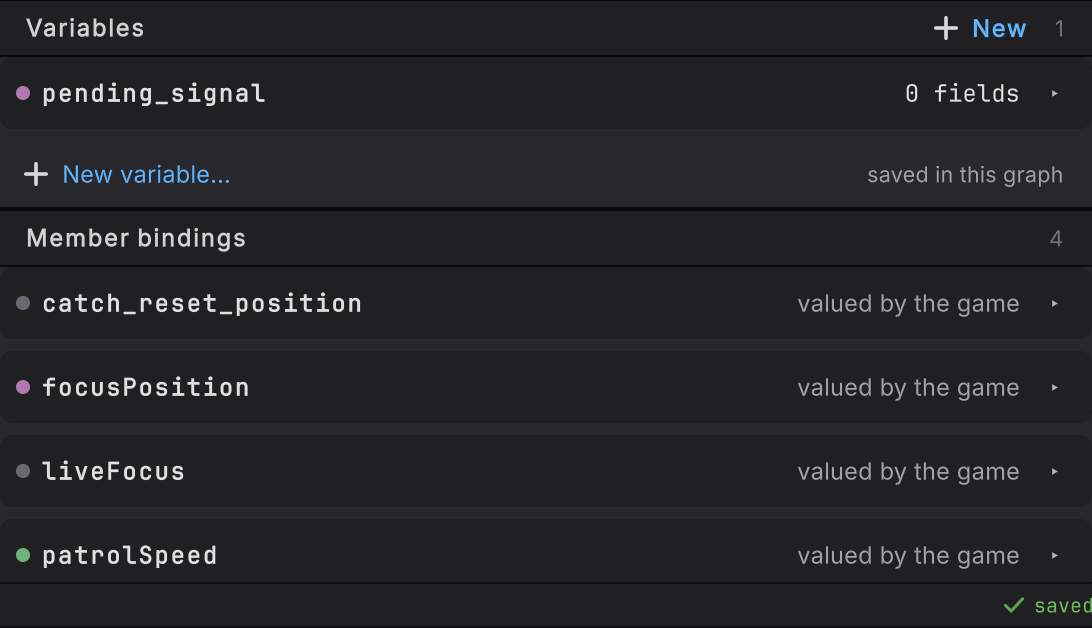
Guard2.bqbehavior in Static: Variables 1 holding pending_signal, then Member bindings 4, each one reading “valued by the game”. Most of that graph’s data belongs to the game, and the blackboard names it.Give the panel the room it needs
Section titled “Give the panel the room it needs”The panel docks under the selected node in the right rail. Drag the grip between them for any split, or use the two icon buttons at the right of its BLACKBOARD · WHOLE GRAPH header. Their tooltips are Collapse Blackboard and Maximize Blackboard.
- Maximize gives the panel the whole rail. The selection header stays at the top, so you still know what is selected.
- Collapse folds the panel down to its header band at the bottom of the rail and hands the space back to the selection.
While either is active, that button’s tooltip reads Restore previous split, and a click puts back the height you last dragged. The rail keeps its scroll positions throughout.
-
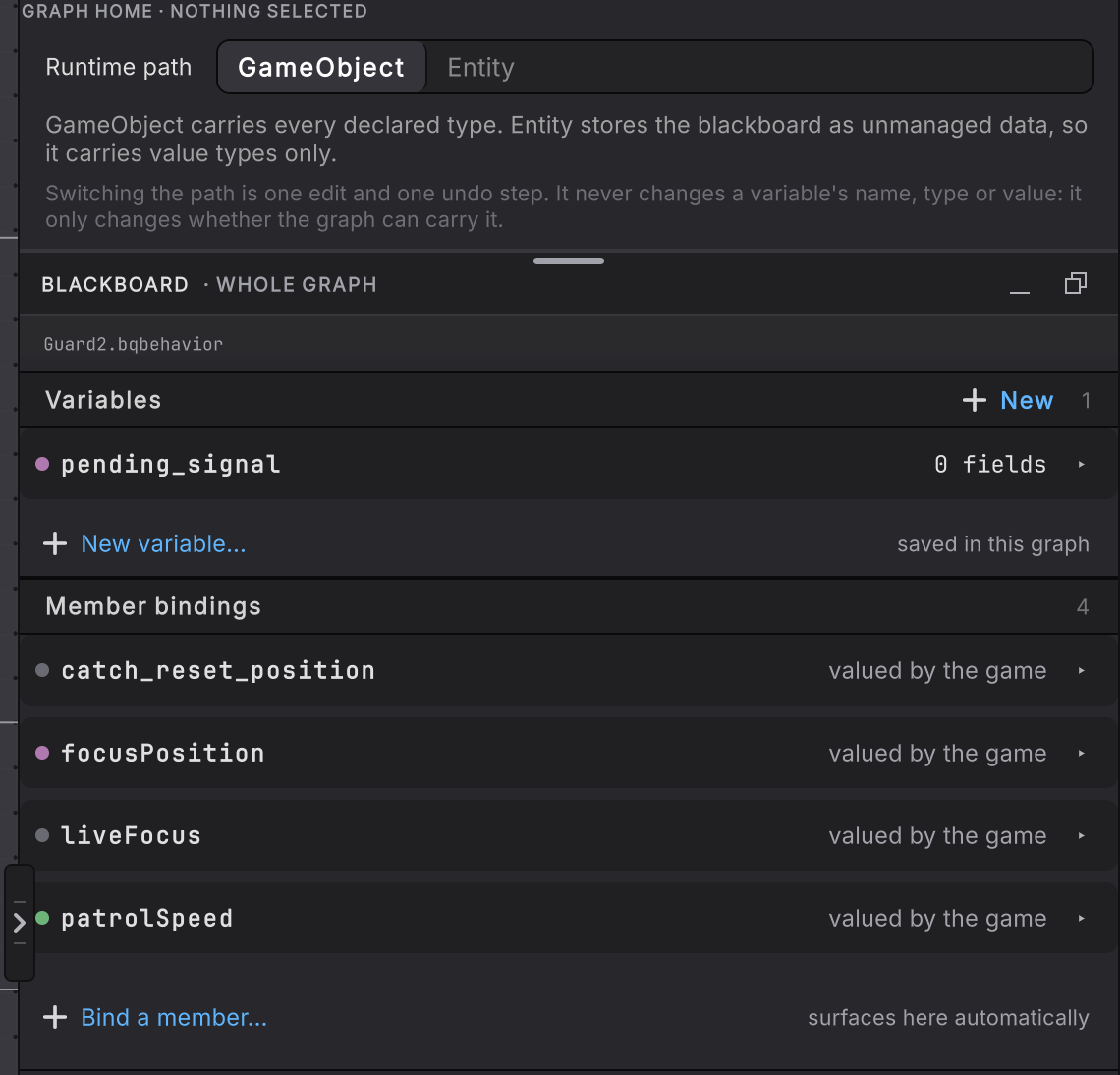
Figure 2. The right rail with the Blackboard maximized: the GRAPH HOME · NOTHING SELECTED header with the Runtime path choice kept at the top, then the whole BLACKBOARD · WHOLE GRAPH panel with its Variables and Member bindings lists Maximize on
Guard2.bqbehaviorwith nothing selected. The GRAPH HOME · NOTHING SELECTED header keeps its place, and the panel takes everything under it. -
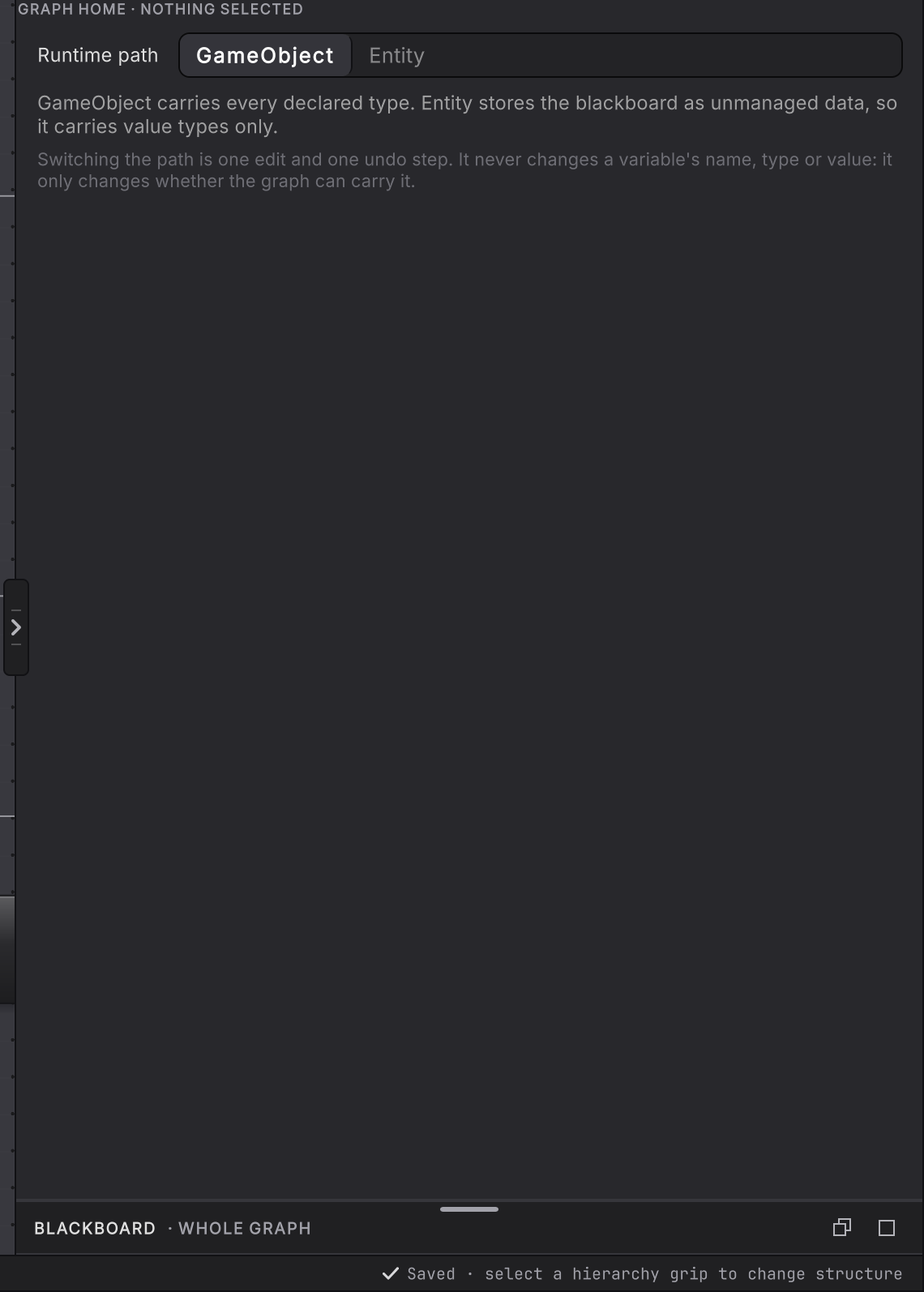
Figure 3. The right rail with the Blackboard collapsed: the GRAPH HOME · NOTHING SELECTED header and the Runtime path choice at the top, empty rail below, and the BLACKBOARD · WHOLE GRAPH header band alone at the bottom Collapse on the same graph. Only the BLACKBOARD · WHOLE GRAPH header band remains, at the bottom of the rail.
While a GameObject agent with surfaced bindings is attached in Live, the rail shows its values as member cards and a read-only values list instead of this docked panel.
Before you blame the blackboard
| Symptom | Check | Fix |
|---|---|---|
| Two agents seem to share a value. | Look at the member binding: a Static target reads one CLR declaration for every agent. | Bind an instance target so each agent reads its own component. |
| A value resets when you did not expect it. | Runtime values are per instance and restored by ResetRuntime on the agent. | Keep anything that has to survive a reset in the game system that owns it. |
| The name you typed is refused. | Read the diagnostic under the row: a declared variable, a surfaced binding, and a service name share one namespace. | Pick a free name, or rename the binding that already owns it. |
| An edit in Play Mode vanished when you stopped. | Runtime values never write back to the graph file. | Change the starting value in Static mode to make it stick. |
Where to go next
Section titled “Where to go next”- Variables and types: declare one, name it, pick its type and shape, and set what it starts as.
- Entity variables: what the unmanaged entity blackboard carries, and what it refuses.
- Live editing: what the Live blackboard shows you while the game runs, and which rows you can type into.
- Bindings: how a variable reaches a real C# member, in either direction.