
Choose
A Selector tries your plans in the order you put them and stops at the first one that works.
On this page
One node, several plans, and an agent that always does the best thing it currently can. A Selector asks its children in order and keeps the first answer that comes back Success.
The problem
Section titled “The problem”The Dungeon Heist guard has four things it might be doing: investigating a noise, walking back to its post, patrolling, and standing still. Written as code that is a chain of if statements somebody has to keep in the right order, and the order lives in three places by the third sprint. Worse, the priority is invisible: nobody can look at the component and say which check wins.
A Selector makes that order a list you can drag. Guard2.bqbehavior in the Dungeon Heist sample puts the guard’s options under one Selector, so the priority is the shape of the graph.
When to reach for it
Section titled “When to reach for it”- Any “do the most urgent thing you can” actor: react to the player if visible, otherwise return to post, otherwise patrol.
- A recovery branch above normal work. Racing Line’s
CpuRace.bqbehaviorputs vehicle recovery ahead of racing, so a spun car stops trying to take the next corner. - A fallback that always works, kept last, so the tree never runs out of options and reports Failure.
See it
Section titled “See it”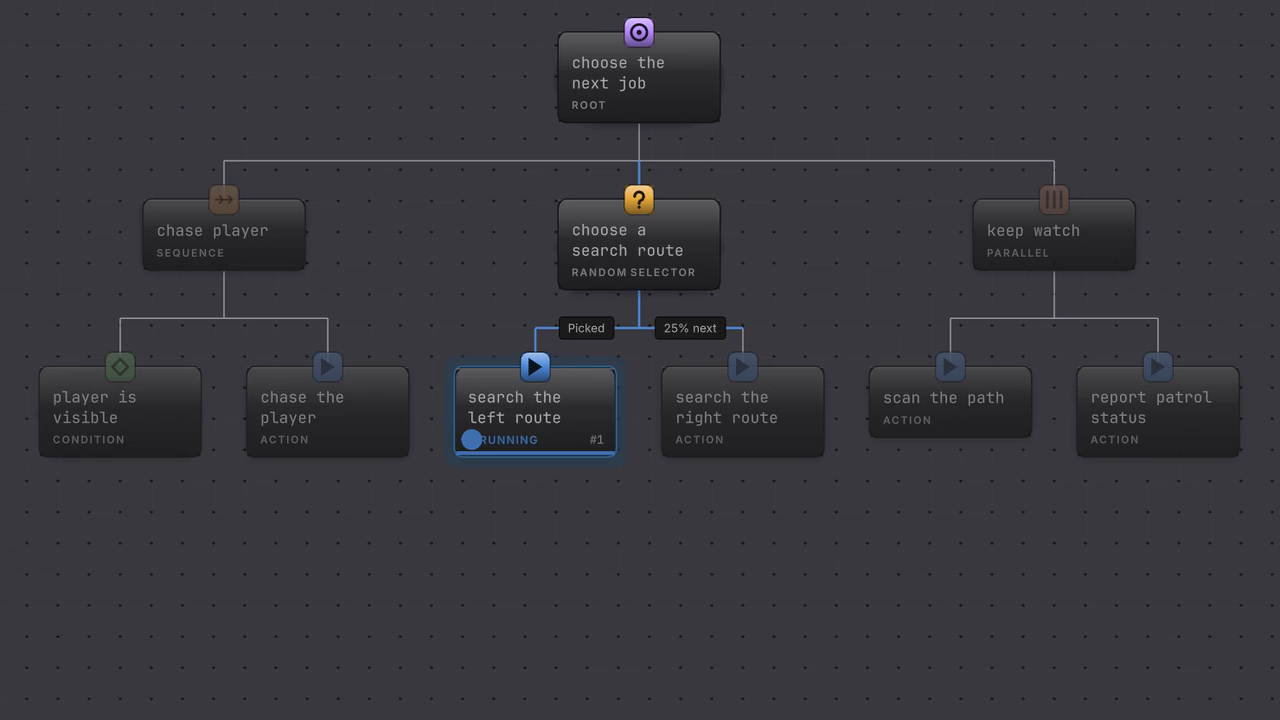
The Selector tries chase player first. Its sight condition reports Failure, so the Selector moves down the list and the search branch takes over. Nothing above the Selector notices the miss.
The Platformer project keeps a readable copy of this shape in DocumentationFlowControls.bqbehavior.
-
Open
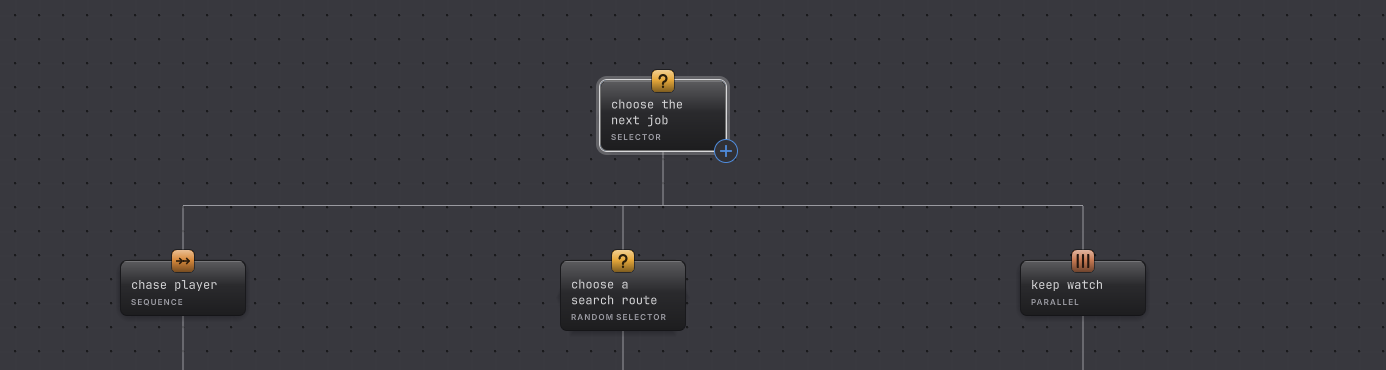
Assets/Platformer/Behavior/DocumentationFlowControls.bqbehavior. The root is a Selector called choose the next job. -
Select the root. The right rail shows a Children list with three rows: the chase Sequence, the search Random Selector, and the keep watch Parallel.
-
Drag keep watch to the top of the Children list. The canvas cards stay where they are; only the list order changed, and that list is what runs.
-
Drag it back to the bottom. In your own tree, put the branch that must win first and the branch that always works last.
-
Give each branch above the last one a guard, so it can decline. A Sequence whose first child is a Condition is the usual shape: the condition fails, the Sequence fails, the Selector moves on.
How it decides
Section titled “How it decides”The Selector holds a cursor on the child it is currently trying, and that cursor survives across updates.
Result
- Success
- One child returned Success. The Selector stops there and reports Success without trying the rest.
- Failure
- Every child returned Failure or Blocked. The cursor walked off the end of the list.
- Running
- The current child is Running, so the Selector stays on it, or the child declined and the cursor moved to the next one.
- Failure and Blocked both mean “move to the next child”. A false guard is Blocked, which the Selector treats as a declined choice while diagnostics keep the more specific reason.
- Interrupted, Timeout, and Authority mismatch travel straight through the Selector to its parent. It does not offer a fallback for those, because the branch was stopped rather than beaten.
- Nothing re-checks a higher-priority branch while a lower one runs, until you ask for it. That opt-in is Reactive abort on this node, covered in interrupt.
When it goes wrong
Section titled “When it goes wrong”When it goes wrong
| Symptom | Check | Fix |
|---|---|---|
| The first branch always wins and later branches never run. | Read what the first branch does when it should decline. | Put a Condition or Member condition at the front of it so it can report Failure. |
| A later branch never runs even though earlier ones fail. | Select the Selector and read the Children list, not the canvas layout. | Drag the rows into the order you meant. |
| An emergency branch waits for the current work to finish. | Look at Reactive abort on the Selector. | Choose Lower priority, then read [interrupt](/guides/behavior-trees/interrupt/) for the exact firing rule. |
| The whole Selector reports Failure and the agent stands still. | Check whether the last branch can decline. | Keep an unguarded fallback action at the bottom of the list. |
| Validation says a composite needs at least one child. | Look for an empty Selector left behind after a delete. | Give it a child or remove the node. |
- Do in order: the Sequence that usually forms each branch.
- Interrupt: let a higher branch take over mid-run.
- Selector reference: every control on the rail.