
Do together
Parallel groups the work that has to finish as a set, and this release walks that set one child at a time.
On this page
Parallel is the node for a set of jobs that all have to land before the branch counts as done. Read the traversal section before you design around it: in this release Parallel walks that set one child at a time.
The problem
Section titled “The problem”A Platformer sentry has two jobs on watch duty: sweep the path ahead and keep the patrol log current. Neither is optional, and neither is interesting on its own. What you want in the graph is one card that says “these two, as a set”, so the branch above it can treat watch duty as a single outcome.
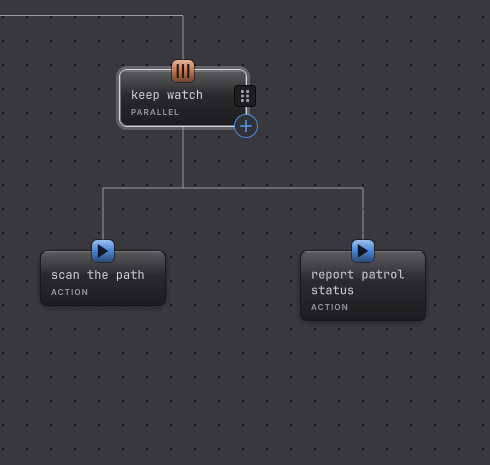
DocumentationFlowControls.bqbehavior does that with a Parallel called keep watch over scan the path and report patrol status.
When to reach for it
Section titled “When to reach for it”- A group of required jobs that should read as one outcome to the branch above, like the sentry’s watch duty.
- Work you want to add to or remove from as a set, without re-plumbing the Selector above it.
- A named grouping in a large tree, so a reader sees intent instead of five loose cards.
For work that genuinely has to overlap in time today, keep the overlap in your own component and let one node wait on it, or use a state’s lifecycle group with Run set to Together, which does run its actions as a group. States and lifecycle covers that control.
See it
Section titled “See it”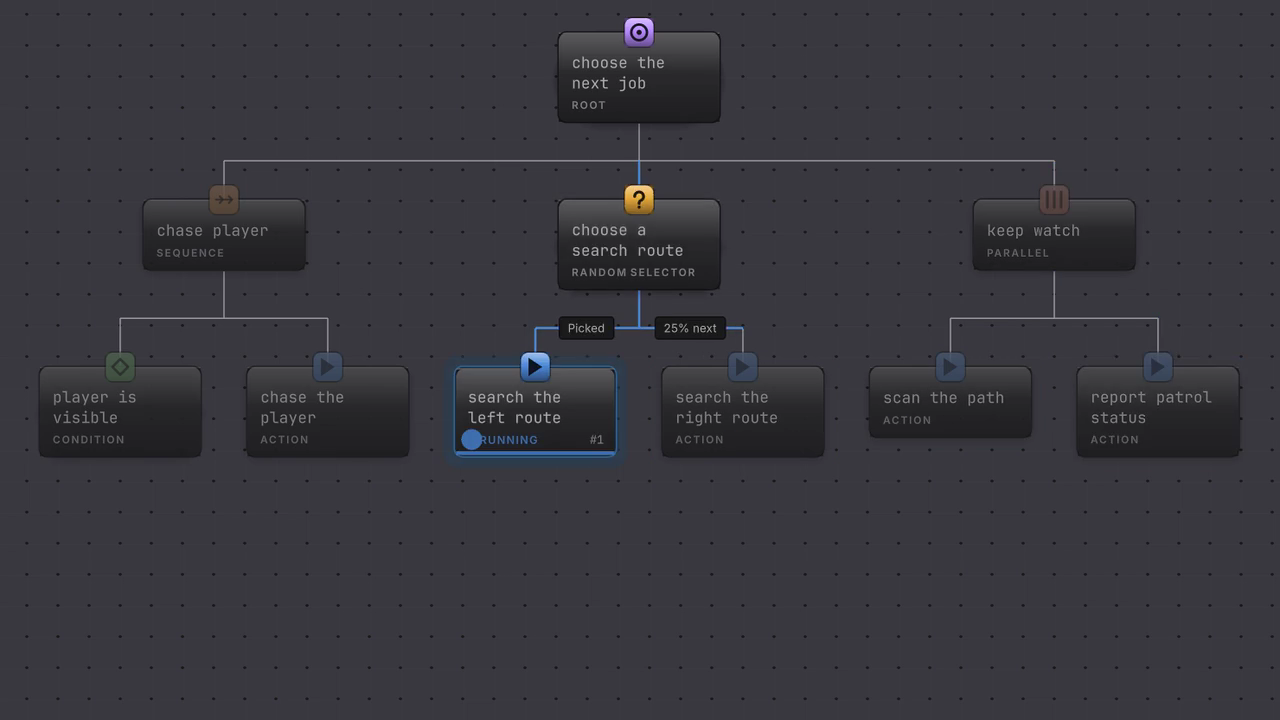
The status pill walks the set: scan the path takes it, finishes, and report patrol status takes it next, inside the same branch. The Parallel reports Success once the second one is done.
-
Open
Assets/Platformer/Behavior/DocumentationFlowControls.bqbehaviorand select the Parallel called keep watch. -
Read the rail. Children is the only node-specific control: two rows, scan the path and report patrol status. There is no policy field, no threshold, and no worker count.
-
Drag the two rows to swap them. The group still needs both children to succeed, and the order you see is the order they are visited in.
-
Read the two children. In
DocumentationFlowControls.bqbehaviorthe Selector above keep watch only reaches this branch when the Random Selector branch fails, and that branch’s actions always succeed, so this copy is for reading in Static. Build the same shape in your own tree to watch it run.
How it decides
Section titled “How it decides”Result
- Success
- Every child has returned Success.
- Failure
- A child returned Failure or Blocked. Parallel stops there and reports that result.
- Running
- A child is still Running, so the group holds, or a child just succeeded and the next one is up.
The honest traversal, read out of BehaviorTickCore rather than out of the node name:
- Children are visited in Children list order, one at a time. A child that holds Running holds the whole group, and the children after it have not started.
- Several children can still complete inside one update. The tick loop keeps walking while results keep arriving, so a group of quick actions finishes as a set in a single frame and lights up together in Live.
- The completion rule is fixed for this release: every child must succeed. The runtime carries a second policy value internally, and nothing in the graph file or the editor selects it, so Parallel behaves as one required set and nothing else.
- The palette entry still describes Parallel as “run children at once; a policy decides the result”. That product text is being corrected; the behavior described on this page is what runs.
If you want children that genuinely run at the same time with a choice of completion policy, watch the release notes. Compatibility and limitations tracks what is and is not delivered today.
When it goes wrong
Section titled “When it goes wrong”When it goes wrong
| Symptom | Check | Fix |
|---|---|---|
| Two children were supposed to overlap and the second one never starts. | Look at whether the first child holds Running. | Keep the overlapping work inside one component and bind a single node to it, or move the pair into a state group with Run set to Together. |
| The group failed and you expected it to carry on. | Read which child reported Failure or Blocked. | Move the optional job out of the Parallel, or give it a result mapping that succeeds. |
| You are looking for a Require One policy control. | The rail has no policy field in this release. | Use a Selector when any one of several options is enough. |
| Parallel looks identical to Sequence in Live. | That matches the delivered traversal. | Choose Parallel when the set membership is the point, and Sequence when the order is the point. |
- Do in order: the composite with the same traversal and a different meaning.
- Choose: when one of several options is enough.
- Parallel reference: the rail and the result table.