
Property and field
Move one value between a member and a graph variable, in the direction that matches who owns it.
On this page
A property or field binding carries one value between your component and a graph variable, and the Direction control decides which way.
The problem
Section titled “The problem”The Dungeon Heist guard’s patrol speed lives in a FloatVariable the game already tunes. The graph wants to read it, and the designer wants to change it while watching the guard walk. Copy that number into the graph and you have two speeds that disagree the moment either side changes.
Guard2.bqbehavior binds it two-way instead: patrolSpeed reads FloatVariable.Value before the tick and writes it back when the graph changes it. One number, one owner, two readers.
When to reach for each direction
Section titled “When to reach for each direction”- read when your game owns the value and the graph consumes it.
Guard2.bqbehaviorreadsLiveFocusinto a variable; the Platformer gallery readsPlayers.Initializedintoplayer_initializedandLevelRules.coinUnlockThresholdintocoin_unlock_threshold. - write when the graph owns the value and your component acts on it. Horde’s
EnemyBrain.bqbehaviorwritesMovementIntent.Modeso the movement system does the moving. - two-way when both sides legitimately change the same value. Horde’s
AttackIntent.Readyis a two-waybool: the graph grants permission, the attack system clears it.
See it
Section titled “See it”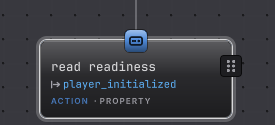
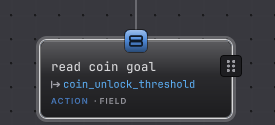
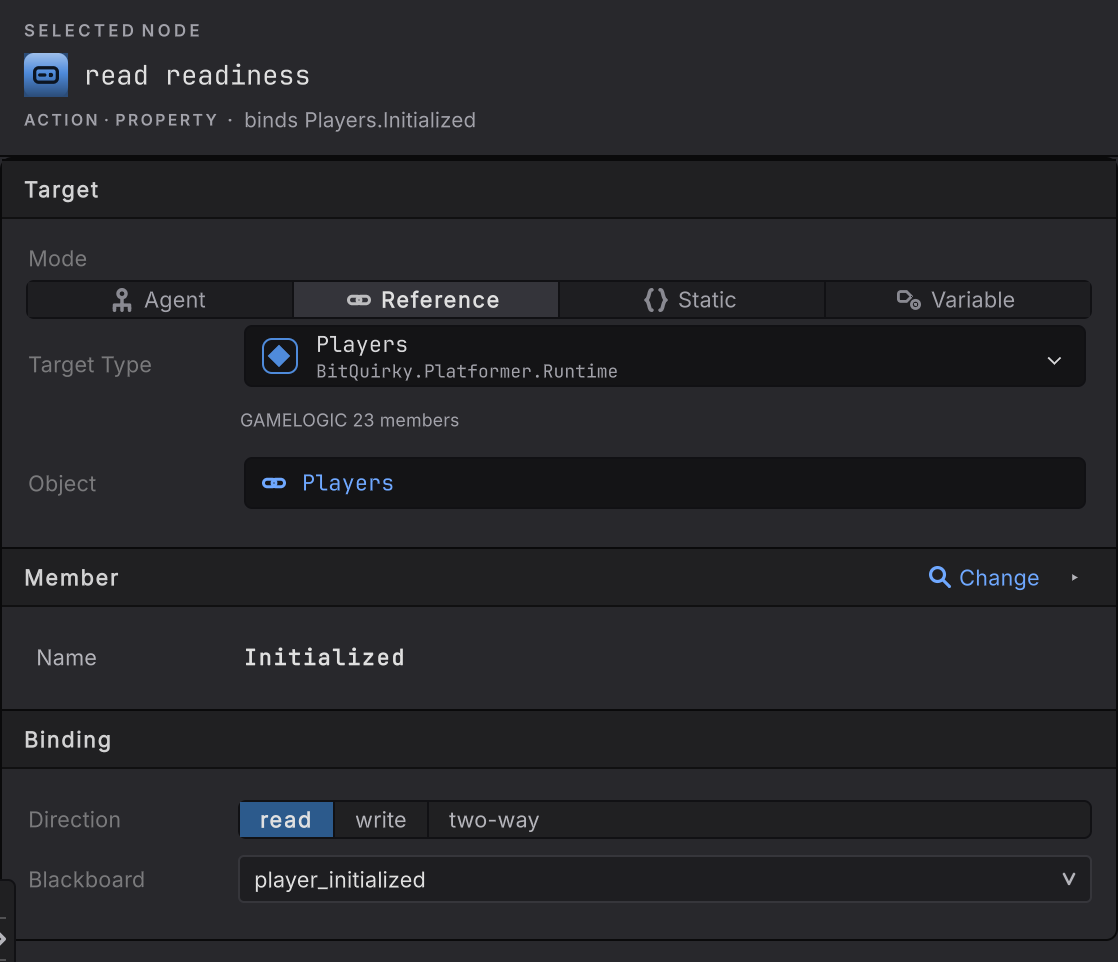
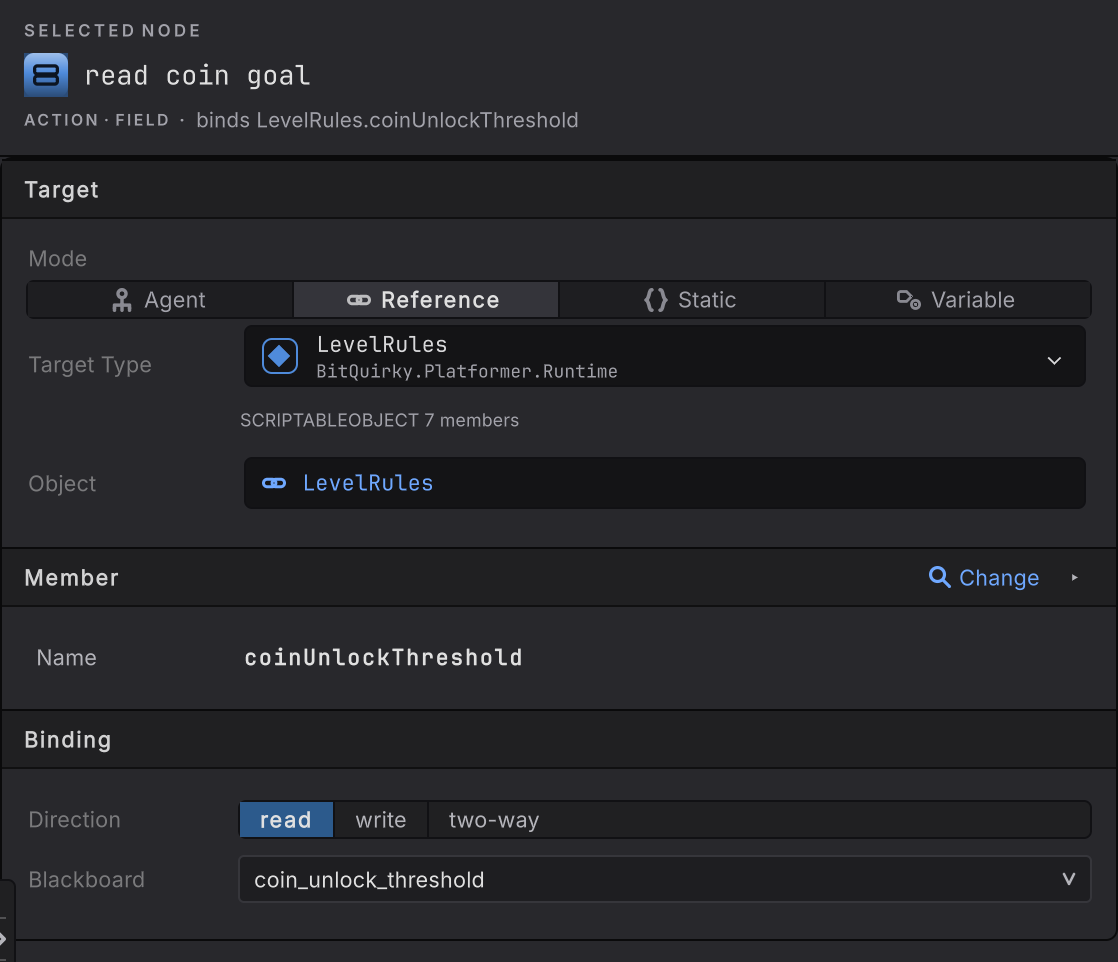
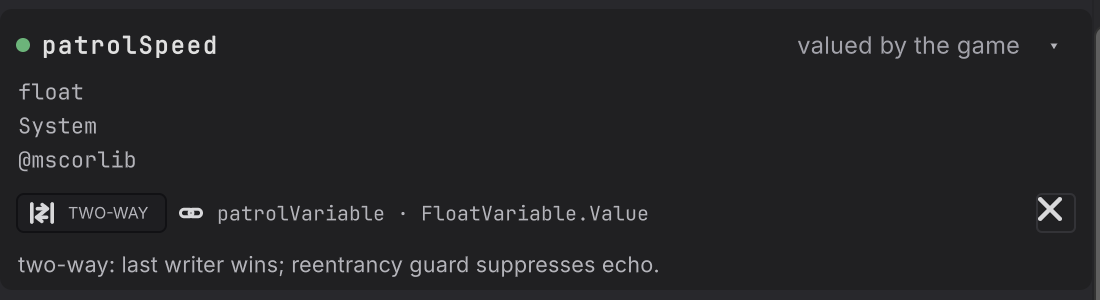
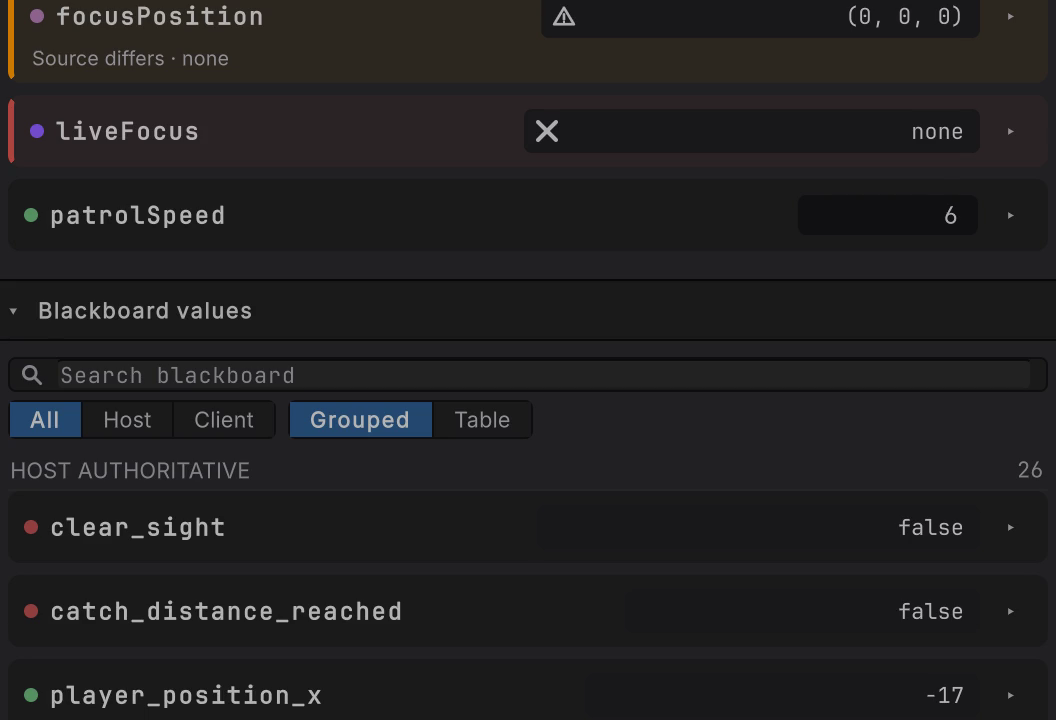
patrolSpeed retyped from 2.2 to 6 in Live, with the guard picking the new speed up on the next tick. The writable control sits on the surfaced member card’s Current row, which is where a two-way binding earns its keep.
-
Add property or field from the picker, under ACTIONS.
-
Finish Target. For a shared setting with no instance, choose Static and then the declaring Type.
-
Pick the member with Member > Change. The disclosure’s Access row reads read, write, or read · write, which is what the declaration actually offers.
-
In Binding, set Direction to read, write, or two-way.
-
Choose the blackboard value on the other end. For two-way, the list only offers values of the exact same type.
How it decides
Section titled “How it decides”Result
- Success
- The access completed. A read wrote the variable, a write reached the member.
- Failure
- The accessor refused the value, or the binding could not resolve its target for this evaluation.
- Running
- Nothing here waits. A property or field access finishes inside the evaluation that started it.
Direction
| Direction | Graph file token | What happens |
|---|---|---|
| read | to-blackboard |
The member is read and the converted value is written to the variable |
| write | to-member |
The variable is read and the converted value is written to the member |
| two-way | two-way |
Both, with one exact type on both sides |
Timing. A direction that reads the member is sampled before the core tick, so every node in that tick sees the same value. A direction that writes the member pushes after the core tick, for the slots the graph changed. A read binding can also refresh from a notification, when you authored a C# event or UnityEvent that says the value moved; without one it polls once before each selected tick.
Two-way details. The later writer wins. A synchronous notification caused by the graph’s own push is acknowledged without echoing a second change, so a push does not chase its own tail. When one side is clearly the owner, a one-way direction says so and reads better six months later.
What the declaration allows. A getter-only property or a readonly field can only be read. A setter-only property can only be written. Init-only and constant fields are read-only. A private setter on a public property stays unavailable until that property itself carries [BehaviorMember], and a compiler-generated backing field is never admitted.
Static members. A static declaration is one value for the whole game, which is right for a rule such as an alert threshold and wrong for anything per agent.
When it goes wrong
Section titled “When it goes wrong”When it goes wrong
| Symptom | Check | Fix |
|---|---|---|
| Two-way is refused. | Compare the two types exactly. | Make them identical. A one-way widening conversion is not enough for the return leg. |
| The variable lags one tick behind the game. | A read direction samples before each selected tick. | Confirm the agent update mode, or author a notification event so the read refreshes when the value moves. |
| The write never reaches your component. | Read the Access row: the declaration may have no setter. | Add a setter, or bind a method that performs the change. |
| Your component keeps overwriting the graph value. | Both sides are writing the same member. | Pick one owner and use a one-way direction toward the other side. |
| Every agent shares the value. | Target mode is Static. | Bind an instance target for a per-agent value. |
| A Vector2 member refuses a float2 variable. | Struct types need exact identity; same size is not the same type. | Declare the exact type the member uses. |
- Live editing: type into a two-way value while the game runs.
- Conversion: exactly which type pairs are accepted.
- Dungeon Heist: the guard whose patrol speed this page keeps using.