
Do in order
A Sequence runs steps one after another and stops the moment a step fails, so later work never happens on a broken assumption.
On this page
Steps that belong together, in the order they have to happen, with a guard at the front that can call the whole thing off.
The problem
Section titled “The problem”The Platformer enemy has to confirm it can see the player before it chases. Get that backwards and the enemy charges at nothing, which is the kind of bug that only shows up when a playtester walks behind a wall. The fix in code is an early return, and early returns spread: one per method, each with its own idea of the precondition.
A Sequence is that precondition made visible. Put the check first, the work second, and the work cannot start on a fact that is false.
When to reach for it
Section titled “When to reach for it”- Guard then act: player is visible, then chase the player, which is the chase branch of
DocumentationFlowControls.bqbehavior. - Ordered work where each step needs the one before it: claim the route, walk to the point, report arrival.
- One branch of a Selector. This is the most common use. The Sequence declines on behalf of the branch, and the Selector moves on.
See it
Section titled “See it”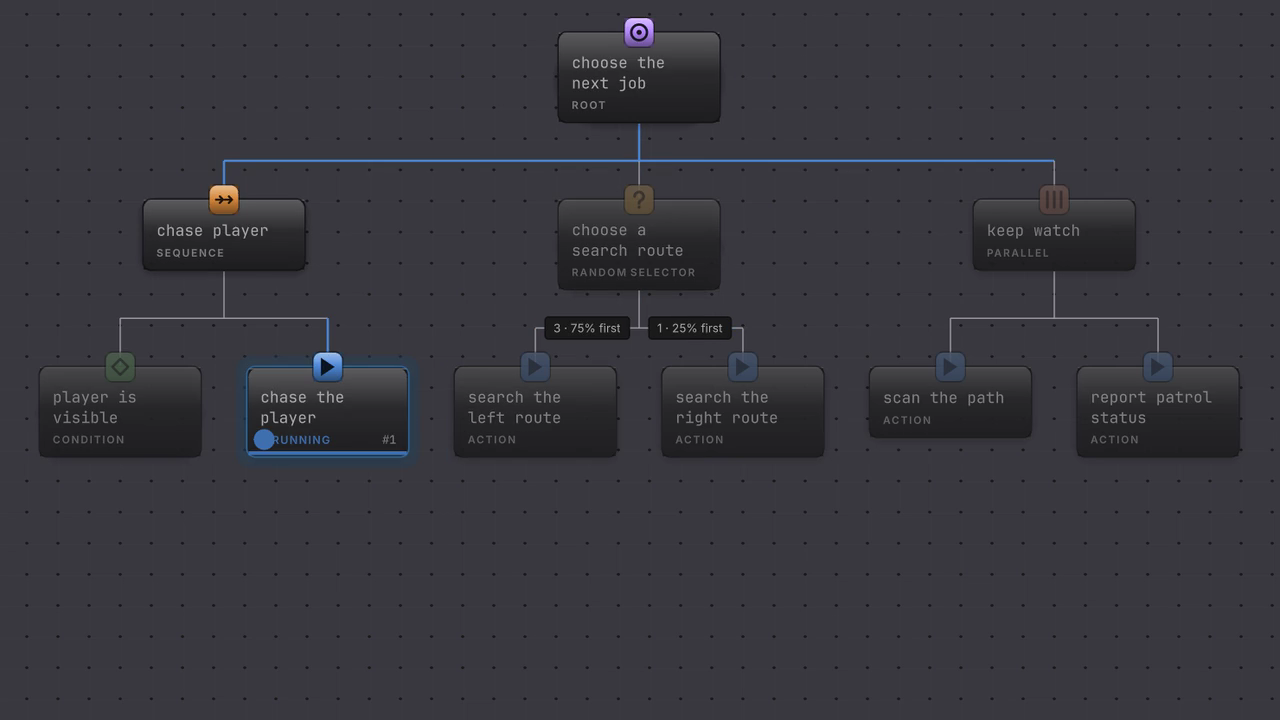
The sight condition succeeds, the cursor moves to the chase action, and the chase holds Running. The Sequence keeps its place on that second child across updates until the chase produces a result.
-
Open
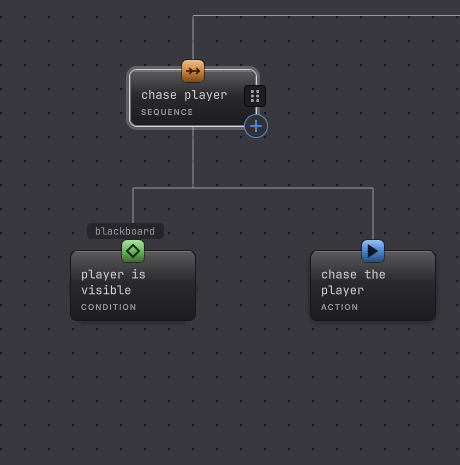
Assets/Platformer/Behavior/DocumentationFlowControls.bqbehaviorand select the Sequence called chase player. -
Read the Children list: player is visible first, chase the player second. That order is the contract.
-
Select player is visible. Its rail reads the blackboard variable
player_visibleand compares it, which is what makes the branch decline when the player is hidden. -
Enter Play Mode with an agent on this graph and leave
player_visiblefalse. The condition reports Failure and the chase action never starts. -
Set
player_visibleto true in the Live blackboard. The condition succeeds and the cursor advances to the chase action on the same update.
How it decides
Section titled “How it decides”A Sequence is the mirror image of a Selector. It keeps a cursor on the child it is working through, and that cursor survives across updates.
Result
- Success
- Every child returned Success, including the last one.
- Failure
- A child returned Failure or Blocked. The Sequence stops there and reports that result, and the remaining children do not run.
- Running
- The current child is Running, or a child just succeeded and the cursor moved to the next one.
- Blocked passes through as Blocked, so a false guard keeps its typed reason on the way up while behaving like a failure to the parent.
- Interrupted, Timeout, and Authority mismatch stop the Sequence and travel to its parent unchanged.
- The cursor is per agent. Two agents on the same graph sit at different steps without interfering, because the cursor lives on the running instance.
- A Sequence does not loop. To run the whole thing again, wrap it in Repeat, which is what
EnemyPatrol.bqbehaviordoes.
When it goes wrong
Section titled “When it goes wrong”When it goes wrong
| Symptom | Check | Fix |
|---|---|---|
| Work happens even though the guard is false. | Read the Children list order for this Sequence. | Move the condition to the first row. |
| The Sequence finishes once and never runs again. | Look at what sits above it. A bare Sequence runs a single pass. | Wrap it in a Repeat, or let the root complete and restart. |
| A middle step is skipped. | Check whether the step before it holds Running forever, so the cursor never advances. | Give the long step a result, or bound it with a Time Limit. |
| Live shows Blocked instead of Failed. | That is a guard predicate reporting false. | Nothing to repair. Composites treat Blocked as a failed step and keep the reason for diagnostics. |
| Two agents behave as if they share a step. | Confirm each object has its own Behavior Agent rather than one agent driving both. | Give each object an agent. Each instance then owns its own cursor. |
- Choose: the Selector that usually sits above a Sequence.
- Keep going: make the whole Sequence repeat.
- Sequence reference: the result table in one box.