
Pause, step, breakpoints
Hold one agent still while the rest of the scene plays, grant it exactly one tick at a time, and stop it the moment execution enters a node you marked.
On this page
Unity’s pause stops the game. This pause stops one agent, and the rest of the scene carries on without it.
The problem
Section titled “The problem”Both Platformer enemies patrol, and one of them is choosing wrong. Pausing the game freezes the evidence along with the bug, and the moment you resume, twenty ticks go by before you can read anything. What you want is the suspect standing still while the scene keeps running, then one tick at a time on demand.
See it
Section titled “See it”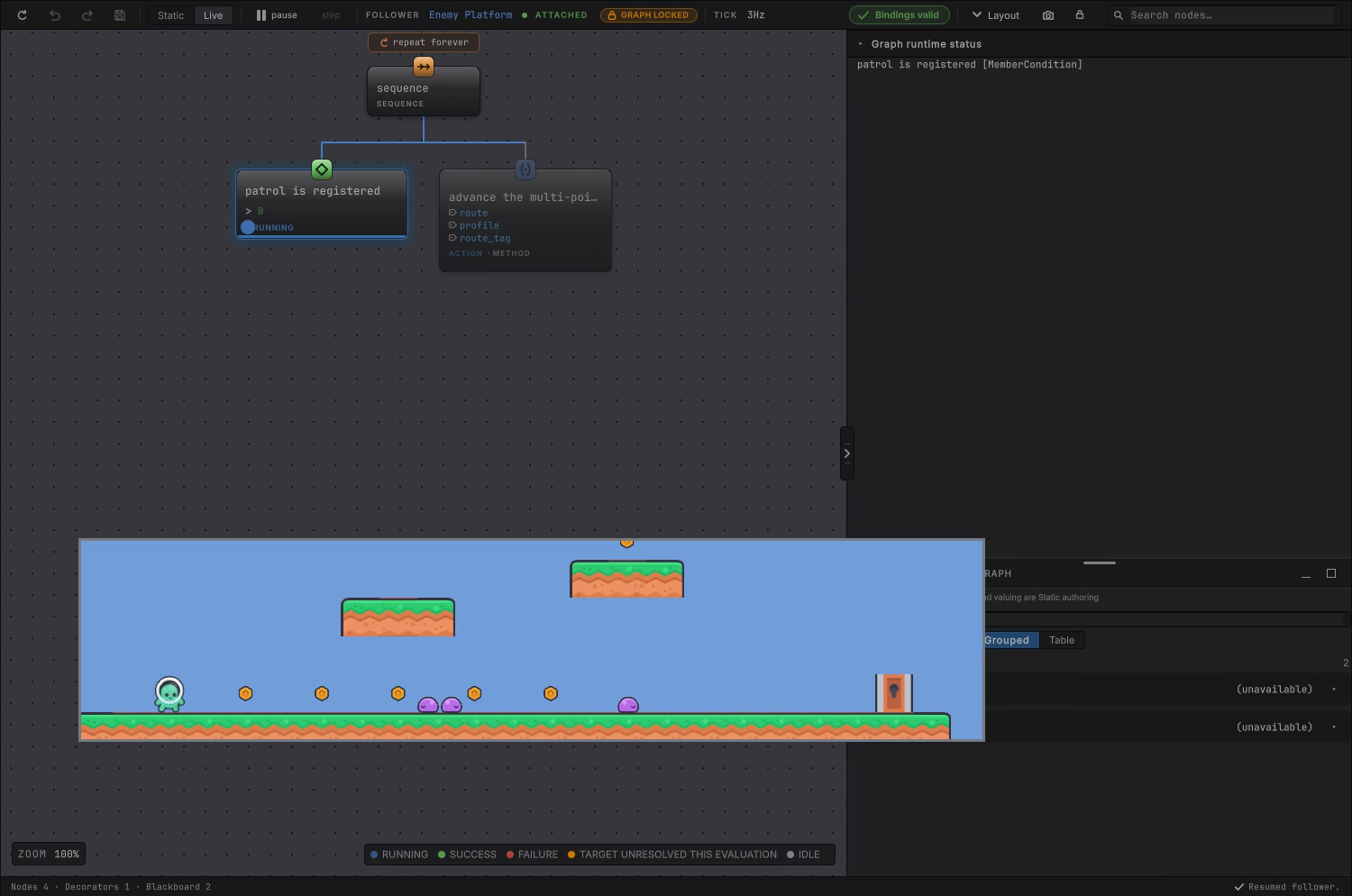
Pause and step one follower
Section titled “Pause and step one follower”-
Attach to the agent, as in attach and inspect.
-
Choose pause in the toolbar, or press Space while the editor has focus. Its tooltip says what it does: Pause / Resume this follower only: Space.
-
Confirm the other enemy keeps walking. The pause belongs to the attached agent.
-
Choose step, or press ., to grant exactly one ordinary evaluation. The button’s tooltip reads Advance one tick: ., and the status bar confirms
Stepped one tick. -
Read the active card and its result, then step again.
-
Choose resume when you have what you need.

What one step actually grants
Section titled “What one step actually grants”A step is one credit. The paused agent skips its update callback until a credit exists, performs exactly one evaluation, and spends the credit only after that evaluation has run. Step is enabled only while paused.
Two limits follow from where the credit is checked.
- The credit gates the agent’s own Update or Fixed Update callback. An agent your game drives through
TickOnceadvances on your schedule, so use Unity’s global Pause and Step for it. - Entity documents mirror Unity’s global Play mode instead: the same two controls read Pause / Resume Unity Play mode: Space and Advance one Unity frame: . See entity debugging.
Closing the document, detaching, reloading the domain, or quitting the editor all resume a follower this document paused. The editor cannot leave one of your agents frozen behind your back.
Breakpoints
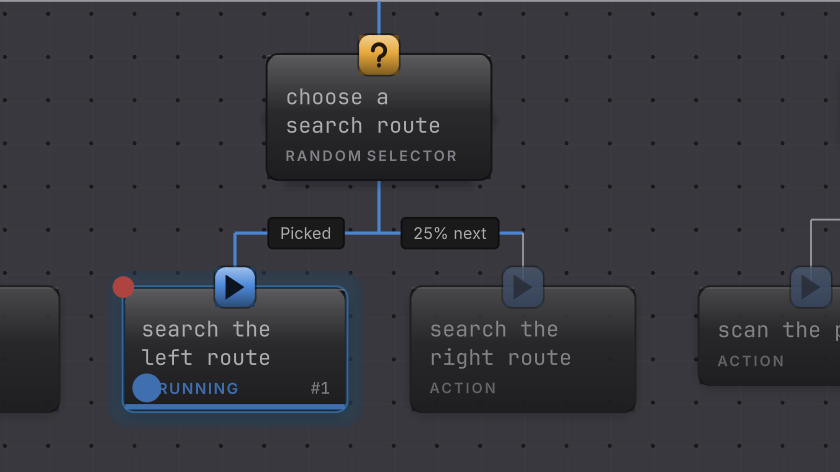
Section titled “Breakpoints”A breakpoint stops the attached follower when execution enters a node you marked.
-
Right-click a card in an attached Live graph and choose Set breakpoint. The status bar confirms
Breakpoint set on n_123, and the card gains a marker. -
Resume, and let the game reach that branch. When the follower enters the node, that follower pauses and the status bar reads
Breakpoint hit: n_123. -
Step from there, or right-click and choose Remove breakpoint.
Markers live in editor preferences, keyed by graph asset and authored node id, so they survive a domain reload and a re-bake that reorders runtime indices. Nothing is written into the .bqbehavior file.
Two honest limits. A Static document has no Set breakpoint item and never paints a marker, so set and clear breakpoints on an attached Live GameObject graph. An entity document offers the same menu item and cannot pause anything, because the entity host supplies no per-agent execution control. Breakpoints are a GameObject feature in this release.
Change one thing
Section titled “Change one thing”When it goes wrong
| Symptom | Check | Fix |
|---|---|---|
| Space does nothing. | Confirm the document is Live and attached, and that the editor has focus. | Click the canvas, then press Space. The key is bound in Live only. |
| Pause is disabled. | Read the attachment word for LOST or DETACHED. | Reattach to the running agent. |
| Pause has no effect on the agent. | Read whether game code drives it through TickOnce. | Use Unity global Pause and Step when an external scheduler owns advancement. |
| Step does nothing. | Step needs the follower paused first. | Pause, then step. |
| A breakpoint never hits. | Confirm the document is attached and the branch actually runs. | Attach, then reach that branch. A Static document has no breakpoint menu item and no follower to stop. |
| A breakpoint on an entity graph does nothing. | The entity host has no per-agent execution control. | Use Unity global pause and step, and read the entity debugging page. |
- Entity debugging: what changes when there is no GameObject.
- Live colors: reading the frame you just froze.
- Watch it run: the tutorial pass over all of this.