
Give up after
Time Limit puts a deadline on one branch, so work that stalls ends with a Timeout instead of hanging your agent.
On this page
Movement requests fail quietly. A door stays shut, a path is blocked, and your agent stands in a doorway forever because the node it is waiting on never answers. Time Limit is the deadline that turns that into a result the tree can act on.
The problem
Section titled “The problem”The Platformer patrol has to reach a post. The movement adapter reports Completed when it arrives, and if the geometry changed or the target is unreachable it keeps working instead. Without a deadline the branch owns the agent until Play Mode ends, and every branch below it in the Selector is starved.
DocumentationDecorators.bqbehavior wraps that Move To in a Time Limit called reach in time, set to two seconds.
When to reach for it
Section titled “When to reach for it”- Any node that waits on your game: movement, a coroutine the graph is watching, or an event that might never arrive.
- A search that should be abandoned. Give the guard four seconds to look around, then fall through to the next branch.
- A Repeat that should not loop forever. Wrap the Repeat in a Time Limit and the loop gets a wall-clock bound.
See it
Section titled “See it”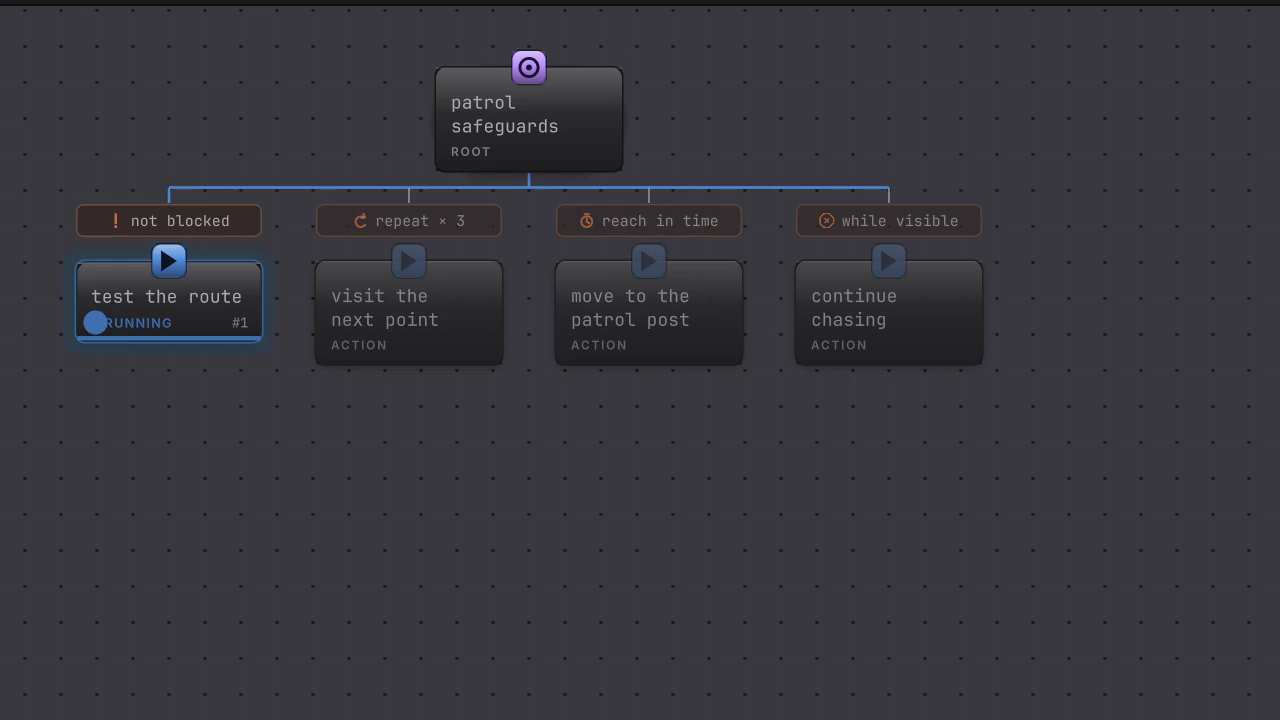
The Move To under reach in time holds Running, the budget runs out, and the decorator reports Timeout. The movement request is cancelled as part of the same stop.
-
Open
Assets/Platformer/Behavior/DocumentationDecorators.bqbehaviorand select the Time Limit called reach in time. -
The rail carries one value field,
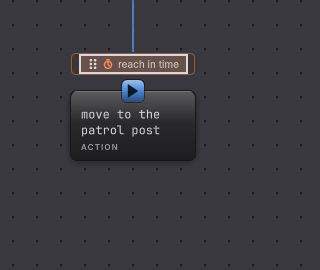
seconds, holding2. The canvas pill carries the node’s name, which is why a Time Limit is worth naming after its deadline. -
Read the Child line below it. A decorator takes exactly one child, and the rail says so plainly when the child is missing.
-
Enter
0.25. In your own tree, a Move To that cannot finish that fast now ends as a Timeout and the branch above it moves on. This fixture copy is for reading in Static: the Sequence above never reaches the Time Limit, because the branch in front of it stops the Sequence first. -
Enter
20and the same movement finishes first, so its own Success passes through the decorator untouched.
How it decides
Section titled “How it decides”Result
- Success
- The child finished with Success before the budget elapsed. The decorator passes it through.
- Failure
- The child finished with Failure or Blocked before the budget elapsed, unchanged.
- Running
- The child is still working and the budget has time left.
Timeout is the fourth outcome, and the reason this node exists. It happens when the child is still Running, the authored budget is above zero, and the elapsed time has reached it.
- Elapsed time accumulates only while this decorator’s ancestry is active, from the host tick delta. Leaving the branch resets the clock, so the next activation gets a fresh budget.
- Expiry is checked before a pending completion is read. A movement that reports success one frame late cannot revive an already expired wait.
- On expiry, the runtime cancels the pending external work owned by that subtree with a Timeout reason and clears an outstanding member request, then sends Timeout up the tree.
- Timeout keeps travelling upward. Composites above do not treat it as a declined choice, and a Repeat does not count it as an attempt, so the whole branch unwinds.
- A branch above it decides what happens next. Put the Time Limit inside a Selector branch and the Selector’s next branch takes over.
When it goes wrong
Section titled “When it goes wrong”When it goes wrong
| Symptom | Check | Fix |
|---|---|---|
| The deadline never fires. | Read the seconds field for a zero or empty value. | Enter a positive number of seconds. |
| The branch times out immediately. | Compare the budget with how long the work really takes. | Raise the budget, or split the work so each step fits. |
| The Selector above does not fall through after a Timeout. | Timeout travels up rather than counting as a declined branch. | Convert the outcome where you want a fallback: put the timed work in its own branch and let the tree re-decide on the next pass. |
| Movement keeps going after the Timeout. | Confirm your adapter honors the interruptible service contract. | Implement cancellation in the adapter so a cancelled request stops the character. |
| Validation rejects the seconds value. | Look for text that is not a finite number. | Type a plain decimal such as 2 or 1.5. |
- Move somewhere: the node most often wrapped in a deadline.
- Keep going: bound a loop by wrapping it in this decorator.
- Time Limit reference: the field and the result table.