
Search and validation
Find a node in a graph that outgrew its screen, read the verdict chips before you press Play, and leave a note in the graph file.
On this page
Dungeon Heist’s Guard2.bqbehavior has eight branches under one priority Selector. Finding the one that matters takes a search field, and knowing it will run takes the verdict chips.
The problem
Section titled “The problem”A graph grows one good decision at a time until the canvas is wider than the window. At that point scrolling is not navigation, and “does this graph even bake” is a question you want answered before Play Mode, on the node that owns the problem.
Notes live in the graph file
Section titled “Notes live in the graph file”A line beginning with %% in a .bqbehavior file is a comment, and it survives every round trip through the editor unchanged. The reader keeps unrecognized %% lines verbatim and the writer puts them back.
The canvas shows none of them. This release has no comment card and no sticky note, so a note is for the person reading the file, and a note for the person reading the canvas belongs in a node name. The editor’s own records use structured %% lines too, so leave those to the editor and keep your notes to prose.
Find a node
Section titled “Find a node”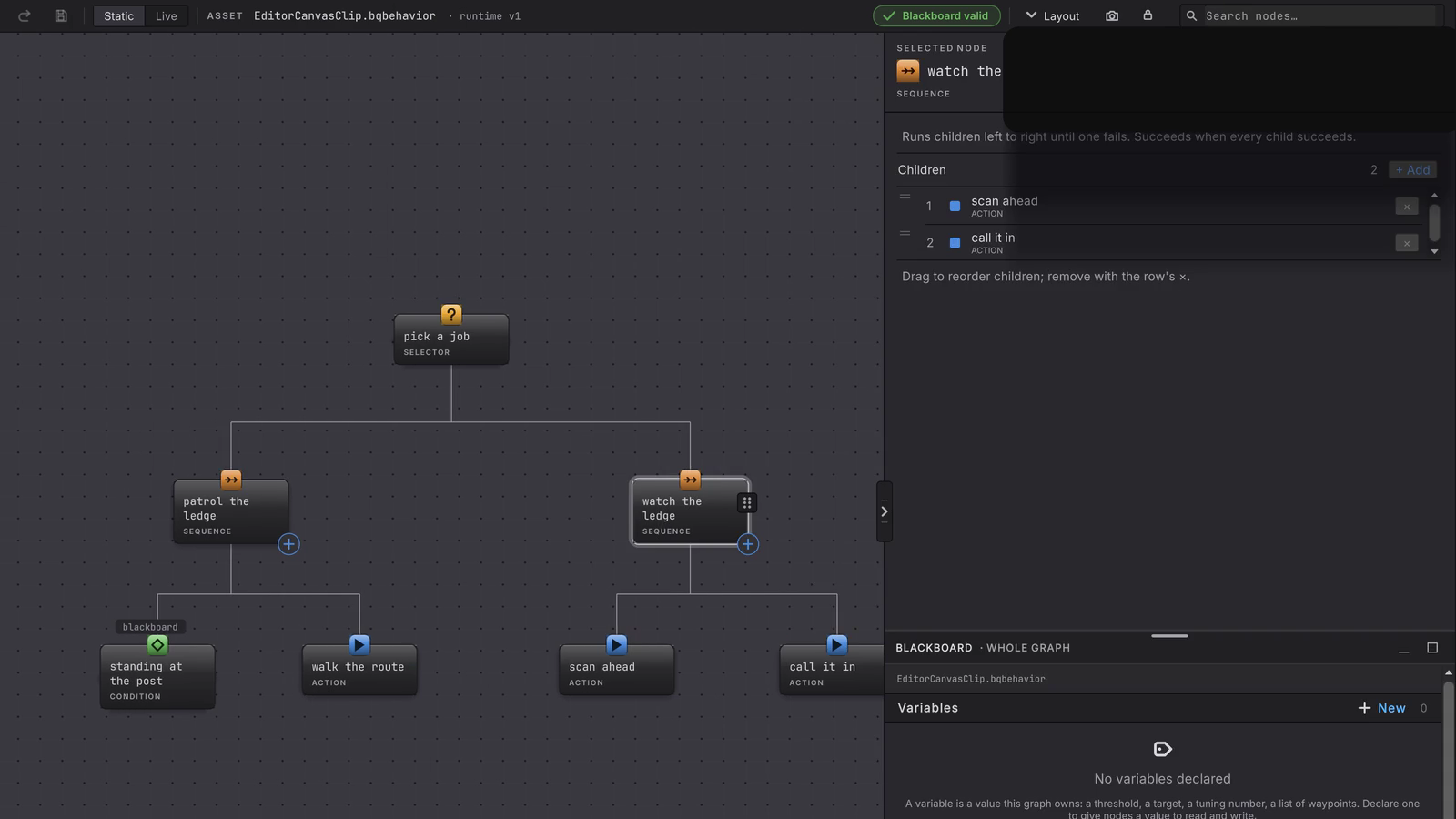
The search field sits at the right of the toolbar, reading Search nodes….
-
Press Cmd/Ctrl+P from anywhere in the editor, or Cmd/Ctrl+F when a text field or popover does not own the key. The field takes focus.
-
Type part of a node’s name. The filter is fuzzy: it matches by subsequence, so
atkeeps both walk the route and call it in. Matches order by prefix first, then substring, then subsequence, and each row shows the name with its kind. -
Move with Up and Down, then press Enter.
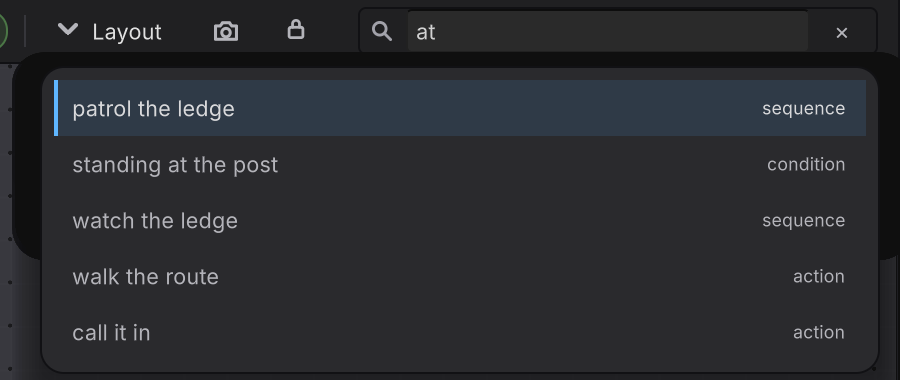
Escape closes the result list and keeps your query. A decorator match resolves to the card that owns it, because the canvas centers cards. In Live the search lists the baked nodes of the running graph instead of the authored ones.
Read the verdict before you press Play
Section titled “Read the verdict before you press Play”The toolbar carries one chip per verdict, and every chip opens the same issues list.
| Chip | Reads | Meaning |
|---|---|---|
| Graph | Valid, or N issues |
Structure, parameters, and node contracts |
| Bindings | Bindings valid, or N binding issues |
Whether every member binding bakes |
| Blackboard | Blackboard valid, or N blackboard issues |
Declarations and their values |
| Live targets | N targets unresolved |
Amber, Live only, and never folded into the bake verdict |
Click any chip, tooltip Click to review issues, and the list opens grouped under GRAPH, BINDINGS, BLACKBOARD, and LIVE TARGETS. A clean graph says so: No issues: the graph, its bindings, its blackboard, and its live targets are valid.
Each row carries its repair. A node-scoped row offers Go to node, which selects and centers that card and expands the rail; a blackboard row offers Go to variable; a member row offers Open rail and lands focus on the control that repairs it. Escape from that control reopens the list at the chip you came from.
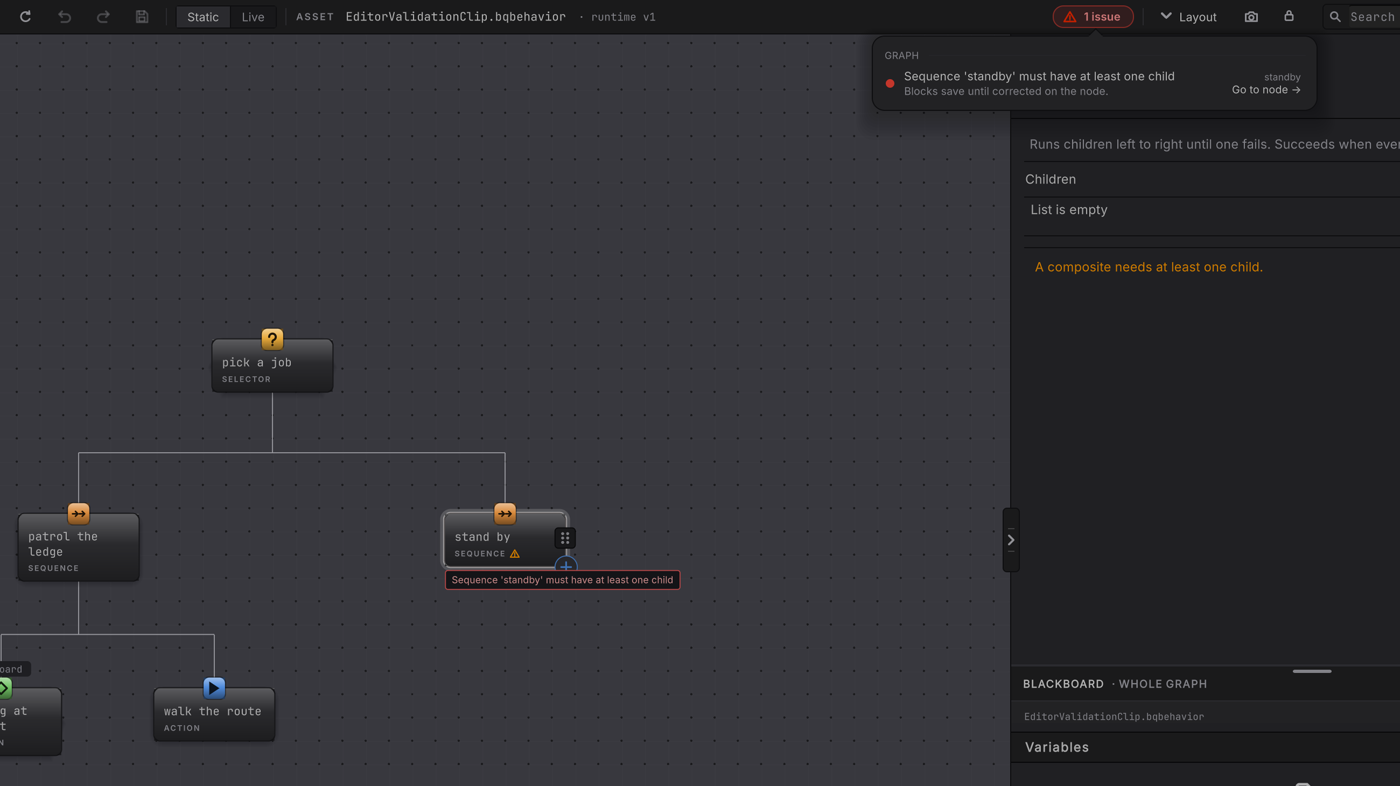
Sequence 'standby' must have at least one child and Blocks save until corrected on the node, the card repeats it inline with a warning glyph, and the rail reports Children, List is empty, A composite needs at least one child.Rows say what they block, too. A structural problem reads Blocks save until corrected on the node., while an unresolved Live target reads Clears when the target resolves again; the graph remains valid.
What the messages sound like
Section titled “What the messages sound like”Validation names the thing to fix in plain words. A few real ones:
BehaviorSource: top-level must be a single behavior tree rootBehaviorSource: must declare exactly one entry state (found 2)A composite needs at least one child.No field chosen; pick the variable to gate on.Assign or create the hosted Behavior Tree.Direct failure needs a weight. Use a finite number 0 or greater.
A structural edit that would make an impossible graph, like a cycle, is refused at the moment you attempt it: Cycle detected involving node 'n_123'. Parameter and binding problems stay in the file so you can repair the exact value you entered, and they block the explicit bake until you do.
A brand new graph shows first-use guidance instead of a red verdict, so an empty canvas does not greet you with errors.
When it goes wrong
| Symptom | Check | Fix |
|---|---|---|
| Your comment vanished from the canvas. | Open the graph file and look for the %% line. | It is still there. The canvas renders no comments in this release. |
| Search finds nothing for a word you can see on a card. | Confirm the word is part of the node name. | Search matches node names. Rename the node if its name should carry that word. |
| Enter on a result jumped somewhere unexpected. | Read whether the match was a decorator. | A decorator result centers the owning card. Click the pill for the decorator itself. |
| The graph chip is green and Play Mode still fails. | Read the bindings and blackboard chips, which answer different questions. | Repair the binding or the declaration those chips name. |
| An amber target count will not clear. | Read the status bar, which names the variable and why it did not resolve. | Give that variable a usable value. The graph itself is valid. |
- Reference Scan: the project-wide version of a stale reference.
- Graph files: what those
%%lines are part of. - Troubleshooting: symptom-first help when the chips are clean.