
Reference Scan
Find every graph in the project that still names a member, field, service, or node type you renamed, then remap them under review.
On this page
You renamed a method. Somewhere in the project, a graph you have not opened for a month still names the old one. Reference Scan reads every saved graph and tells you which ones, then rewrites the ones you approve.
The problem
Section titled “The problem”Platformer’s patrol binds AdvancePatrol(List<Vector2>, PatrolProfile, string). Rename that method and the binding goes stale, which is the honest outcome: the saved binding is an exact identity, so no nearby overload is substituted behind your back. Opening the graph shows the problem clearly, and opening every graph in the project to find them all is the part nobody does.
Reference Scan covers the graphs you did not open. It reads saved text from disk, so a closed graph and a graph with import errors are both in scope.
When to reach for it
Section titled “When to reach for it”- After renaming, moving, or resharing a C# member that graphs bind.
- After removing a service token or a blackboard field that graphs consume.
- Before a release, as a check that no graph in the project still names something that no longer exists.
See it
Section titled “See it”One rename, three steps, in the real window.
-
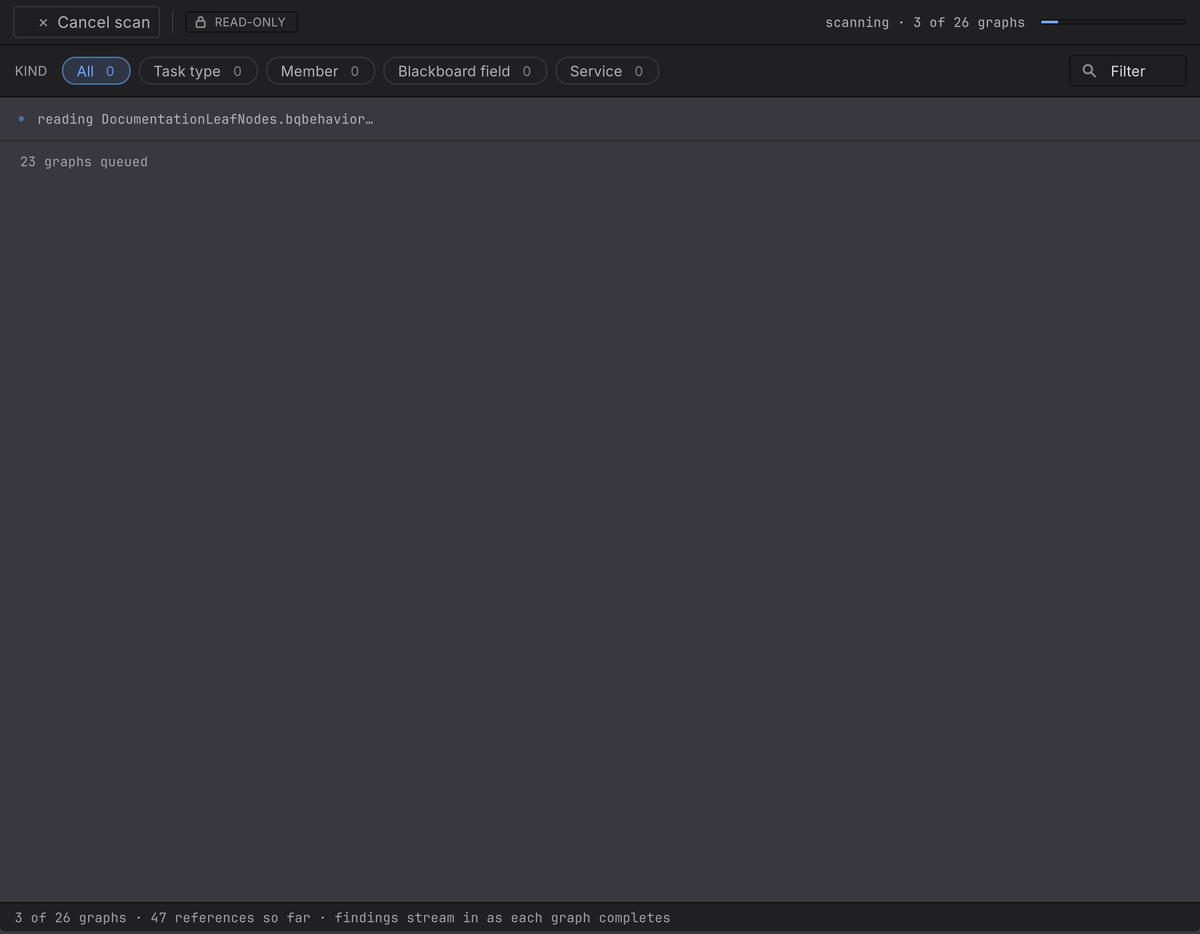
Figure 1. The Reference Scan window scanning, three of twenty-six graphs read, every facet count still zero The scan reads saved text from disk, graph by graph. The facet counts stay at zero until a finding exists.
-
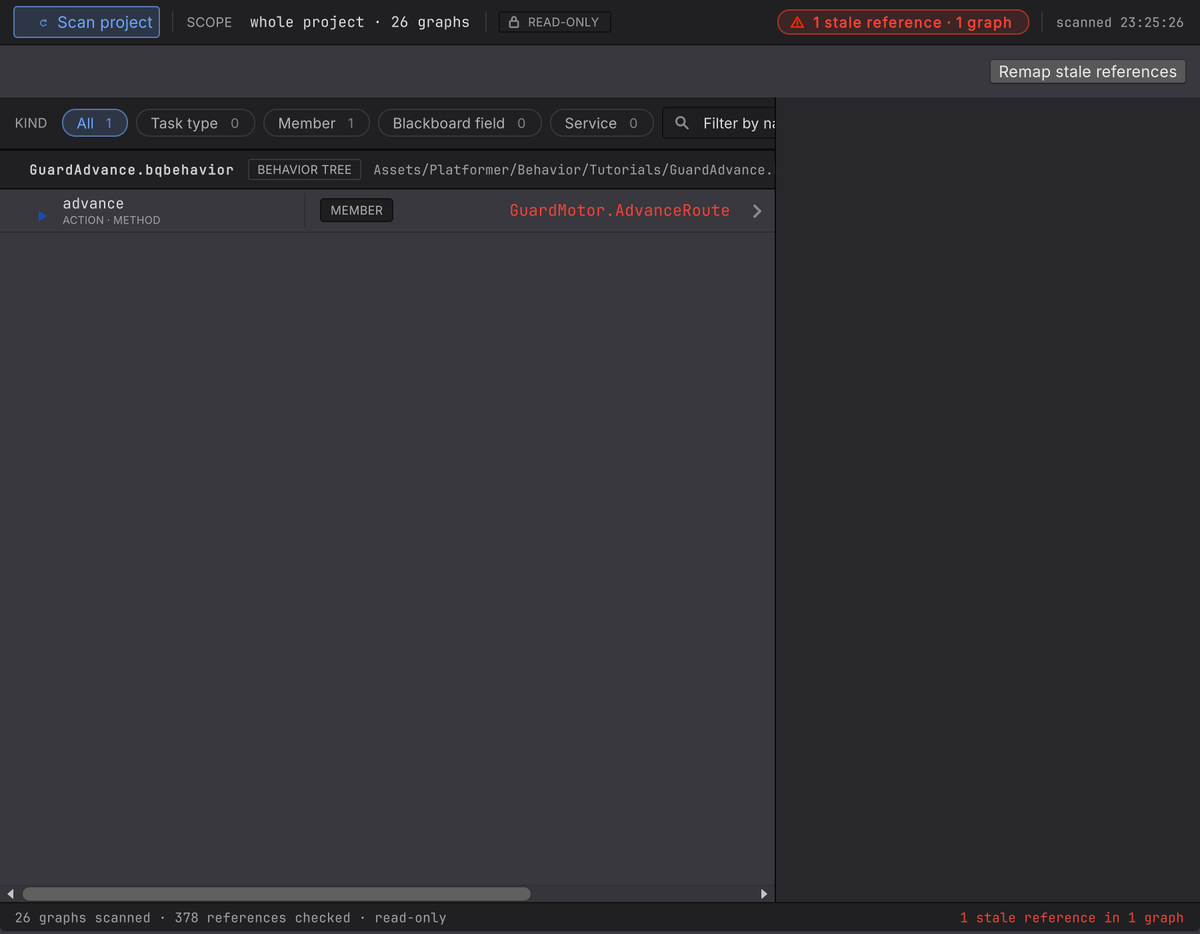
Figure 2. The verdict reading one stale reference in one graph, with the finding row naming the GuardAdvance graph, its advance node, plus the member GuardMotor.AdvanceRoute The verdict names the count, and the row names the graph, the node, the kind, plus the stored identity
GuardMotor.AdvanceRoute. Select the row and the reason appears beside it,no method AdvanceRoute on GuardMotor. The footer keeps the scale and the contract in view: the graphs that run scanned, the references it checked, read-only. -
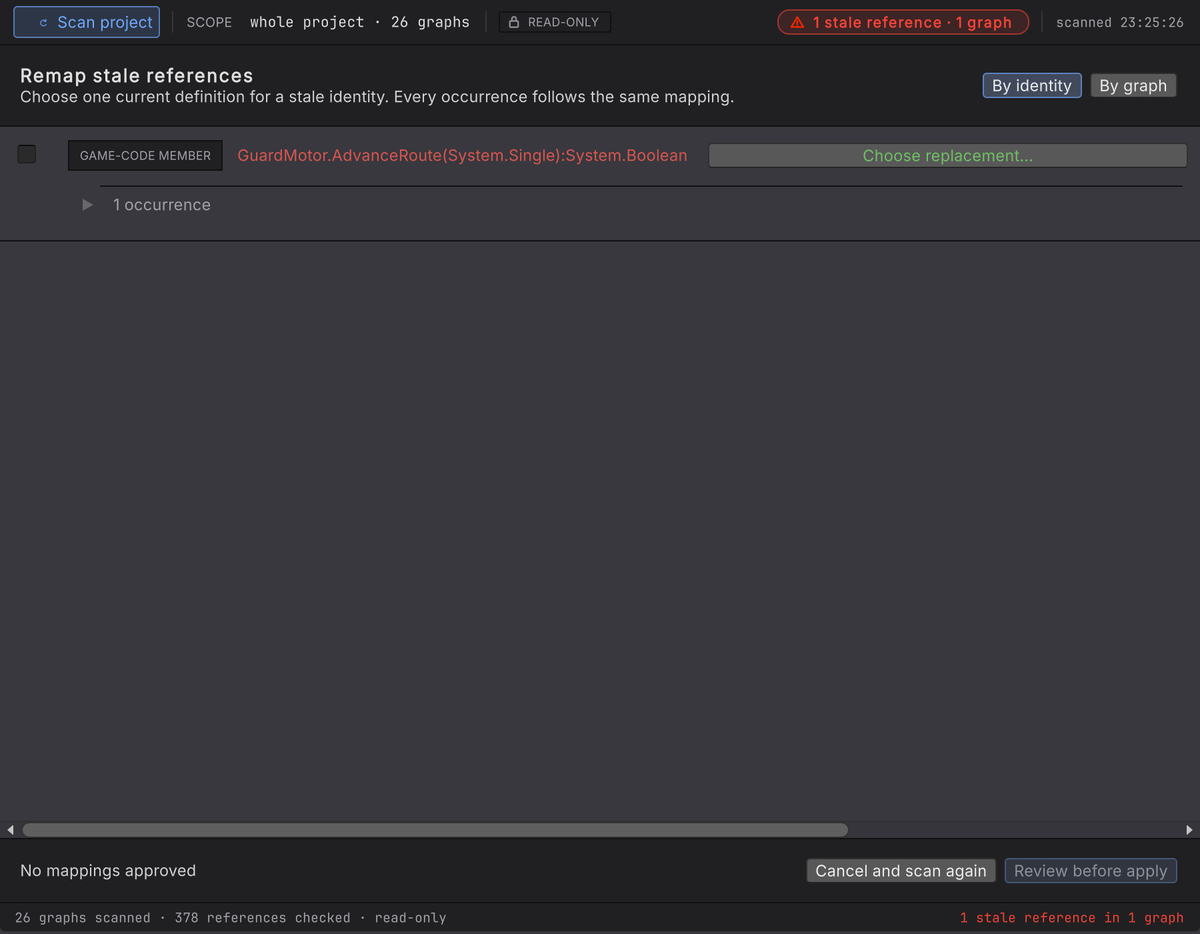
Figure 3. The remap plan with the stale game-code member identity, its occurrence count, and a replacement not yet chosen The plan groups every occurrence of one stale identity under one choice:
Choose one current definition for a stale identity. Every occurrence follows the same mapping.Until you pick one the row reads Choose replacement… and the footer reads No mappings approved.
Run the scan
Section titled “Run the scan”-
Open Tools > Behavior & State > Scan Project References. The window is titled Reference Scan and starts at rest: opening it scans nothing.
-
Read the scope line and the READ-ONLY chip. The scan checks every authored graph in the project, behavior trees and state machines alike, open or not, and the whole surface stays read-only until you press Remap stale references.
-
Choose Scan project.
-
Wait for one verdict: everything resolves, findings exist, or the result is incomplete because named graphs could not be read. An incomplete result is never a clean result.
-
Select a finding to read its stored identity and reason, plus the graph, the line, and the node when one owns it.
-
Choose Open in editor to look at the context. Navigation changes selection and nothing else.
What is in scope
Section titled “What is in scope”A graph is scanned when it sits under the project’s Assets/ tree, or inside a package Unity classifies as Embedded. Dependency packages are excluded, and a source Unity cannot classify fails closed. To include a package you own, embed it in the project first.
The four kinds
Section titled “The four kinds”| Kind | What is checked |
|---|---|
| TASK TYPE | The authored node-kind token and its current task shape |
| MEMBER | Target, declaring type, member, access, parameters and modifiers, generic arguments, notification, plus the value or return type |
| BLACKBOARD FIELD | The authored name, and a stored expected type where the file carries one |
| SERVICE | The authored service token against current declarations and task use |
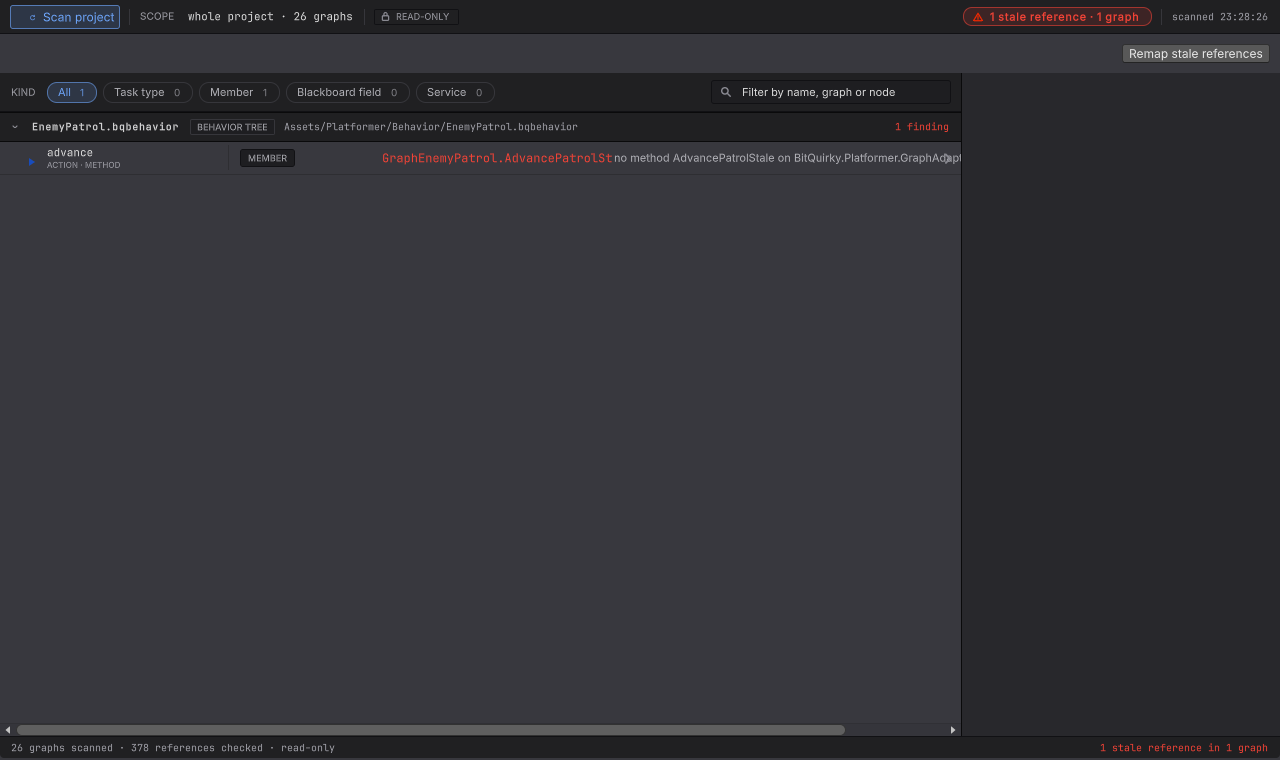
One node can store several references, and every occurrence is kept, even when the same stale identity appears twice on one line. A finding without an honest node owner, like a declaration or a graph-level projected binding, locates the graph instead of selecting an unrelated card.
Reference Scan is not a second validator. An unassigned object reference, a runtime-only target failure, a stale generated provider, or a conversion problem that left the identity intact belongs to validation.
Remap under review
Section titled “Remap under review”-
From a completed result, choose Remap stale references. Occurrences of the same exact stale identity group under one choice, viewable By identity or By graph, sharing one plan.
-
For each identity, choose Choose replacement…, search the current candidates, and read the compatibility. An incompatible candidate stays visible with its refusal reason.
-
Select a candidate and choose Set replacement. Confirm the mapping reads APPROVED. Nothing is preselected, and similarity only orders the list.
-
Choose Review before apply. The review states how many references in how many graphs will change, promises other lines stay untouched, and lists every blocked graph as BLOCKED with its reason.
-
Choose Apply remapping. Anything left unapproved, ambiguous, or invalid stays stale and is not written.
Before a graph is ready, remapping confirms that the saved text still matches what the scan read, the asset exists and is writable, each occurrence still stores the expected stale identity, the replacement can be written at that exact position, and the rewritten graph parses.
Apply closes open graph editors first, then replaces each graph atomically through a temporary file. A blocked or failed graph stays exactly as it was while independent ready graphs complete, and the result separates REPAIRED graphs from ones that are still stale or blocked. Apply writes outside the editor’s undo history, so the graphs it rewrote are recovered from your own project backups.
After applying, choose Scan project again. The fresh verdict catches unapproved mappings, save failures, and definitions that changed while you were reviewing.
When it goes wrong
| Symptom | Check | Fix |
|---|---|---|
| No graphs are in scope. | Read where the graphs live and how Unity classifies that package. | Move authored content under Assets/, or embed the package you own. |
| The result says incomplete. | Read which graph could not be read. | Repair that file, then run a fresh scan. Zero visible findings on an incomplete run means nothing. |
| A candidate cannot be approved. | Read its kind and the compatibility reason. | Pick a definition of the same kind with a compatible shape, or repair that graph by hand. |
| Review says the source changed since the scan. | Something saved that graph after the scan read it. | Cancel and scan again so the coordinates are current. |
| Apply reports a save failure. | Read the per-graph result. | That graph is unchanged. Fix the file permission or the disk problem, then rescan before retrying. |
| A build still fails after a clean remap. | Read the graph’s own validation and the generated provider state. | Reimport so generated direct calls rebuild, as in Addressables and builds. |
- Graph files: why a saved binding is an exact identity.
- Format and migrations: the rebinding rules behind a stale member.
- Bindings: choosing the replacement deliberately in the picker.